Marketing Automation With AI: 7 Workflows That Save 30+ Hours a Week
Marketing automation with AI: 7 concrete workflows on Kubeez MCP and REST API that reclaim 30+ hours a week for strategy instead of production.

Most marketing teams in 2026 still spend the majority of their week on production. The real lever is not "use AI to write a caption faster" — it's wiring AI into the seven repetitive workflows that eat your week, and giving the strategy hours back to the people who were hired to think.
This guide is for the operator-minded marketer or founder who wants concrete plumbing: what to automate, what tool calls to make, and what the hours look like before and after. Everything below runs on Kubeez via the REST API or the MCP server, so it works whether your stack is a Notion-and-Slack pod or an internal app.
#Where marketing time actually goes
Before naming workflows to automate, look at the time data honestly. Asana's Anatomy of Work Index found that across 10,000+ knowledge workers, only ~25% of the day goes to skilled work, ~13% to strategy, and ~58% to "work about work" — coordination, file hunting, status updates, and shifting priorities (Asana, Anatomy of Work). Inside marketing specifically, that 58% rolls up into the same handful of recurring production tasks every week: resizing assets, drafting captions, translating copy, regenerating ad variants, hunting stock photos, and stitching short-form cuts.
The good news is that the marketers who have actually wired AI into those production tasks are recovering meaningful weekly hours:
- HubSpot's 2025 marketer survey found marketers using AI save an average of 12.5 hours per week — roughly 26 working days a year (HubSpot, AI Workflow Automation). 67% of marketing teams report saving 10+ hours per week.
- Sprout Social's own team recovered 72 hours per quarter on content performance reporting alone by integrating AI into their social workflows, and lifted SEO content production by 68% (Writer customer story on Sprout Social).
- Zapier's 2025 enterprise data shows broad AI adoption typically drives 20–30% productivity, speed-to-market, and revenue gains, with up to 35% reduction in operational cost (Zapier, AI in Business).
Stack those numbers together honestly and the realistic ceiling for a 2-person marketing pod that fully wires AI into production is 30–35 reclaimed hours per week — almost a full FTE freed for strategy, partnerships, or paid-channel optimization. The next seven workflows are how you get there.
#The seven AI marketing automation workflows that move the needle
Each workflow below shows the before time-cost (what a human used to spend per week), the after (what the same output costs once the workflow is wired), and the exact Kubeez surface that runs it.
#1. Auto-generate weekly post imagery from a content calendar
Before: A junior designer or freelancer turning a 12-row content calendar into 12 finished post images = roughly 6 hours/week, plus stock-photo licensing fees.
After: Your content calendar (Notion, Airtable, Google Sheets) becomes the trigger. An MCP-connected assistant reads the row, calls Kubeez, and drops finished CDN URLs back into the row. ~20 minutes/week of human review.
A natural Claude-MCP-style chat looks exactly like this:
"Read this week's content calendar in Notion. For every row marked 'image: pending', generate a 4:5 portrait image on
gpt-image-2matching the brand prompt template, and write the CDN URL back to the 'image_url' column. Brand template: 'product still on cream linen, walnut accent, soft natural daylight, no people'."
The assistant fans out 12 parallel generate_media calls against GPT Image 2, polls each, and writes the results back. Total credits at 1K standard: ~132. Total human time: long enough to drink one coffee.
If you'd rather build it as a server job, the same loop is two endpoints — POST /v1/generate/media and GET /v1/generate/media/{id} — plus a Notion API write. The full primer is in Automate AI Media with Kubeez: REST API vs MCP.
#2. Auto-caption every uploaded video
Before: Manual subtitle pass on five Reels per week = 3–4 hours/week, even with Descript or CapCut. Burned-in styled captions for vertical add another 1–2 hours.
After: Every upload to your DAM triggers a single Auto-Captions call. The job returns timed, brand-styled captions ready to burn in. Under 10 minutes/week of human review.
This is one of the highest-ROI workflows on the list because captions are non-negotiable for short-form (85%+ of mobile video is watched muted) and the manual work is pure friction. Walk through the full set-up in Add subtitles & captions to any video.
#3. Batch-generate 20 ad variants from one product photo
Before: Designer shoots/sources one product hero, then manually iterates 3–4 variant directions, then resizes each across 9:16 / 1:1 / 4:5 / 16:9. 8 hours/week for a single weekly ad set with a real test budget behind it.
After: One product photo + one prompt = 20 finished variants in parallel. The pipeline:
- Upload the product photo via
POST /v1/upload/media. - Loop a single
POST /v1/generate/mediaagainst GPT Image 2 or Nano Banana 2 withsource_media_urlsset to the product, varying the scene-description suffix and theaspect_ratiofor each call. - Drop into the Ads flow to layer brand copy on the strongest visuals.
Time after: ~45 minutes/week. Same brief, ten times the variants, four formats by default. The reason ads die in test is rarely the offer — it's that the team only had bandwidth for two creatives instead of twenty. AI removes that bandwidth ceiling.
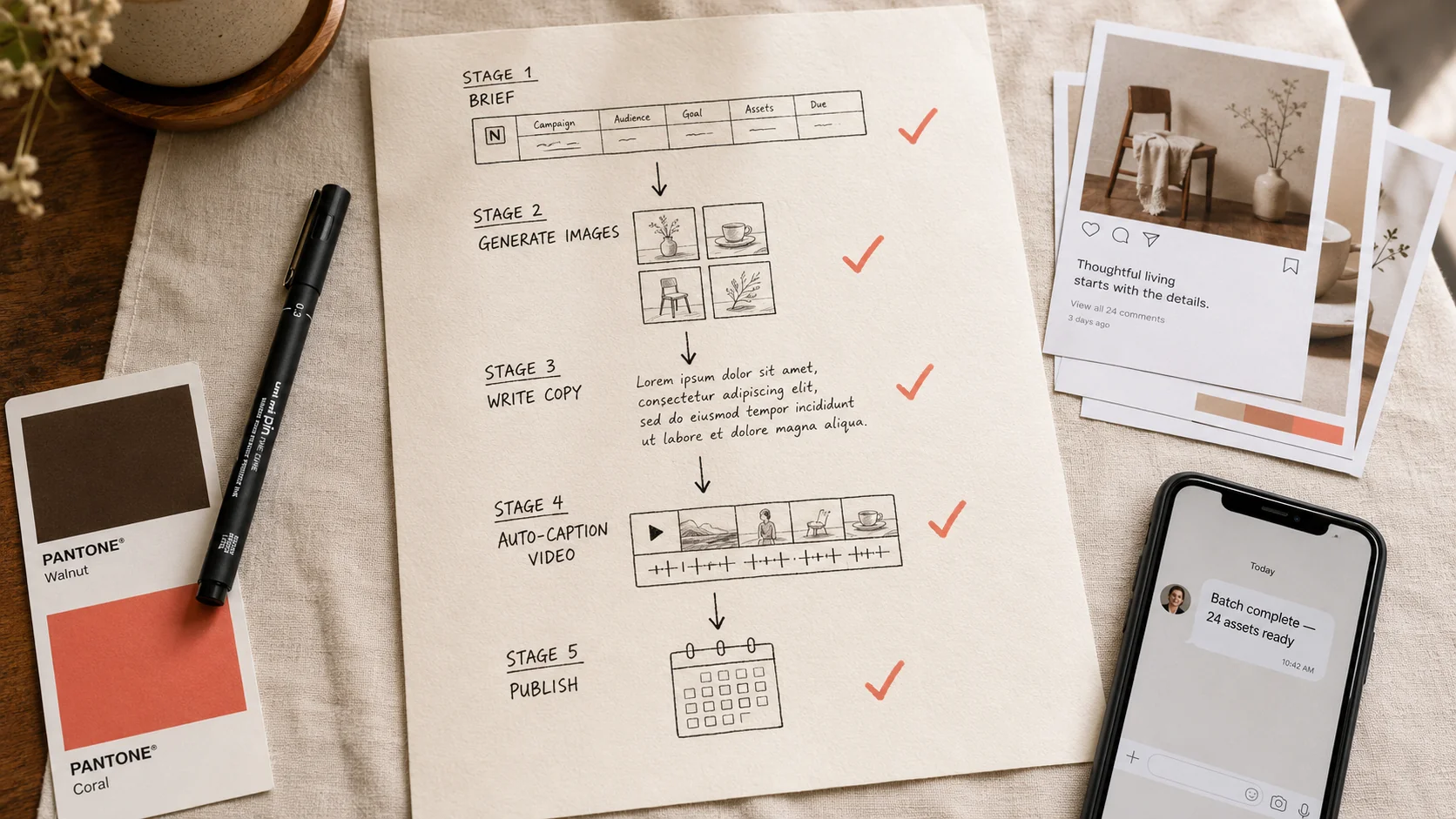
#4. Repurpose one long video into 6 vertical Shorts
Before: Editor takes a 20-minute podcast or webinar, finds 6 highlight moments, crops to 9:16, adds captions, designs a hook frame for each. 6–8 hours/week.
After: The pipeline is the topic of Long video to Shorts with captions: upload long video → generate captions → cut by transcript timestamps → re-render vertical with captions baked in. Run through the Kubeezcut browser editor or scripted via API.
Time after: ~1.5 hours/week (mostly choosing which 6 moments are worth posting). This is where most one-person creator businesses 5x their distribution without producing a single new piece of source content.
#5. Music + voice-over for every script, generated in parallel
Before: Sourcing royalty-free music, briefing a voice actor on Fiverr, waiting 24–48 hours, paying $40–$120 per script. 3 hours of human time + waiting + cost per weekly batch.
After: Two parallel calls:
POST /v1/generate/dialogue— pick a Kubeez voice from the Dialogue library, paste the script, get a CDN audio URL in under a minute. Background in Voice cloning with Kubeez.POST /v1/generate/music— describe the vibe ("warm acoustic, mid-tempo, no vocals, 90 seconds"), get a tracked WAV. Background in Generate music with Kubeez.
The two outputs land on the CDN inside the same minute. Stitch in your editor (or via Kubeezcut). Time after: ~30 minutes/week, and the recurring voice-actor invoices stop.
#6. Auto-translate captions to 5 languages
Before: A bilingual freelancer translating a week's worth of caption files into ES/RO/DE/FR/PT. 2–3 hours/week plus per-word fees, plus turnaround friction.
After: Kubeez's multilingual auto-captions flow takes a single source video and returns timed, styled subtitles in five languages from one call. For text caption translation, an MCP-connected assistant ("translate this week's 12 IG captions to ES and RO, preserve emojis and hashtag intent") handles the rest.
Time after: ~15 minutes/week. The unlock here is not the time saved — it's the markets you start posting to that you previously couldn't justify the friction for.
#7. Triggered ad rotation: new creative every 3 days
Before: Paid teams know creative fatigue is real — by day 5–7, CPMs climb and CTR drops. But producing fresh creative every 3 days is impossible with a manual team. So most teams run the same creative for 2–3 weeks and watch performance degrade.
After: Wire a scheduler (cron job, GitHub Action, Zapier) that every 3 days calls POST /v1/generate/media against your locked brand prompt template with a new seed and a fresh angle from a small angle-bank table, then auto-imports to Meta or TikTok via their respective APIs.
Time after: ~1 hour/week to maintain the angle bank and review the Friday batch before it goes live. Continuously fresh creative without continuous manual labor — the exact pattern walked through in Claude + Kubeez MCP for content generation.
#The before/after table
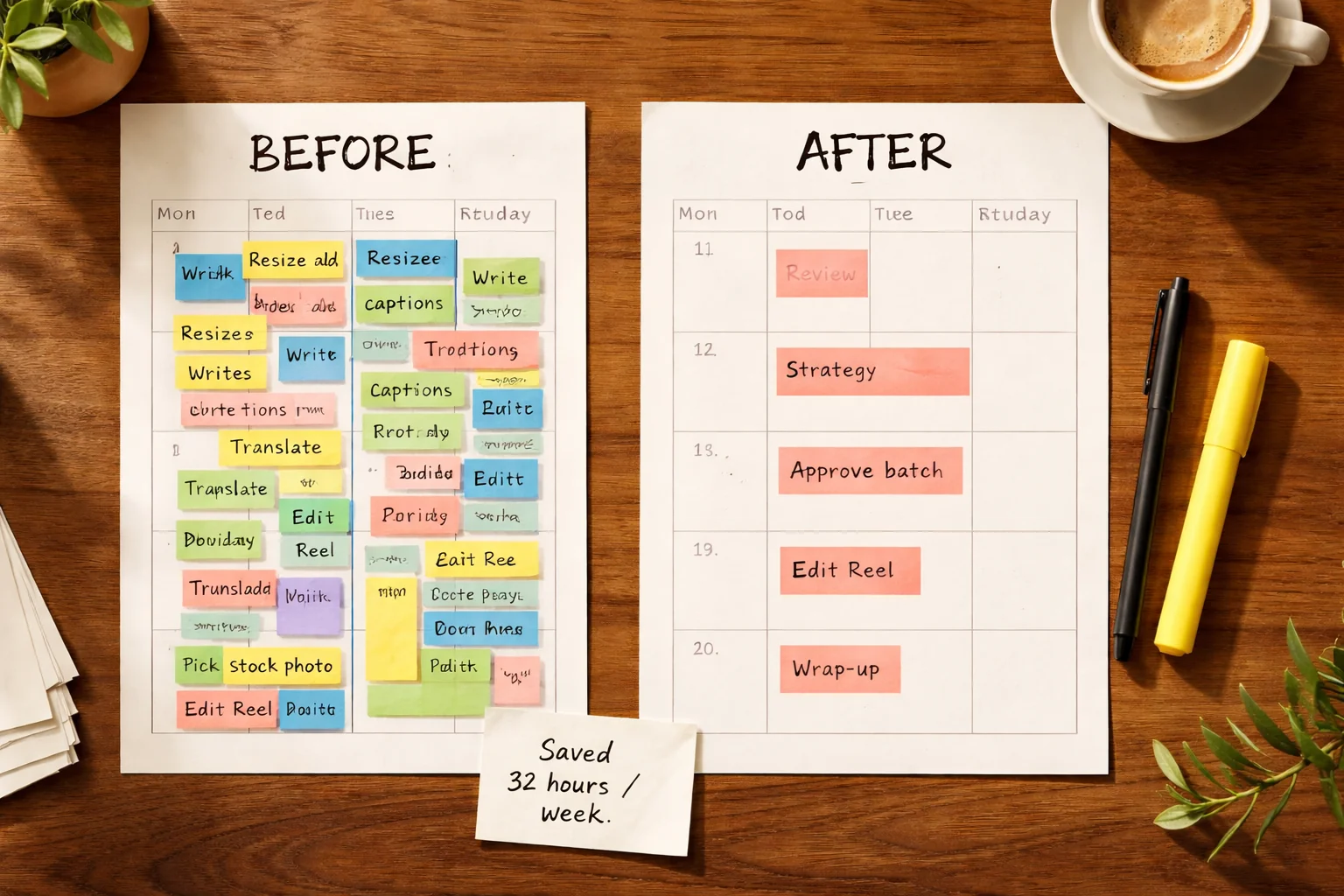
Stack the seven workflows together and the math is concrete:
| Workflow | Before (hrs/wk) | After (hrs/wk) | Saved (hrs/wk) |
|---|---|---|---|
| 1. Auto-generate weekly post imagery | 6.0 | 0.3 | 5.7 |
| 2. Auto-caption every uploaded video | 4.0 | 0.2 | 3.8 |
| 3. Batch ad variants from one product photo | 8.0 | 0.8 | 7.2 |
| 4. Long video to 6 vertical Shorts | 7.0 | 1.5 | 5.5 |
| 5. Music + voice-over per script | 3.0 | 0.5 | 2.5 |
| 6. Auto-translate captions to 5 languages | 2.5 | 0.3 | 2.2 |
| 7. Triggered ad rotation every 3 days | 5.0 | 1.0 | 4.0 |
| Total | 35.5 | 4.6 | 30.9 |
That 30+ hours/week is what the headline promises and what HubSpot's "12.5 hours saved" finding looks like once you stack production workflows instead of just isolated tasks. The pod that wires all seven is effectively gaining a full FTE of strategy capacity per marketer.
#The two integration paths
Every workflow above runs on one of two surfaces. Pick the one that matches who's wiring it in.
#Path A — MCP for chat-driven marketing ops
If your team lives in Claude, ChatGPT, or Cursor, the Kubeez MCP server lets the assistant call generate_media, generate_music, generate_dialogue, and get_status on your behalf. Connect once with a scoped personal access token, then ship batches in plain English. Full setup in Automate AI Media: REST vs MCP.
This is the path for marketers, founders, and ops people who don't write code but live in chat tools all day. Workflows 1, 2, 3, 5, and 6 all run cleanly from a single chat thread.
#Path B — REST API for scheduled jobs and internal tooling
If you have engineering capacity, the REST API overview is the entire generation surface — same auth, same models, same credit balance — exposed for backend code. The minimum production loop is the same three steps everywhere:
POST /v1/generate/media(or/dialogue,/music,/captions).- Poll
GET /v1/generate/{kind}/{id}untilstatus === "completed". - Persist the returned permanent CDN URL into your DAM, CMS, or ad-platform upload.
Workflows 4 and 7 (long-video repurposing and triggered ad rotation) almost always belong here — they're scheduled, not interactive — but you can prototype them in MCP and graduate them to REST once they're stable.
#Two failure modes to avoid
1. Automating the wrong thing. The biggest miss is automating brief-writing instead of asset production. Brief-writing is where strategy lives; production is where hours die. If your "AI workflow" replaces the strategist instead of the production line, you've inverted the lever.
2. Skipping the prompt template. Every workflow above assumes you've built a brand prompt template per visual style and you reuse it. Without the template, your batch outputs drift in look and the team starts hand-touching every result, which kills the time savings. Same discipline you'd give a freelance photographer or copywriter — applied to a prompt instead.
The teams hitting the 30+ hour mark all have one shared property: they treat prompt templates as a versioned creative asset, not as throwaway text. Same brief discipline, new medium.
#What this unlocks at the strategy layer
The point of saving 30 hours isn't to ship 30 more hours of asset production — that's just industrializing the treadmill. The point is to redirect that capacity into the work that actually moves the P&L:
- Audience research that informs the next angle bank.
- Paid-channel optimization that lifts ROAS one or two points.
- Partnership and PR work that earns distribution you don't have to buy.
- Customer interviews that change what you're saying, not just how often.
Most marketing teams are not under-producing. They're under-thinking, because production swallows the calendar. Marketing automation with AI is, fundamentally, a strategy-time recovery system — the assets are just the visible byproduct.
#FAQ
How realistic is "30 hours a week saved" for a small team? For a 1-2 person marketing pod that ships across 3+ channels, it's the realistic upper bound when all seven workflows are wired in. HubSpot's broad survey average is closer to 12.5 hours per individual, which is the lower end before workflow stacking. The 30+ figure assumes you've gone past isolated AI use and into systematic pipeline replacement.
Do I need to be technical to wire this up? Workflows 1, 2, 3, 5, and 6 run from a chat thread via MCP — no code. Workflows 4 and 7 benefit from a small server job, which most teams hand off to a junior dev or a Zapier/Make.com flow.
Won't the output look "AI-generated" and tank engagement? This is the most common objection and the data is mixed. Sprout Social's 2026 research found consumers want more human-generated content even as marketers experiment with AI (Sprout Social, AI in Content Marketing). The teams that win are the ones who use AI for production and keep humans on direction, strategy, and final review. The output looks AI-generated when no one was directing it.
What about brand consistency across batches? This is what the prompt template solves. One template per visual style, locked color story, locked composition rules. Every generation pulls from the template — the variant is the angle, not the look. Treat your prompt library the way a brand designer treats brand guidelines.
Where do I start if I've never wired this in before? Start with workflow 1 (auto-generate post imagery from your calendar) for two weeks. It's the lowest-risk loop and the time savings are visible immediately. Once that's running cleanly, layer in workflow 2 (auto-captions) and workflow 3 (ad variants). The full seven take roughly a quarter to systematize properly.
The marketers who win 2026 aren't the ones with the best AI tools — that's everyone now. They're the ones who rebuilt the production line around AI so the same brief takes a tenth of the time and the strategy hours come back. Connect Kubeez MCP, or start with the REST API and run your next weekly batch through it.
See also