AI Music Generation: Custom Soundtracks for Your Videos
Create custom soundtracks with AI. Music models, genre selection, duration options, and commercial licensing.
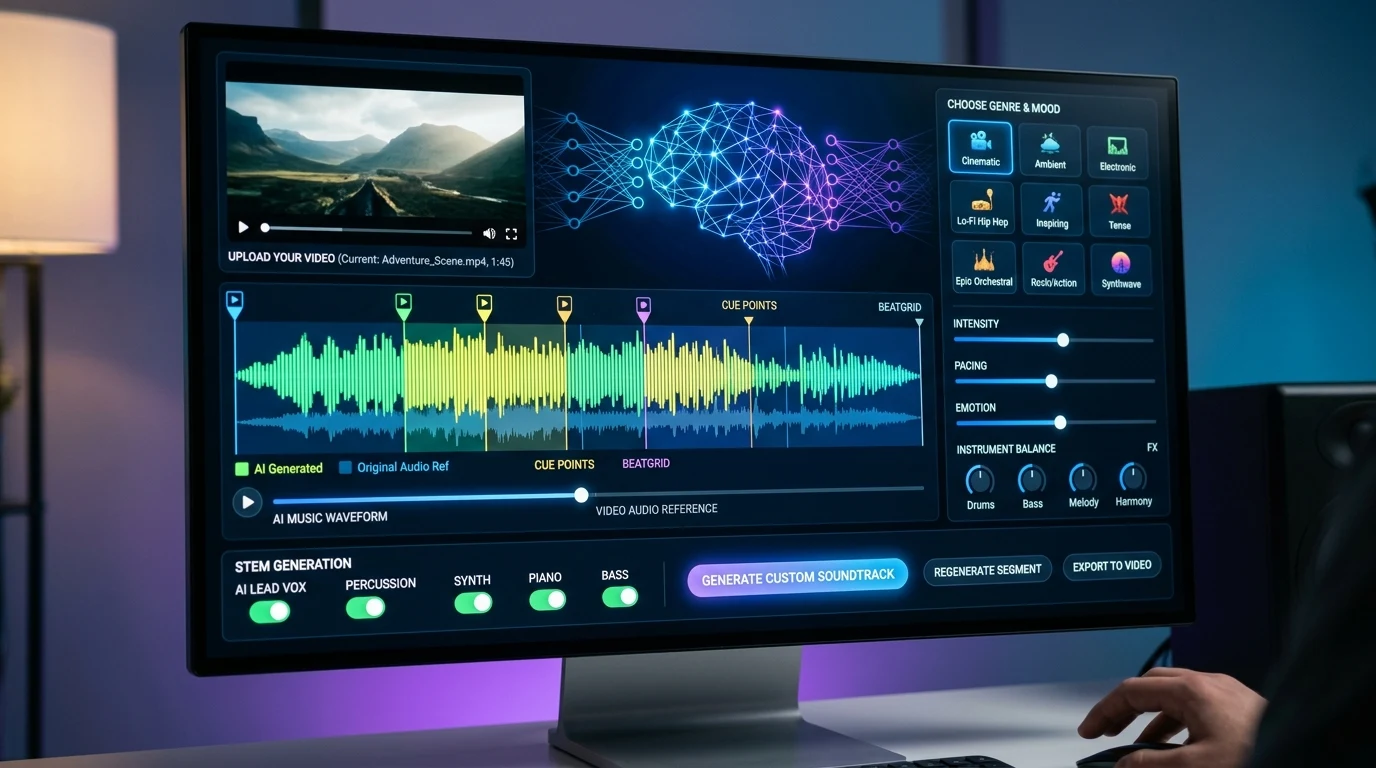
Every video needs music. Background tracks, intros, outros, jingles—music sets the mood and keeps viewers engaged. AI music generation creates custom soundtracks from text descriptions. No licensing headaches, no searching through stock libraries. Describe what you want, and the AI composes it.
Kubeez offers AI music generation with support for genre, mood, duration, and more. Generate tracks for your videos, ads, and content—with full commercial rights.
#How AI Music Generation Works
You provide a prompt describing the music:
- Genre — Pop, electronic, cinematic, acoustic, etc.
- Mood — Upbeat, calm, dramatic, nostalgic
- Instruments — Piano, guitar, strings, drums
- Duration — 30 seconds, 1 minute, 2 minutes
- Vocal style — Instrumental, with vocals, male/female
The model generates an audio file. Download, use in your video, and you're done.
#Use Cases
Video soundtracks: Background music for YouTube videos, ads, social content. Match the mood to the visuals.
Ads and jingles: Short, catchy tracks for commercials. Brand-specific music without licensing fees.
Podcasts: Intro and outro music. Consistent branding across episodes.
Presentations: Background music for slides and demos. Professional without the cost of custom composition.
Social content: Music for Reels, TikTok, Shorts. Trending-style or original tracks.
#Licensing and Commercial Use
Kubeez music generations come with full commercial rights. No royalties, no attribution required (unless you choose to credit). Use in client work, ads, and paid projects.
Always check the terms for your specific plan. Commercial rights are a key differentiator from some stock music services.
#Duration Options
Models support different lengths—typically 30 seconds to a few minutes. For short-form video (Reels, TikTok), 15–60 seconds is common. For longer content, generate a loopable section or multiple segments.
#Prompting Tips
Be specific: "Upbeat pop, 120 BPM, piano and drums, female vocals, 60 seconds" beats "happy music."
Reference style: "In the style of [artist or genre]" can help. "Synthwave, 80s style" or "acoustic indie, Bon Iver feel."
Avoid conflicting terms: "Calm and energetic" is hard to interpret. Pick one primary direction.
#Combining with Video
Generate music first, then create video to match—or vice versa. Some video models (Kling 2.6) can generate video with music in one pass. For maximum control, generate separately and sync in an editor.
Want the whole workflow? The Kubeez School lesson Make a music video that sings your real song walks you from a finished track to a music video, step by step.
Dex writes the Kubeez guides and makes every example with the same tools you use.
Models in this post
Keep reading
- Nano Banana 2.1 and Gemini 3.8 TTS Now on KubeezNano Banana 2.1 and Gemini 3.8 Flash TTS are live on Kubeez: 10 reference images, 1:8 and 8:1 ratios, plus two-voice dialogue with 40 delivery tags.
- Sonilo on Kubeez: AI Sound Effects and Music Written for Your VideoSonilo is a video-native audio model: give it a clip and it writes effects and score against the timeline. The eight configurations on Kubeez, the real duration limits, the billing floors, and how to call it from the API.
- Google Gemini TTS vs ElevenLabs: The 2026 AI Voice ShowdownGoogle Gemini TTS vs ElevenLabs in 2026: voices, expressive control, languages, realism and pricing compared. Use both AI text-to-speech engines on Kubeez.
- Create Songs on Kubeez: UI Walkthrough + MCP AutomationHow to generate Suno tracks on Kubeez — vocals or instrumental, lyrics-aligned, stem-separable — from the UI in under two minutes, then automate the same pipeline through MCP with any compatible agent (Claude, Cursor, ChatGPT, custom).