Technology
Kling 4.0 on Kubeez: Video From Prompts, Stills and Clips
Kling 4.0 is live on Kubeez: one video model for prompts and references, with up to 10 images and 5 clips, 3 to 30 second output and native sound built in.
· Dex
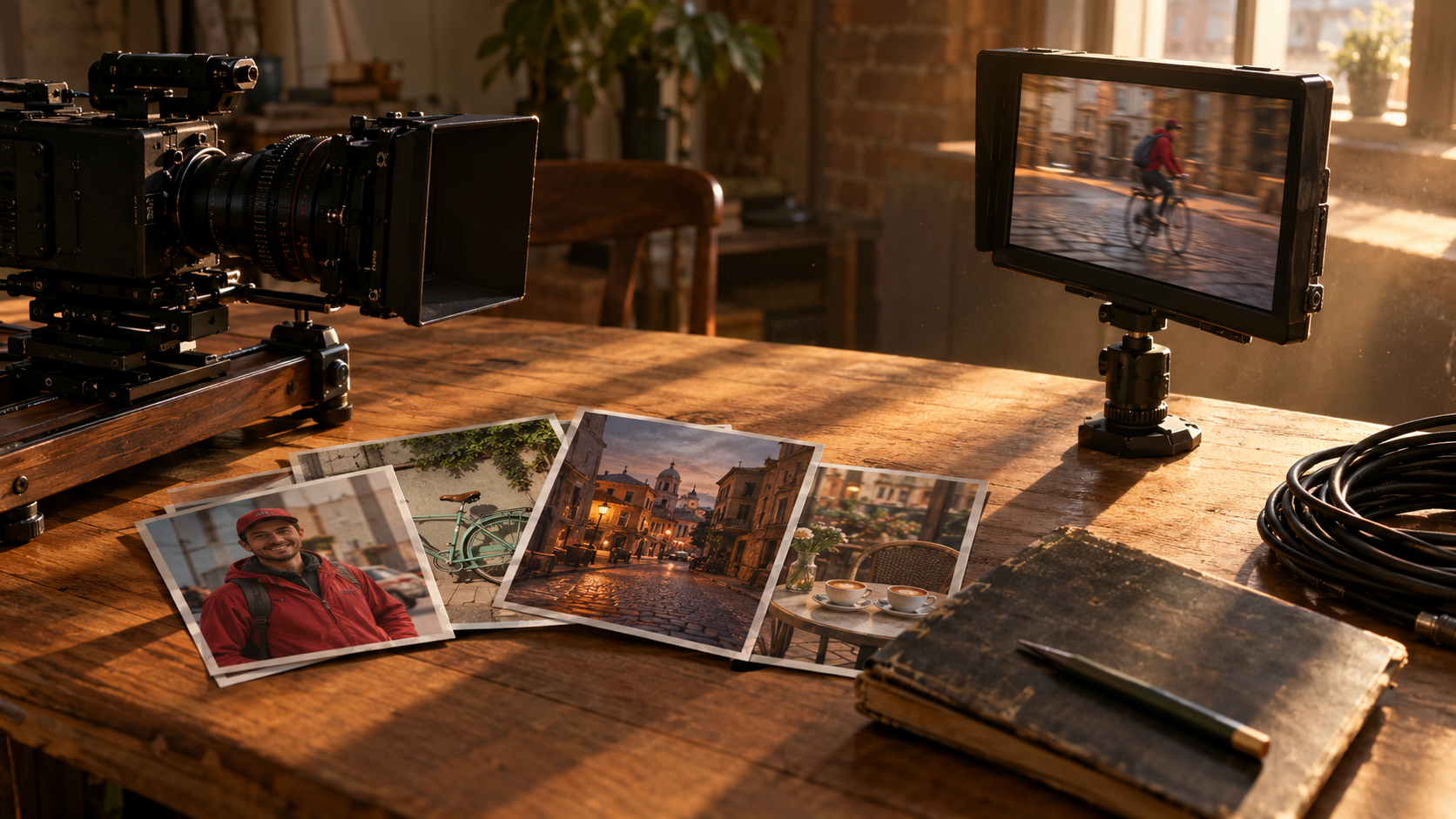
Kling 4.0 is now on Kubeez. It is one video model that does two jobs: it turns a prompt into a clip, and it builds a clip from your own reference images and videos. You can write a prompt alone, or attach up to 10 stills and up to 5 clips in any mix, point at each one by name, and get back 3 to 30 seconds of video with sound.
This post covers what Kling 4.0 does, what sets it apart from the other Kling cards on Kubeez, how billing works, and how to run it in the studio, over the REST API and through MCP.
Kling 4.0 at a glance
| Kling 4.0 | |
|---|---|
| Modes | Text to video and reference to video, in one model |
| Reference images | Up to 10 |
| Reference videos | Up to 5, MP4 or MOV, each 3 to 30 seconds, 30 seconds combined |
| Output length | 3 to 30 seconds, whole seconds |
| Resolution | 720p or 1080p |
| Aspect ratio | Auto, 16:9, 9:16, 1:1, 21:9 |
| Sound | Generated with every clip; with a reference video you can keep its own audio |
| Prompt length | Up to 8,000 characters |
| Billing | Per second |
What Kling 4.0 does that the other Kling cards do not
Kubeez runs eight Kling cards, and they split by job. The Kling family page lays them all out side by side. Kling 4.0 earns its place for four reasons:
- It is the only Kling card past 15 seconds that you prompt yourself. Output runs to 30 seconds, so one long take no longer needs stitching.
- It takes stills and clips as named references in the same run. Up to 10 images and up to 5 videos, each called out in the prompt as
@image_1or@video_1. - It renders 21:9. Cinematic ultra-wide sits next to 16:9, 9:16 and 1:1, and an auto setting matches your references.
- It can keep the sound of a clip you attach. Without a reference video, sound is always generated. With one, you choose between a new soundtrack and the clip's own audio.
The other cards still have their jobs. Kling 3.0 is the one for multi-shot sequences in a single render and for 4K delivery. Omni Transform is the one for restyling footage you shot while keeping it frame for frame. If you want quick single shots, our look at Kling 3.0 Turbo covers the fast lane. The Kling 4.0 section of the hub has the full spec list and a picker for which card fits which brief.
How references work: @image_1, @video_1
Every file you attach gets a name, numbered in upload order. The first image is @image_1, the second is @image_2, the first video is @video_1, and so on. You use those names in the prompt to say what each file is for:
The courier from @image_1 rides the bicycle from @image_2 down a cobbled old-town street in late afternoon sun.
A mention that points at nothing, such as @image_3 when you attached two images, is rejected before any credits are taken. Images need at least 300 pixels per side and a shape between tall portrait and wide landscape (an aspect ratio from 0.4 to 2.5).
Here is a real Kling 4.0 run from that prompt: two stills made earlier with GPT Image 2, a courier and a bicycle, turned into an 8 second 720p clip at 16:9. The same courier and the same bicycle hold up through a side tracking shot, then the camera swings in front as he rings the bell and waves.
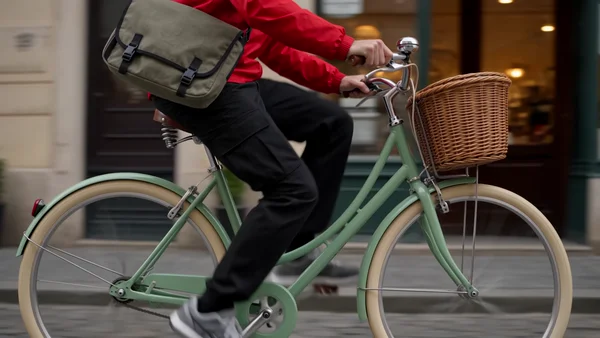
Watch the 8 second Kling 4.0 clip
We walk through that exact run step by step, with the two source images and the full prompt, in how to make a Kling 4.0 video from reference images and clips.
Sound
Kling 4.0 makes sound with every clip. Write the sounds into your prompt (tyres on cobbles, a bell ring, distant chatter) and they come back in the mix. When you attach a reference video, the soundtrack is still generated by default, or you can switch to keeping the original audio of your videos.
How Kling 4.0 billing works
Kling 4.0 bills per second, and the rule depends on whether you attach a reference video.
- No reference video (prompt only, or images only): you pay for the output length. The courier clip above used two images and no video, so its 8 seconds of output were 8 billable seconds.
- With a reference video: you pay for the output length plus the longer of the output length or the total length of your videos. A 10 second clip with a 5 second reference video bills 20 seconds. The same 10 second clip with a 15 second reference video bills 25 seconds. Several videos are added together.
Runs with a reference video use their own per second rate. For the current price per second at 720p and 1080p, check the live price on the card in the studio or on the Kling family page.
How to use Kling 4.0 on Kubeez
In the studio. Open the studio with Kling 4.0 selected, write your prompt, attach any images or clips, then pick a length, a resolution and an aspect ratio. The composer shows the cost before you generate. In the studio you can also save subjects and voices for Kling 4.0 and call them by name in the prompt.
Through the REST API. Send a POST /v1/generate/media request with one of the four Kling 4.0 model ids: kling-4-0-720p or kling-4-0-1080p when there is no reference video, kling-4-0-720p-video or kling-4-0-1080p-video when there is one.
{
  "model": "kling-4-0-720p",
  "prompt": "The courier from @image_1 rides the bicycle from @image_2 down a cobbled old-town street in late afternoon sun.",
  "source_media_urls": [
    "https://media.kubeez.com/.../courier.png",
    "https://media.kubeez.com/.../bicycle.png"
  ],
  "duration": "8",
  "aspect_ratio": "16:9"
}
Reference videos must be MP4 or MOV and uploaded to Kubeez first (POST /v1/upload/media), because each video is billed on the length Kubeez measures. A video linked from another site is refused before any credits are taken. Add "keep_original_sound": true to keep your videos' audio.
Through MCP. Call generate_media with the same model ids and the same fields. Upload local clips with get_upload_url first. Connect your client from the Kubeez MCP page. The full parameter reference, including both billing rows, lives in the Kling 4.0 section of the media tools docs.
Where Kling 4.0 fits
If you are picking between video models rather than between Kling cards, two comparisons help: Seedance 2.5 vs Seedance 2 vs Wan 3 vs Kling 3 and Seedance 2 vs Kling 3. Kling 4.0 is the Kling pick when the brief is long takes and reference fidelity.
Also new on Kubeez this week: OmniHuman 2.0, which makes a portrait talk or sing from one image and one audio file.
Frequently asked questions
What is Kling 4.0?
Kling 4.0 is a video model that makes 3 to 30 second clips at 720p or 1080p from a prompt, from reference images and videos, or from both. It generates sound with every clip.
How many reference images and videos can Kling 4.0 use?
Up to 10 images and up to 5 videos in one run, in any mix. Each video runs 3 to 30 seconds, and the videos together can total up to 30 seconds.
How is Kling 4.0 billed?
Per second. Without a reference video you pay for the output length. With one, you pay for the output length plus the longer of the output or the total video length. The live price is on the card in the studio and on the Kling family page.
Dex writes the Kubeez guides and makes every example with the same tools you use.