Claude Design, but for Media: Kubeez via MCP
Claude Design (launched April 17, 2026 with Canva) handles prototypes, decks, and brand visuals. Kubeez via MCP extends the same conversation to video, music, voice, ad copy, and auto-captions — the generative media Claude Design can't produce.

On April 17, 2026, Anthropic launched Claude Design — a research-preview product, powered by Claude Opus 4.7 and built alongside Canva, that turns a short brief into prototypes, pitch decks, mockups, and brand-consistent visuals. During onboarding, Claude Design reads your codebase and design files and builds a design system — colors, typography, components — that it automatically applies to every subsequent project. Refinement is chat-driven, with inline comments, direct text edits, and custom sliders that Claude generates for each canvas.
It is the clearest statement yet of how Anthropic thinks about design by conversation: be specific about what you're building, who it's for, and what matters most — and let Claude do the structured, brand-aware execution.
One thing Claude Design does not cover: generative media at pipeline scale. Animated ads, product spin videos, long-form clips, original music, voiceover, dialogue scenes, auto-captions, programmatic ad copy — the stuff that runs a modern marketing or creator workflow. That is where Kubeez slots in.
This post is the practical guide: Claude Design for your brand visuals, Kubeez via MCP for every moving, sounding, shipped-in-volume piece.
#What Claude Design is (and what it isn't)
Claude Design is available in research preview for Claude Pro, Max, Team, and Enterprise subscribers. In one place it gives you:
- Conversational visuals — describe a landing page, a pitch deck, a poster, a logo concept, and iterate through chat.
- Brand consistency out of the box — the design-system layer keeps typography, colors, and components aligned across every asset.
- Inline editing — comment directly on elements, rewrite copy in place, and drag adjustment sliders Claude generates on demand.
- Export + handoff — pipes cleanly into design/implementation workflows.
What it is really good at: static, on-brand, fast. Mockups, decks, logos, covers, simple stills.
What it doesn't do (yet): video generation, music, speech, dialogue, auto-captions, or large-volume ad creative at 40+ model tiers. That is the job of a generative-media platform — and that is exactly what Kubeez is.
#Claude design thinking — applied to media
The product-level insight behind Claude Design is not "AI makes pretty pictures." It is:
Design is a conversation. An assistant that understands intent, holds a brand system in memory, and iterates through dialogue produces better results than prompt-and-pray tools.
The same insight applies to media generation, where the stakes are higher because each generation costs real credits. The assistant has to:
- Pick the right model for the brief (Nano Banana 2 vs Imagen 4 vs Flux 2 vs Seedream 5 for stills; Veo 3.1 vs Sora 2 vs Kling 3.0 vs Seedance 2 for video).
- Respect the model's constraints — prompt length, aspect ratios, duration options, audio parameters.
- Stay inside a budget — call
get_balance,estimate, and quote before spending. - Thread references across generations — a hero image becomes the reference for three 9:16 variants and a 5-second spin video.
Claude — the model itself — is already designed to do all of this. It reads tool schemas carefully, asks clarifying questions before acting, refuses quietly when a brief is ambiguous, and holds long conversations without losing the through-line. What was missing until now was a media surface big enough to make the conversation interesting. That surface is Kubeez MCP.
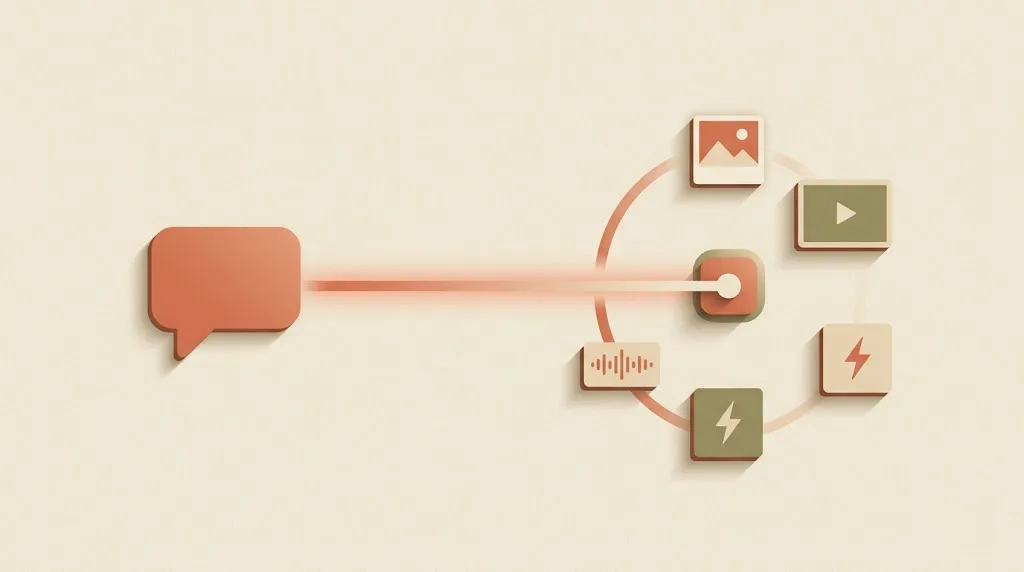
#What Kubeez adds on top of Claude Design
Kubeez is a single account that exposes 40+ models across every creative modality:
- Stills — Nano Banana 2, Nano Banana Pro 4K, Flux 2, Imagen 4 Ultra, Seedream 5, GPT 1.5 Image, Z-Image.
- Video — Veo 3.1, Sora 2, Sora 2 Pro Storyboard, Kling 3.0, Kling 2.6, Seedance 2 (and Seedance 2 Fast), Wan 2.5, Motion Control.
- Music — original tracks with Suno, stem separation, add-vocals.
- Speech + dialogue — narration, voiceover, multi-speaker scenes, text-to-dialogue v3.
- Ad copy — generated against a reference image with variant counts.
- Auto-captions — burned-in subtitles on any exported video.
Our Model Context Protocol (MCP) server is available at https://mcp.kubeez.com/mcp. Once Claude is connected, the brief stays a conversation — no browser tabs, no prompt juggling, no re-uploading references for every variant. The Model Context Protocol specification is the authoritative reference for how MCP works; our MCP overview and Quick start cover the Kubeez-specific setup.
Think of it this way:
| Claude Design | Kubeez via Claude MCP | |
|---|---|---|
| Output | Static mockups, decks, logos, posters | Video, music, voice, ad copy, captions, stills |
| Primary use | Brand visuals, UI, pitches | Social media, performance ads, long-form content |
| Models | In-house Claude Opus 4.7 | 40+ third-party models orchestrated by Claude |
| Brand memory | Auto-built design system | Per-session references + prompts Claude holds in context |
| Where | Claude Pro/Max/Team/Enterprise UI | Any Claude host — Desktop, Code, any MCP client |
They are complementary, not competing. The usual flow: sketch a campaign in Claude Design (hero illustration, poster, deck), then hand the brand brief to Claude + Kubeez MCP to produce the animated, audible, and ad-copy-backed versions at scale.
#Setup: under a minute
- Open MCP settings in Kubeez. Copy the server URL (
https://mcp.kubeez.com/mcp). - Add Kubeez as an MCP server in your Claude host (Claude Desktop or Claude Code). OAuth is the recommended auth path — the host opens a browser, you approve, and no secret is pasted. If your host only supports a static token, generate a personal access token from the same settings page and use it as
Authorization: Bearer …. - Reload the MCP connection until the tool list appears:
get_models,get_balance,generate_media,generate_music,generate_dialogue,get_status, and friends. - In Claude, write a structured brief. Tell it the format, the vibe, the constraints, and let it decide the model — or pin the model yourself.
#A real brief, a real conversation
Here's the pattern that scales — and the piece that Claude Design alone cannot produce:
"I just finalized a minimalist ceramic mug pitch in Claude Design. The brand colors are cream and warm terracotta, the hero illustration is in the deck. I need the matching campaign: one 16:9 hero photo for the website, three 9:16 variants for stories, a 5-second looping product spin video, original background music, and three ad-copy headlines tuned for Instagram. Budget: keep it under 500 credits total."
Claude will typically:
- Call
get_balanceto confirm the budget is available. - Call
get_modelsand pick Nano Banana 2 for the stills (character consistency across variants) and Seedance 2 Fast for the loop (cheap, quick, audio included). - Use
estimateon the video to quote the total before spending. - Generate the hero, poll
get_status, then reuse the hero composition for the 9:16 variants. - Generate the 5-second loop with a matching palette.
- Call
generate_musicfor a short instrumental. - Summarize: every CDN URL, credits spent, and what's still in the conversation to iterate on.
That is six tool-call loops you'd otherwise click through in the dashboard — run, in sequence, from one brief.

#Best practices
- Start the brand in Claude Design. Let the design-system layer settle on colors, typography, and reusable components. Paste the outputs or the brief into your Claude + Kubeez chat so references carry over.
- Name the model when it matters. Claude picks well by default, but if you're doing print for brand, tell it Nano Banana Pro 4K. If you need speed, say Z-Image. Saving 10 credits 40 times a week adds up.
- Budget upfront. Say "stay under X credits" in the brief. Claude will check balance and quote estimates before spending.
- Let Claude poll. Don't ask it to "generate" and walk away — leave it in the loop so it can recover from a failed job or suggest a cheaper retry.
- Reuse references. Claude keeps prior image URLs in context. Ask "now make a product-spin video from that hero shot" and it threads the URL into
generate_mediafor you. - Separate briefs by session. A fresh Claude conversation per campaign keeps context clean and prevents brand mix-ups on long threads.
#Security and hygiene
- Revoke any personal access token you stop using from MCP settings.
- Prefer OAuth for interactive hosts — nothing to leak into a log file.
- Never commit a PAT to git. Store it in your host's secure credential manager (Claude Desktop and Claude Code both have built-in storage).
- Rotate tokens on a schedule, not just on suspicion.
#Where to go next
- Open MCP settings and finish OAuth.
- Read Your first AI image from Cursor — same flow, Cursor instead of Claude.
- Map the full model catalog in the AI models guide.
- Jump straight to the product: Media generation, Video generation, Images hub.
Summary: Claude Design gave Anthropic's design-by-conversation philosophy a home for visuals, mockups, and brand systems. Kubeez via Claude MCP extends the same conversation to the rest of the creative pipeline — video, music, voice, ad copy, captions, and high-volume stills. Connect Claude to https://mcp.kubeez.com/mcp, authorize with OAuth or a personal access token, and a single structured brief becomes a full campaign.
Next steps
- Finish the OAuth handshake in MCP settings.
- Give Claude a real brand brief in a new chat — format, tone, budget, model preferences.
- Let it orchestrate
get_models,generate_media,generate_music, andget_statusend-to-end.
See also