AI Image Generation with Nano Banana 2: Prompts, Aspect Ratios, and Use Cases
Master Nano Banana 2 — Kubeez's most capable image model. Learn prompt anatomy, aspect ratio strategy for every platform, image-to-image workflows, and real marketing use cases from product shots to social ads.
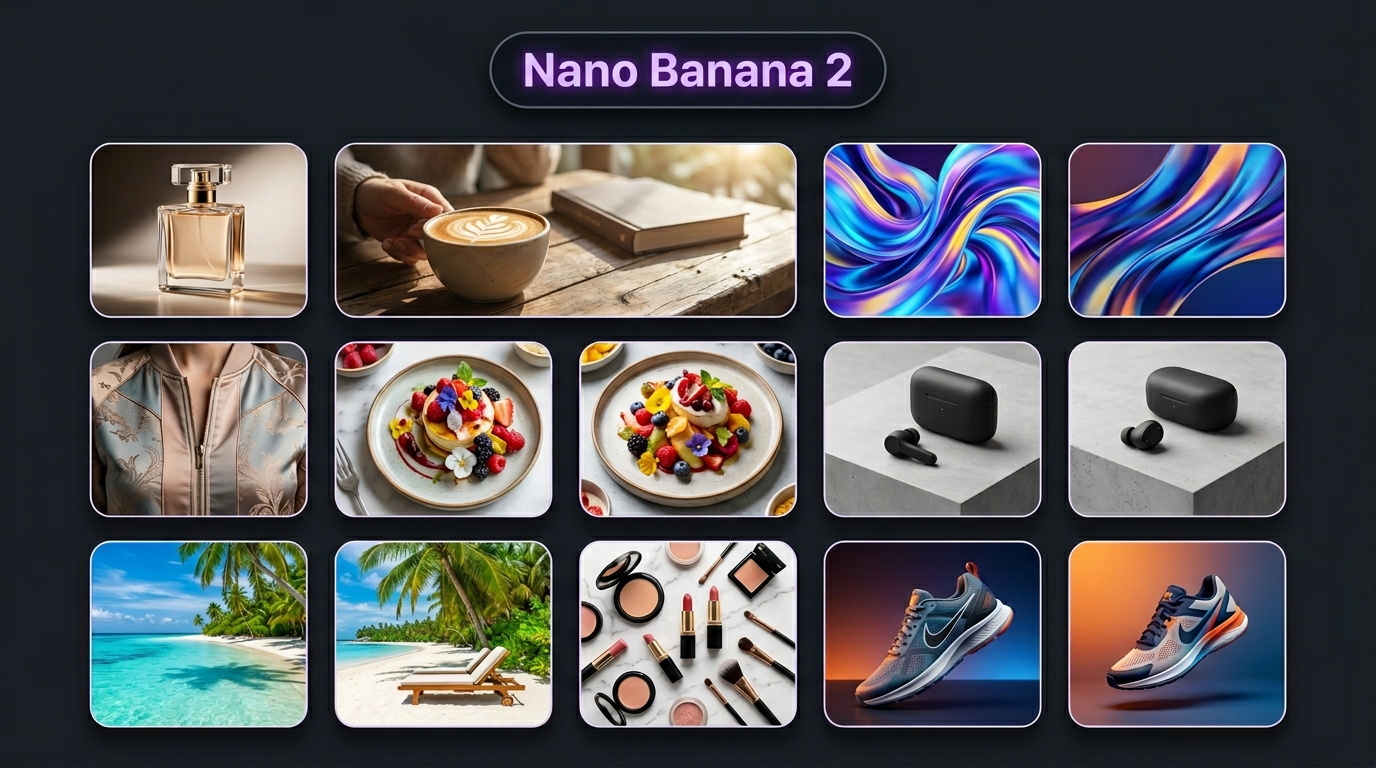
Nano Banana 2 is Kubeez's default image model — Google's most capable image generator with the best price-to-quality ratio available on the platform. It handles the full range of marketing and creative image work: product photography, lifestyle shots, editorial illustrations, social media creatives, and more.
This guide covers everything you need to get great results from Nano Banana 2: how to write effective prompts, which aspect ratios to use for each platform, how to work with image-to-image editing, and the most useful marketing use cases.
#What Is Nano Banana 2?
Nano Banana 2 (NB2) is built on Google's latest image generation technology. Key characteristics:
- Prompt length: Up to 20,000 characters — use as much detail as you need
- Google Search grounding: Always active. The model has awareness of real-world visual references, brands, and styles
- Resolution: Standard 1K by default; 2K and 4K variants available
- Image-to-image: Upload up to 8 reference images for editing and composition
- Character consistency: The Nano Banana family leads on keeping characters and subjects consistent across multiple generations
For most image work on Kubeez — ads, product shots, social content, lifestyle imagery — Nano Banana 2 is the right choice. Use Nano Banana Pro only when you specifically need maximum resolution for print or complex typography.
#The Kubeez Image Interface
Go to Kubeez Images and select Nano Banana 2 from the model list.
Key controls:
- Prompt field — describe what you want to generate
- Aspect ratio selector — pick the ratio for your target platform before generating
- Resolution — leave at 1K for most digital work; upgrade to 2K or 4K when needed
- Number of outputs — generate 2–4 variants at once to compare results
- Image-to-image — toggle this to upload a source image for editing or style transfer
#Writing Effective Prompts
The quality of your output depends more on your prompt than on any other factor. NB2 understands long, detailed prompts well — don't be vague.
The anatomy of a strong prompt:
[Subject] + [Setting] + [Lighting] + [Style] + [Technical quality]
Subject first. Be specific about what you want. Not "a perfume bottle" — but "a clear glass perfume bottle with gold cap, embossed logo, isolated on a white surface."
Setting and background. Where is the subject? "On a white marble surface", "in a modern minimalist kitchen", "on a sandy beach at golden hour", "abstract gradient background."
Lighting. Lighting determines mood more than anything else. Useful descriptors:
- Studio lighting: "soft diffused light", "three-point studio lighting", "product photography lighting"
- Natural: "golden hour sunlight", "morning window light", "overcast natural light"
- Dramatic: "hard side lighting", "backlit with rim light", "neon backlight"
Style. What visual aesthetic are you after?
- "Photorealistic", "editorial photography", "fashion magazine"
- "Flat lay", "overhead shot", "close-up macro"
- "Commercial product photography", "luxury brand aesthetic", "minimalist"
Technical quality boosters. Add these to the end of your prompt:
- "Ultra-sharp", "8K detail", "professional photography"
- "No watermarks", "no text", "clean background"
- "Shallow depth of field" for subject isolation
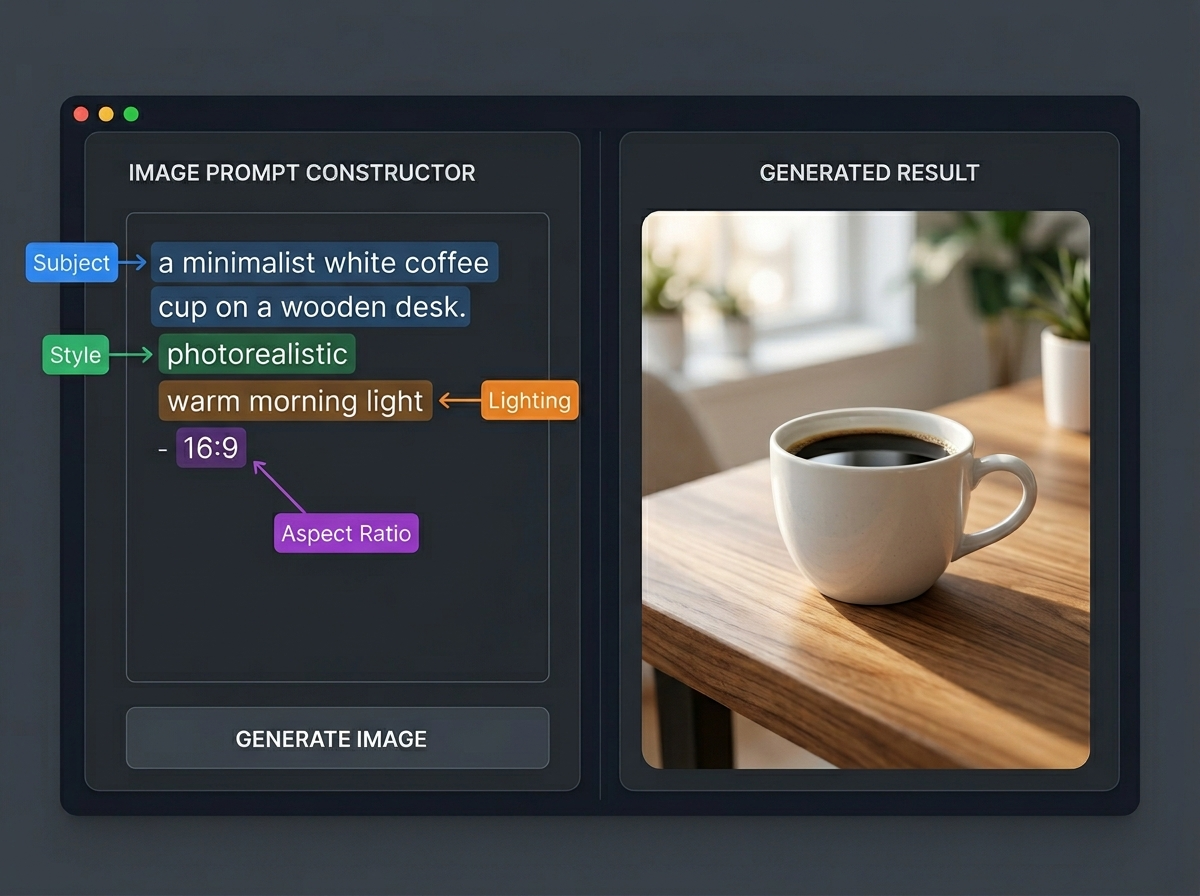
Five example prompts:
Product shot: "Luxury glass serum bottle with dropper, gold accents, on a white marble surface with fresh eucalyptus sprigs. Soft diffused studio lighting from the left. Commercial beauty photography, ultra-sharp, shallow depth of field, no watermarks."
Lifestyle: "Young professional woman working at a standing desk in a bright modern apartment. Natural morning light from large windows. Laptop open, coffee cup nearby. Clean, aspirational, editorial lifestyle photography style."
Food: "Artisan sourdough bread loaf on a dark wooden cutting board, fresh rosemary and olive oil beside it. Warm overhead natural light. Rustic food photography, shallow depth of field, editorial style."
Fashion editorial: "Elegant wool coat flat lay on a white linen surface, arranged with leather gloves and a gold watch. Minimal, luxury fashion styling. Clean white background. Magazine editorial photography."
Abstract brand: "Abstract gradient background in deep navy and electric purple with soft glowing orbs of light. Premium tech brand aesthetic, ultra-high resolution, no text, dark luxury feel."
#Aspect Ratios by Platform
Choosing the right aspect ratio before generating saves time — resizing or cropping after the fact rarely works well because the composition is optimized for the original ratio.
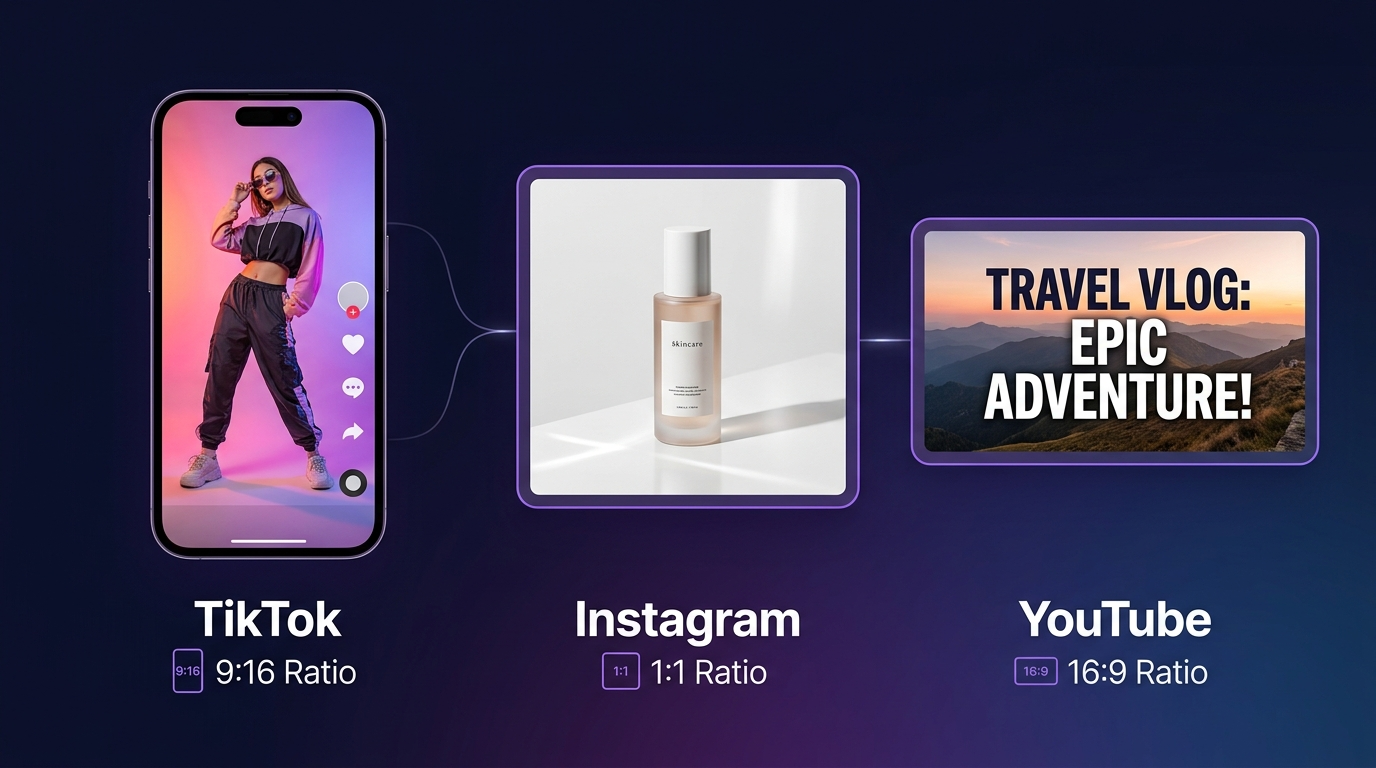
1:1 Square
- Platforms: Instagram feed, Facebook feed posts, LinkedIn posts
- Best for: Product flat lays, brand imagery, general social content
- Composition tip: Center your subject with equal breathing room on all sides
9:16 Vertical (Portrait)
- Platforms: Instagram Reels, TikTok, YouTube Shorts, Instagram Stories
- Best for: Full-screen immersive content, fashion, lifestyle, video backgrounds
- Composition tip: Keep your key subject in the center third — top and bottom edges will be cropped on some placements
16:9 Landscape
- Platforms: YouTube thumbnails, LinkedIn headers, website banners, Facebook cover photos
- Best for: Wide compositions, scenes with multiple subjects, backgrounds for video
- Composition tip: Place your subject slightly left of center for thumbnails (leaves room for text on the right)
4:5 Portrait (Tall)
- Platforms: Instagram feed (takes up more vertical space = more attention)
- Best for: Portrait photography, product shots you want to dominate the feed
- Composition tip: Similar to 1:1 but taller — works well for standing objects and vertical layouts
3:4 and 2:3
- Platforms: Pinterest, print layouts, physical posters
- Best for: Pinterest content, magazine-style editorial, A4/A3 print materials
Multi-platform campaign strategy: For a product launch, generate the same subject at three ratios — 9:16 for Stories/TikTok, 1:1 for feed, 16:9 for YouTube. Use the same prompt with the ratio changed each time.
#Image-to-Image Workflows
Image-to-image lets you use an existing image as a starting point and transform it with a prompt. In Kubeez, toggle Image-to-image and upload your source file (up to 8 images supported).
Use case 1: Stylize a real product photo Upload a real photo of your product and prompt Nano Banana 2 to transform the setting: "Keep the product exactly as is. Change the background to a luxury hotel bathroom with marble surfaces and soft golden lighting. Photorealistic, editorial beauty photography."
Use case 2: Iterate on a generated image Generate a first result, then upload it back for refinement: "Same composition and product. Change the bottle color from clear to deep emerald green. Keep the same lighting and background."
Use case 3: Brand consistency across images Upload your logo or brand mark and ask the model to build a scene around it: "Create a lifestyle scene for this brand. A modern home office desk, morning light, products from this brand subtly present in the scene. Editorial photography style."
Tip on influence strength: When using image-to-image, how closely the output matches your source depends on how specific your prompt is. A very detailed transformation prompt will change more; a vague prompt while keeping the original image will change less. Start with a specific prompt for deliberate changes.
#Marketing Use Cases
Product photography Replace expensive studio shoots for e-commerce listings. Generate clean product shots on white or contextual backgrounds. Useful for: Amazon listings, Shopify stores, catalog pages.
Lifestyle imagery Place your product in aspirational scenes without a photoshoot. A skincare product on a marble spa surface, a coffee brand in a cozy morning kitchen, a tech gadget in a modern workspace.
Social media ad creatives Generate multiple variants quickly for A/B testing. Use the same subject with different backgrounds, lighting moods, or seasonal themes. Run variations simultaneously to find what converts.
Blog and article illustrations Generate editorial-style header images for blog posts, press releases, and content marketing. "Editorial illustration of a concept" or "abstract representation of AI technology" give you unique, on-brand imagery.
Brand mood boards Before committing to a campaign direction, generate 10–20 images exploring different visual concepts. Fast, cheap exploration at the prompt stage saves time in full production.
#Editing Generated Images Further in KubeezCut
Once you have your Nano Banana 2 images, you can take them further in KubeezCut:
Adding text and logo overlays: Import your image as a still frame, add text layers and your logo on top. Export as a new image or as a short video clip.
Ken Burns animation: Turn a still image into a short video by adding a slow pan-and-zoom (Ken Burns effect). Works well for Instagram Reels — a single static image becomes a 5-second video with motion.
Exporting as video: Even a still image can be exported as a 5–10 second MP4 from KubeezCut. This unlocks video placements on platforms that don't support static images in all ad formats.
For the full workflow — generating an image, animating it to video, adding music, and editing in KubeezCut — see our end-to-end video tutorial.
Start generating with Nano Banana 2 on Kubeez — great results start with a great prompt.
See also