Multilingual Auto Captions: Translate & Localize Video Content
Auto-translate and localize your video captions for global audiences. Language support and localization best practices.
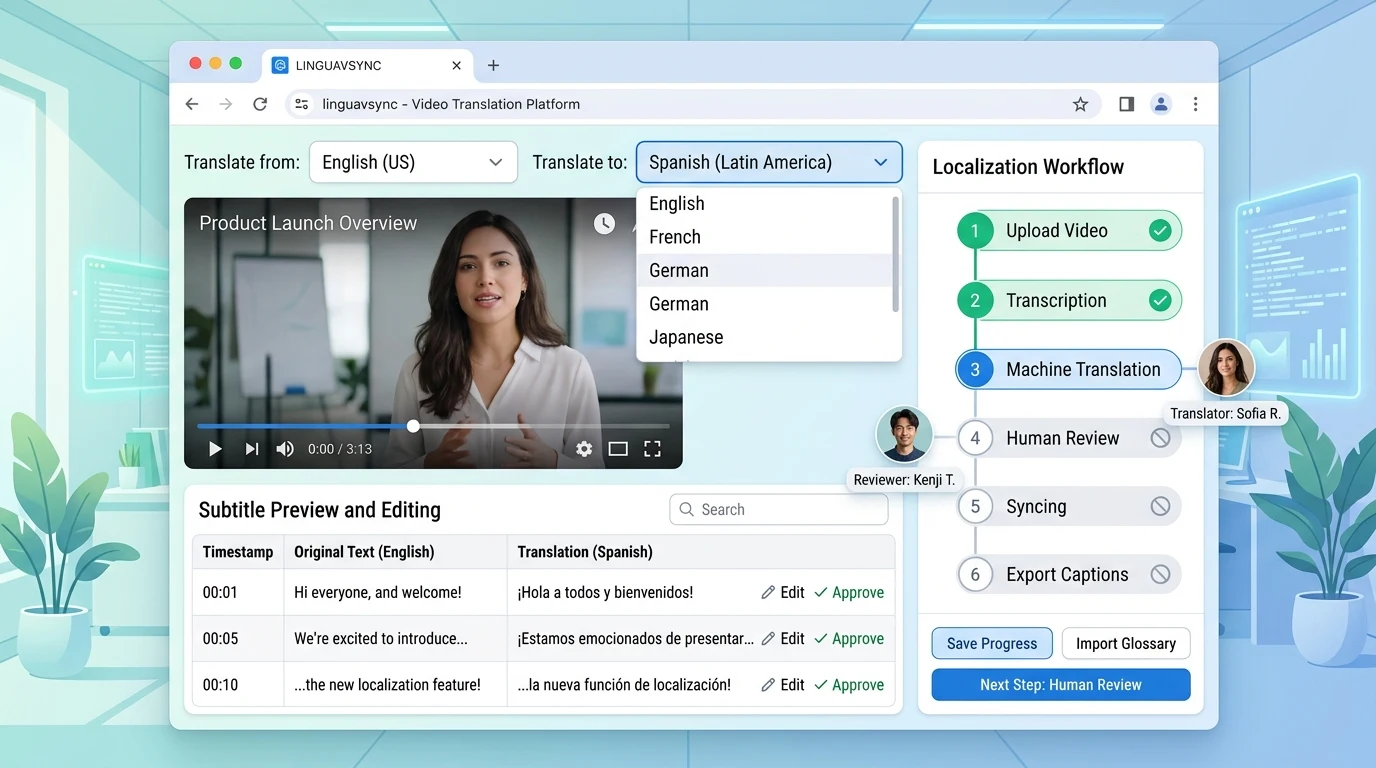
Your video might be in English, but your audience is global. Multilingual auto captions let you transcribe in the original language and then translate to dozens of others—reaching viewers who prefer to watch in their native tongue. For brands expanding internationally, this is essential.
Kubeez supports auto captions in multiple languages and can help you localize content for different markets. Combine AI transcription with translation to produce subtitle files in Spanish, French, German, Portuguese, Romanian, and many more—without hiring a translator for every video.
#Why Multilingual Captions Matter
Global reach: Over 60% of YouTube watch time comes from outside the creator's country. Captions in local languages dramatically increase accessibility.
SEO in every market: Translated captions help your videos rank in local search results. A video with Spanish captions can appear in Spanish searches.
Compliance: In some regions, local-language captions are required for broadcast or streaming content.
Engagement: Viewers are more likely to watch and share content they can understand. Localized captions signal that you care about that audience.
#How Multilingual Caption Workflows Work
- Transcribe — Generate captions in the source language (e.g., English)
- Translate — Use AI translation to produce captions in target languages
- Review — Native speakers or professional translators can refine the translation
- Export — Output separate SRT/VTT files per language
- Upload — Add each language to your video on the platform
AI translation has improved significantly. For general content, machine translation is often 85–95% accurate. For marketing or technical content, a quick human review can catch nuances.
#Best Practices for Translation
Preserve timing: Translation may change sentence length. Ensure translated captions fit within the same time blocks, or adjust timing so lines don't run too long.
Adapt, don't just translate: Literal translation can sound awkward. Consider adapting idioms and cultural references for the target audience.
Consistent terminology: Use a glossary for brand terms, product names, and key phrases so they're translated consistently across videos.
Quality tiers: For critical content (ads, legal), use human review. For blog-style or social content, AI translation plus spot-checking may suffice.
#Supported Languages
Most modern caption tools support 50+ languages, including:
- European: Spanish, French, German, Italian, Portuguese, Dutch, Polish, Romanian
- Asian: Chinese (Simplified & Traditional), Japanese, Korean, Hindi, Thai
- Other: Arabic, Russian, Turkish, Vietnamese
Check your platform's supported languages. YouTube, for example, allows multiple caption tracks per video.
#Platform-Specific Tips
YouTube: Add multiple caption tracks via YouTube Studio. Viewers can select their preferred language from the CC menu.
Instagram / TikTok: These platforms often use burned-in captions. Create separate video versions for each language, or use platform-specific translation tools.
Vimeo / Wistia: Support multiple caption tracks. Upload one file per language.
Corporate / LMS: If you host videos on your own site, use a player that supports multiple subtitle tracks (e.g., Video.js, JW Player).
#Kubeez and Multilingual Captions
Kubeez integrates with your video workflow to generate and manage captions. For multilingual projects, generate captions in the source language, then use translation tools or services to produce localized versions. The timeline editor helps you adjust timing when translation changes line lengths.

Get started with Kubeez and expand your video reach with multilingual captions.
See also