Auto Caption Your Videos: Complete Guide to AI Subtitles
Learn how to automatically add accurate captions to your videos. Support for YouTube, Instagram Reels, TikTok, and accessibility compliance.
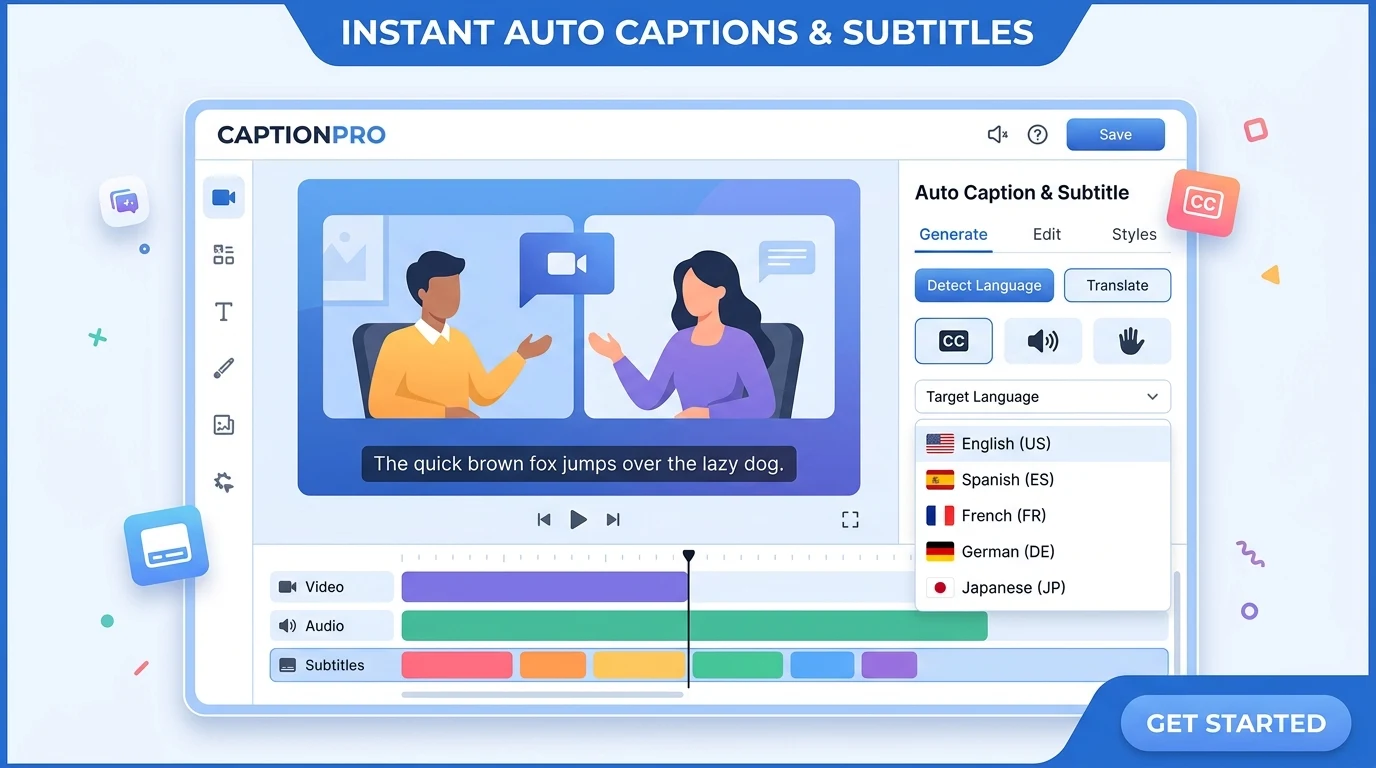
Adding captions to your videos is no longer a manual, time-consuming task. AI-powered auto captions can transcribe speech with high accuracy, sync timing automatically, and support multiple languages—all in minutes. Whether you're publishing to YouTube, Instagram Reels, TikTok, or need accessibility compliance, auto captions help you reach more viewers and improve engagement.
Kubeez offers professional auto caption tools that integrate with your video workflow. Upload a video, and the system generates accurate subtitles using advanced speech recognition. You can then fine-tune timing, customize styles, and export in formats suitable for each platform.
#Why Auto Captions Matter
Accessibility: Over 5% of the world's population has disabling hearing loss. Captions make your content accessible to deaf and hard-of-hearing viewers, and many others watch with sound off—on public transport, in offices, or while multitasking.
Engagement: Studies show that captioned videos get higher watch time and completion rates. Viewers are more likely to watch to the end when they can follow along with text.
SEO: Search engines index caption text. Proper captions help your videos rank in search results and appear in relevant queries.
Platform requirements: Many platforms now recommend or require captions for monetization and discoverability. YouTube, for example, uses captions for search and recommendations.
#How AI Auto Captions Work
Modern auto caption systems use neural speech recognition trained on millions of hours of audio. The process typically involves:
- Upload — You provide a video file or URL
- Transcription — AI transcribes speech to text with timestamps
- Alignment — Words are aligned to the audio waveform for precise timing
- Editing — You can correct any errors and adjust timing in a timeline editor
- Export — Output as SRT, VTT, or burn directly into the video
Accuracy depends on audio quality, accent, and vocabulary. Clear speech in common languages typically achieves 95%+ accuracy. Technical terms and names may need manual correction.
#Supported Platforms and Formats
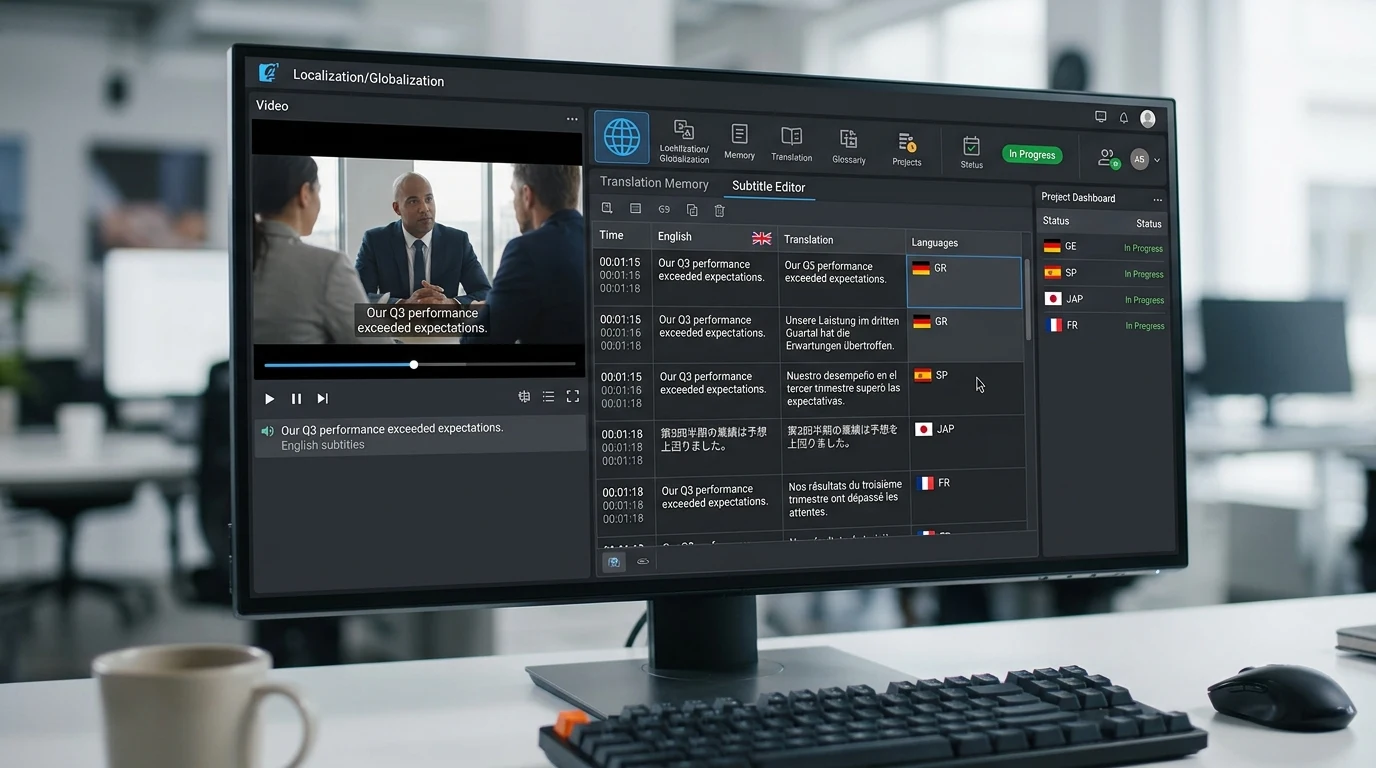
YouTube: Upload SRT or VTT, or use YouTube's built-in auto-caption and edit. Kubeez exports are compatible with YouTube's subtitle system.
Instagram Reels & TikTok: Burn captions into the video or use each platform's native caption tools. Auto-generated transcripts speed up the process.
Facebook & LinkedIn: Both support uploaded caption files. Professional captions improve perceived quality.
Accessibility standards: WCAG 2.1 requires captions for pre-recorded video content. Auto captions with manual review meet compliance requirements.
#Customization and Styling
Beyond accuracy, you want captions that match your brand:
- Font and size — Choose readable fonts; larger sizes for mobile
- Position — Avoid lower-third graphics; position captions where they won't overlap important visuals
- Colors — High contrast (e.g., white text on dark background) for readability
- Animation — Word-by-word or sentence-by-sentence reveal; some platforms support animated captions
#Best Practices
- Clean audio — Reduce background noise; clear speech improves accuracy
- Review before publishing — Always proofread auto-generated captions
- Speaker labels — For multi-speaker content, label who is speaking
- Sound effects — Include [music] or [applause] for context when relevant
- Consistent style — Use the same caption style across your channel for brand consistency
#Getting Started with Kubeez Auto Captions
Kubeez integrates auto captions into your video workflow. Generate captions for any video, edit timing and text in the timeline editor, and export in the format you need. Combined with AI video generation, you can produce fully captioned content from prompt to publish.
Try auto captions on Kubeez and make your videos accessible and engaging.
See also