How Content Creators Automate Captions for TikTok, Reels and Shorts (2026 Workflow)
The 2026 creator workflow for automating word-by-word captions on TikTok, Reels, and Shorts — record once, export per-platform styles, and scale to dozens of clips a day with Kubeez Auto Captions, MCP, or REST API.
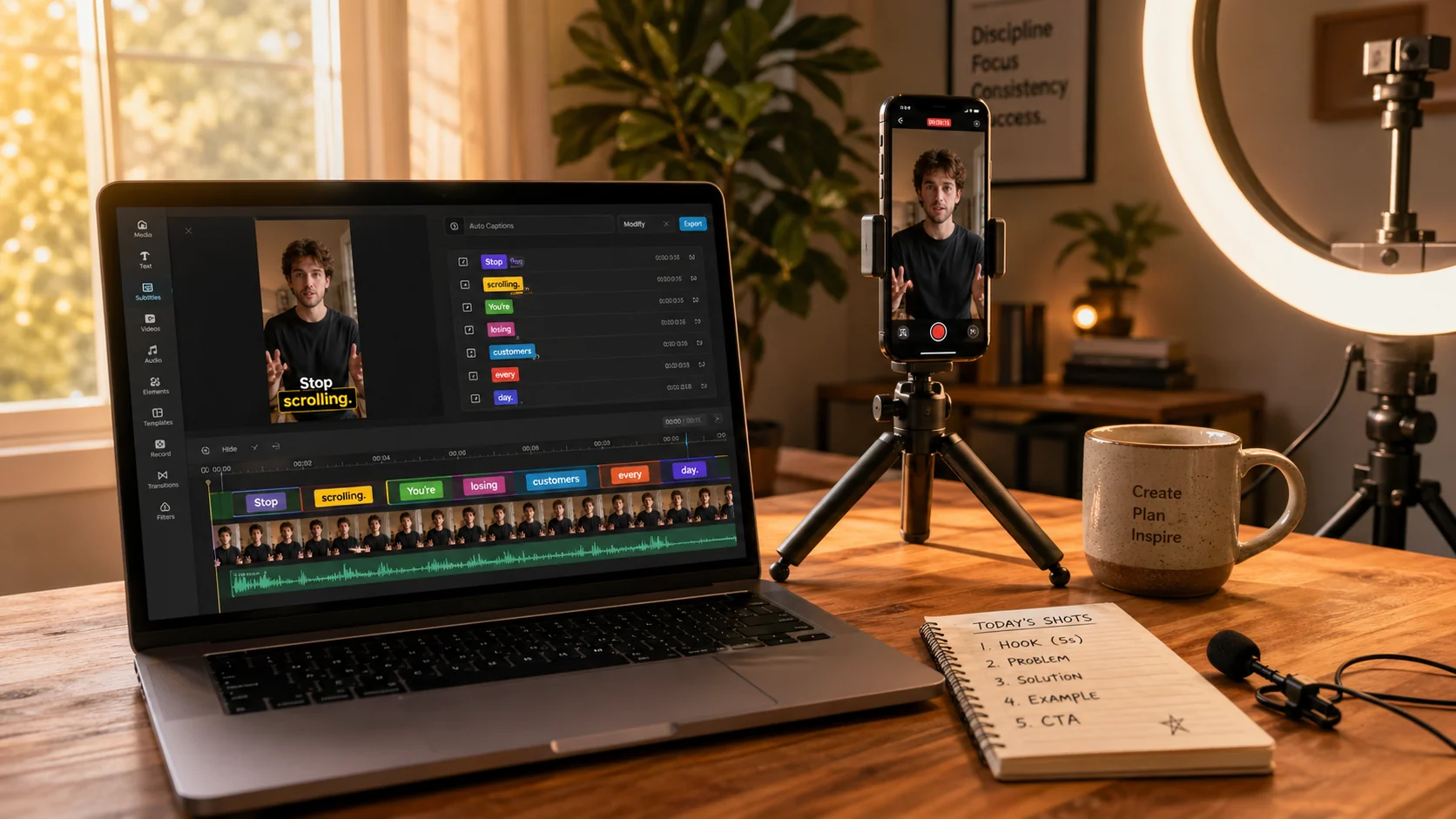
If you're publishing short-form video in 2026, you already know the math: 80% of plays happen on mute. The creators winning the algorithm are the ones with bouncing word-by-word captions on every clip — and the creators burning out are the ones still hand-typing them in CapCut at 2am.
This guide is the practical workflow that creators, agencies, and editorial teams actually use to automate captions for TikTok, Instagram Reels, and YouTube Shorts without losing the voice, the timing, or the styling that makes their content recognizable. We'll walk through the tools, the export presets, the caption styles that perform per platform, and how to scale the whole thing to dozens of clips a day with Kubeez.
#Why caption automation matters more than ever in 2026
Three platform shifts converged this year:
- TikTok now down-ranks uncaptioned vertical video in the For You algorithm — captioned clips reliably outperform uncaptioned ones with the same content.
- Reels and Shorts watch-time is rewarded above all other signals, and captions add an average +12 to +28% completion rate on talking-head content.
- Short-form is now an editing-volume game — top creators ship 3–7 vertical clips a day, and hand-captioning at that scale is a 3-hour bottleneck.
The math is simple: if you're not captioning, you're losing reach. If you're hand-captioning, you're losing your evenings.
#What "automated captions" actually do for you
A real caption automation pipeline replaces three separate tasks:
- Transcription — turning spoken audio into accurate text with speaker timing
- Segmentation — chunking that text into readable lines that match speech cadence
- Styling and burn-in — picking a caption style (karaoke, gradient pop, bold-bottom) and rendering it onto the video
Tools that do only the first one (auto-transcription) are not enough. You still spend an hour per clip in CapCut. The pipeline that actually saves you time does all three — that's what Kubeez Auto Captions is built for.
#Caption styles that perform per platform
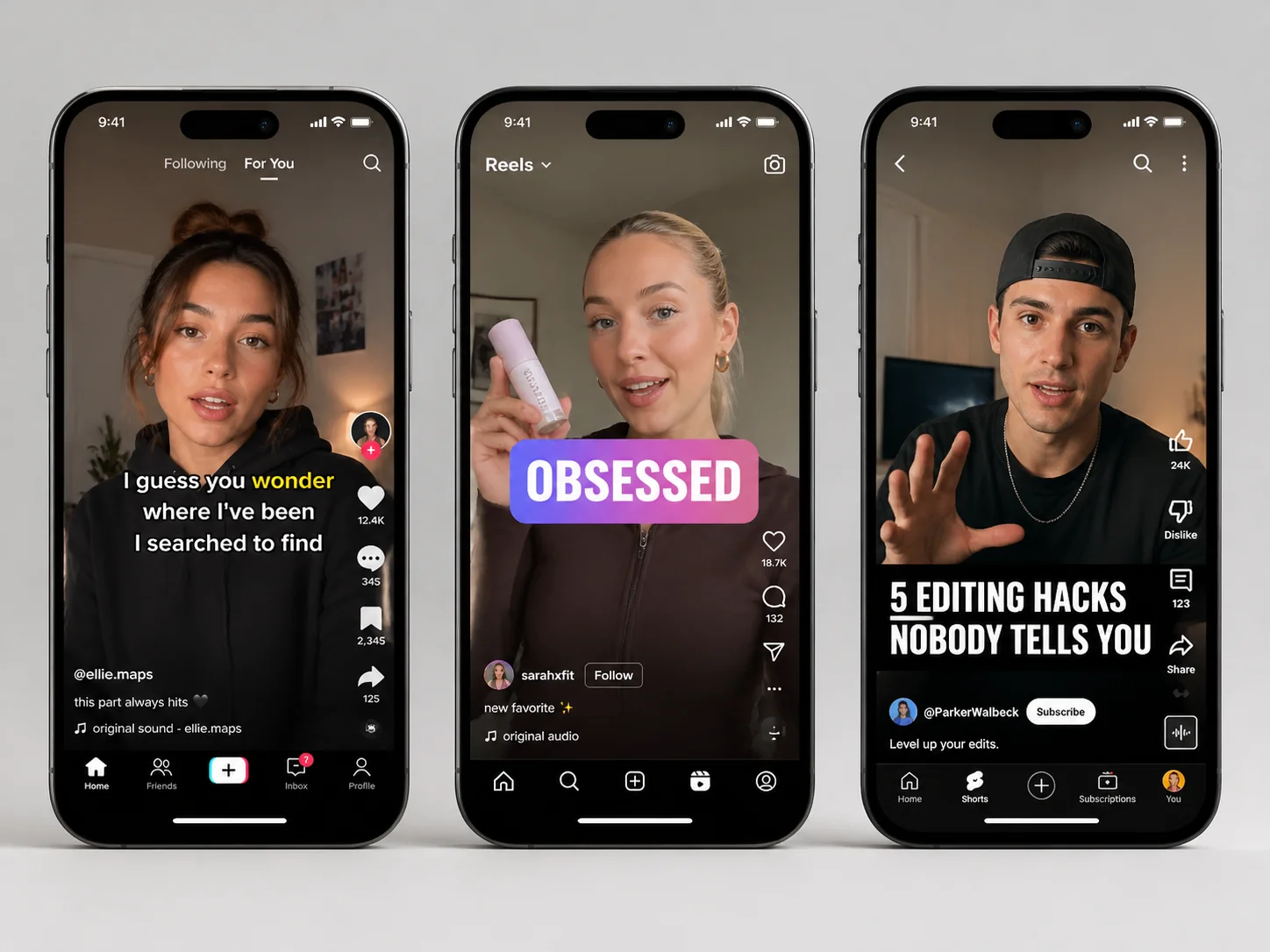
The caption style itself affects watch-time. From thousands of creator posts we've seen, the patterns are remarkably consistent:
| Platform | Caption style that performs | Notes |
|---|---|---|
| TikTok | Karaoke word-by-word, yellow active-word highlight | Mid-frame placement, bold sans-serif, max 3 lines |
| Instagram Reels | Gradient pop, single-word emphasis | Top-third or middle, brand colors win |
| YouTube Shorts | Bold bottom-third, white-on-black bar | Higher contrast, smaller leading |
| Minimal serif, full-sentence chunks | Calmer pacing, no animation tricks |
Match the style to the platform, then let the tool burn it in automatically.
#Step 1 — Record once, output everywhere
The 2026 creator workflow stops re-recording for each platform. You shoot one vertical clip and produce three exports:
- TikTok master — 9:16, 15–60s, karaoke captions
- Reels master — 9:16, 15–90s, gradient captions, light cropping at edges if needed
- Shorts master — 9:16, 15–60s, bold bottom-third captions
Kubeez Auto Captions lets you re-export the same source clip with three different caption styles in three clicks. No re-transcription, no re-timing.
#Step 2 — Auto-transcribe with word-level timing
Drop your raw vertical clip into Kubeez. The transcription engine returns:
- a complete transcript
- word-level timecodes (every word knows when it starts and ends)
- automatic line breaks at natural speech pauses
- speaker turn detection for interview-style clips
This is the part that used to take an hour. It takes ~30 seconds with our captioning pipeline. For a deeper dive on accuracy, see our guide on adding subtitles and captions to any video.
#Step 3 — Pick a style preset, tweak, export
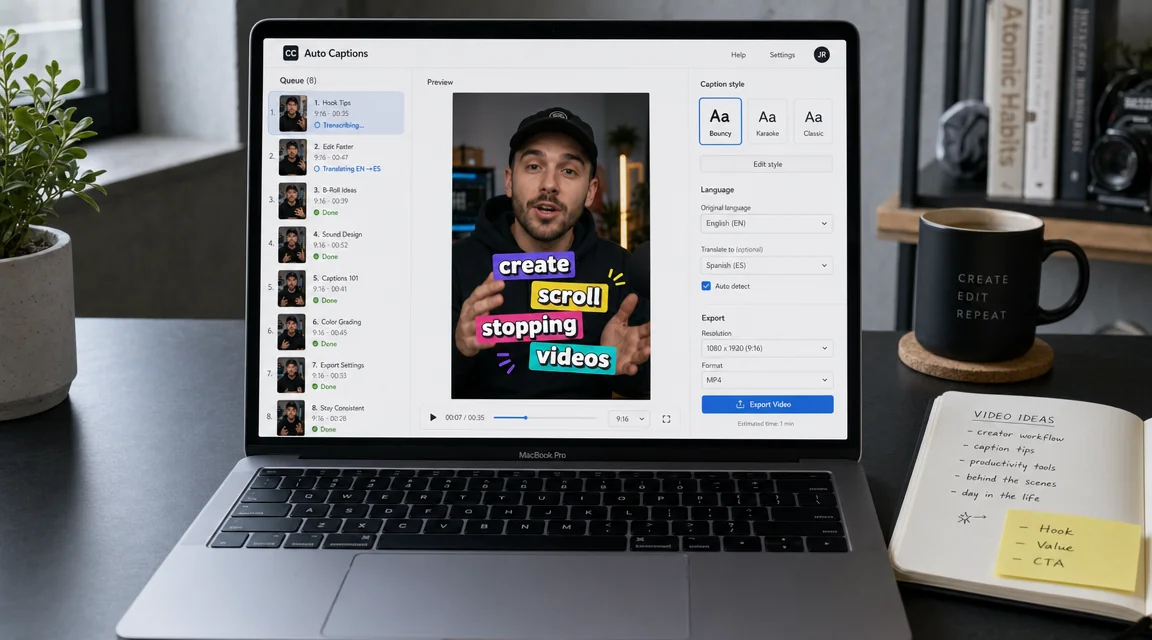
In the Caption Timeline Editor you can:
- choose a base preset (karaoke, gradient, bold-bottom, minimal)
- set the active-word highlight color (your brand yellow, blue, magenta)
- adjust safe-zone padding for each platform
- preview the output side-by-side with the source
Hit export. You get an MP4 with burned-in captions, plus an SRT file in case you want to publish without the burn for accessibility on YouTube long-form.

#Step 4 — Multilingual? One source, every market.
If you publish to multiple regions — Spanish-language TikTok, Romanian YouTube, English Reels — multilingual auto-captions translates the transcript into the target language and re-burns the captions onto a copy of the source clip. Same video, three language exports, three feeds.
This is where the creator economy unlocks 3–5× audience growth without producing 3–5× more content.
#Scaling it: when you outgrow the web app
If you're publishing one clip a day, the web app is fine. If you're a team — a creator agency, a podcast clip operation, a brand running 30 clips a week across 8 markets — you'll want one of two automation paths.
#Path A — Chat-driven via MCP
Connect Kubeez via the MCP to your AI assistant. Drop a folder of 20 clips and prompt:
"Run all clips in this folder through Kubeez Auto Captions with the TikTok karaoke style. Export each as 9:16 MP4. Then translate every transcript to Spanish and produce a second export of each clip with Spanish captions. Drop the URLs in a list at the end."
The assistant calls generate_captions for each file in turn and polls until they finish. 20 clips, two language tracks, one prompt.
#Path B — REST API in your editor or pipeline
Wire the Kubeez API into your team's editing tool — Final Cut, DaVinci, or a custom Node/Python pipeline. The minimum captioning flow:
POST https://api.kubeez.com/v1/generate/captions
X-API-Key: sk_live_...
{
  "source_media_url": "https://your-cdn/clip-014.mp4",
  "style": "karaoke-yellow",
  "language": "en"
}
Poll GET /v1/generate/captions/{id} until complete. You get back a permanent CDN URL for the captioned MP4 and the raw SRT.
This is the same pipeline pattern documented in our Kubeez API & MCP automation guide — captioning is just one tool in the broader generation API.
#A real creator's daily workflow
Here's what a working creator's morning looks like with this pipeline:
- 8:00 AM — Film 3 vertical clips on iPhone (B-roll + talking head). 25 minutes.
- 8:25 AM — Drop all 3 into Kubeez Auto Captions. 30 seconds.
- 8:30 AM — While the clips transcribe, write hooks and titles. 5 minutes.
- 8:35 AM — Pick caption styles per platform. 2 minutes per clip = 6 minutes.
- 8:45 AM — Export 3 clips × 3 platforms = 9 final files. Drop into scheduler. 5 minutes.
Total: 50 minutes for a day's content. That's compared to 3+ hours of hand-captioning at the same volume.
#FAQ
Does Kubeez handle accents and rapid speech? Yes — the captioning model is trained on millions of hours of natural speech across accents, sibilance, and rapid-fire delivery. For very heavy accents or specialized vocabulary, you can correct individual words in the timeline editor before export.
Can I add my own caption style preset? Yes. The Caption Timeline Editor supports custom font, color, highlight, stroke, and animation settings. Save presets per channel and re-use them.
Will captioning slow my publishing schedule? On the contrary — most creators report cutting their per-clip turnaround time by 60–80% after switching to automated captioning. The bottleneck moves from editing back to the part you actually care about: making more clips.
Is captioning per-second or per-clip?
Per second of source audio for transcription + render. Multilingual exports are billed per export. Check your current rate in get_models or the docs.
Bottom line: the creators winning short-form in 2026 aren't faster typists — they automated captions and went back to creating. Run Kubeez Auto Captions in the web app for daily output, or wire it into your tools via the MCP (chat-driven) or REST API (full pipeline). Same engine, three integration paths, one credit balance.
If you also need autocaptions to boost engagement across platforms or you're working with long videos that need to become shorts, Kubeez covers both flows on the same source clip.
Dex writes the Kubeez guides and makes every example with the same tools you use.
See also