What You Can Build with GPT Image 2: 10 Real Use Cases (with Examples)
10 real things you can build with GPT Image 2 today: marketing banners with readable typography, photoreal product photography, UI mockups, posters, brand campaigns, and 4K print assets — all running on Kubeez via app, API, or MCP.
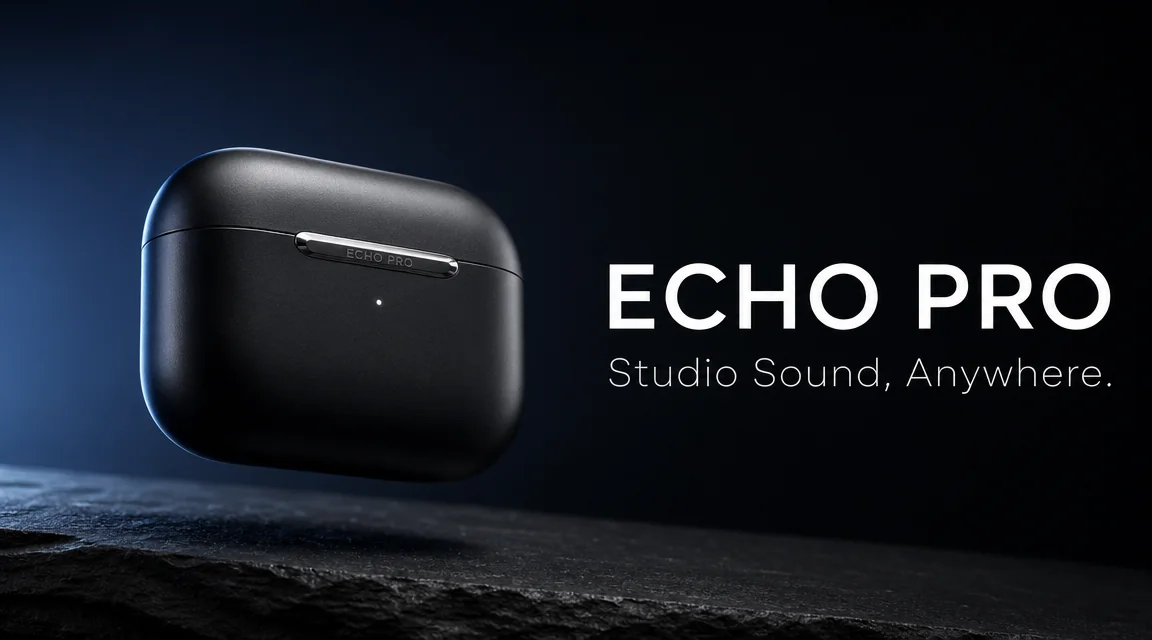
OpenAI's GPT Image 2 is the most capable text-and-image model the lab has shipped to date. Compared to the GPT 1.5 Image family, it lifts three things at once: prompt fidelity (it does what you actually asked), typography (readable labels, posters, UI mocks), and prompt length (up to ~20,000 characters). That combination unlocks a class of work the previous generation just couldn't do reliably.
On Kubeez, GPT Image 2 runs under one model id — gpt-image-2 — across the web app, the REST API, and the MCP server. One credit balance, no separate OpenAI key, the same outputs everywhere. This guide walks through ten real things you can build with it today, each illustrated with an actual GPT Image 2 generation.
#1. Marketing banners with readable typography
The single biggest unlock vs. last year's models: GPT Image 2 puts legible product copy and headlines directly into the image. No "scribbled-letter" failures, no Photoshop pass to fix the text. The cover image of this article is one prompt, one generation — earbuds, slate, tagline, all rendered in-line.
For most banners you want:
aspect_ratio: 16:9(web/desktop) or1:1(Instagram feed)resolution: 1Kfor blog/web,2Kfor landing pages,4Kfor print- Note:
2Kand4Krequire an explicit non-1:1, non-auto aspect ratio per the Kubeez model rules
#2. Photoreal product photography (when you don't have the product yet)
For e-commerce founders waiting on samples, agencies building decks before a shoot, and Kickstarter pages that need imagery before manufacturing — GPT Image 2 produces convincing photoreal product stills with controllable lighting, surfaces, and angles.
Prompt the scene, not the camera settings. Describe the surface, the light source, and the mood. Compare with Nano Banana 2 for character consistency and edit-heavy workflows; pick GPT Image 2 when prompt fidelity and typography matter more.
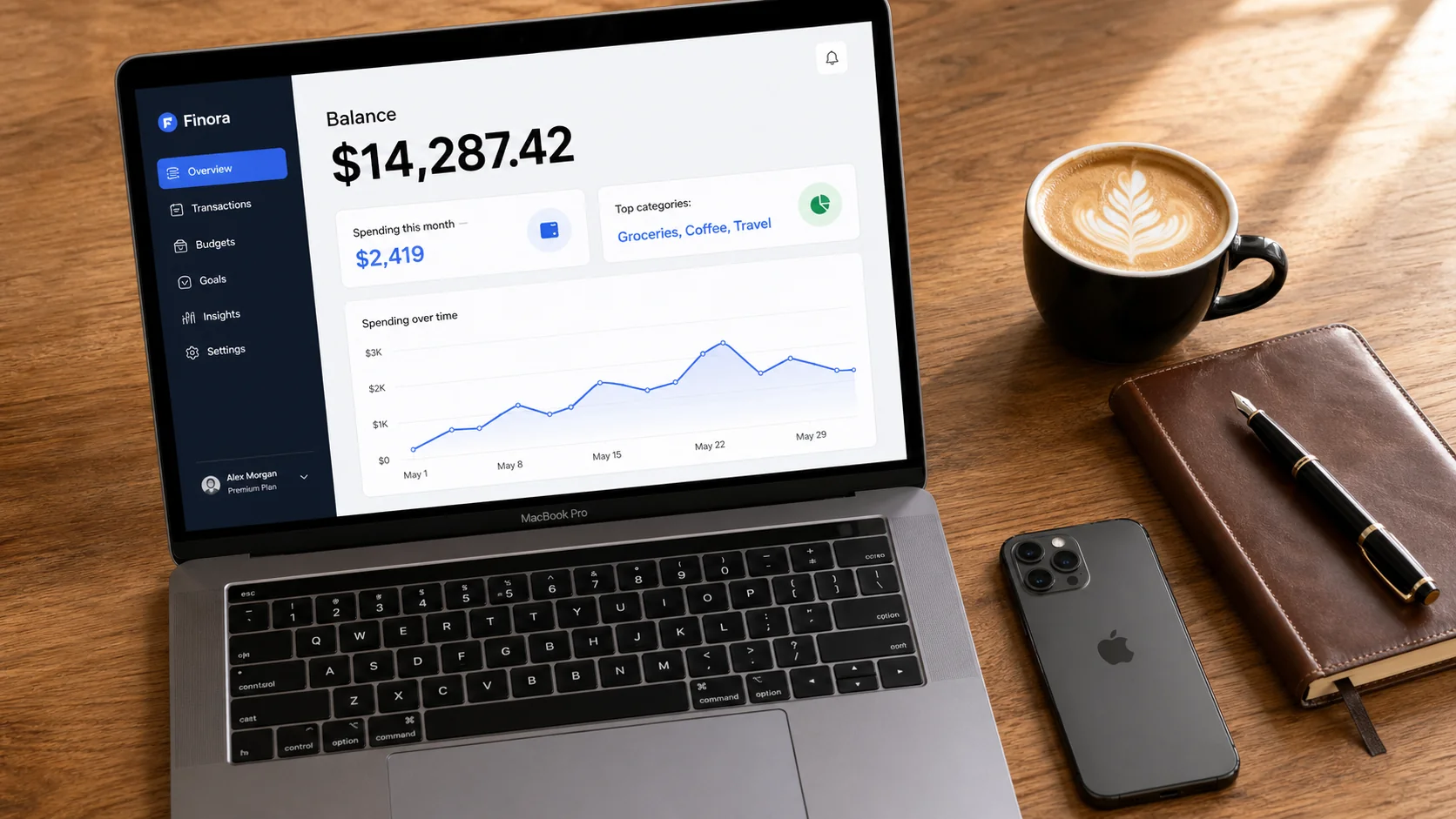
#3. UI mockups for landing pages and pitch decks
GPT Image 2 is the first general image model that reliably produces readable UI text — labels, balances, headers, axis ticks. That makes it usable for landing-page hero shots, fintech demos, SaaS marketing, and pitch-deck product screenshots without firing up Figma.
Practical pattern: describe the specific text you want visible, the device, and the lighting. The flat-lay above is one prompt with the headline "Balance $14,287.42" specified verbatim.
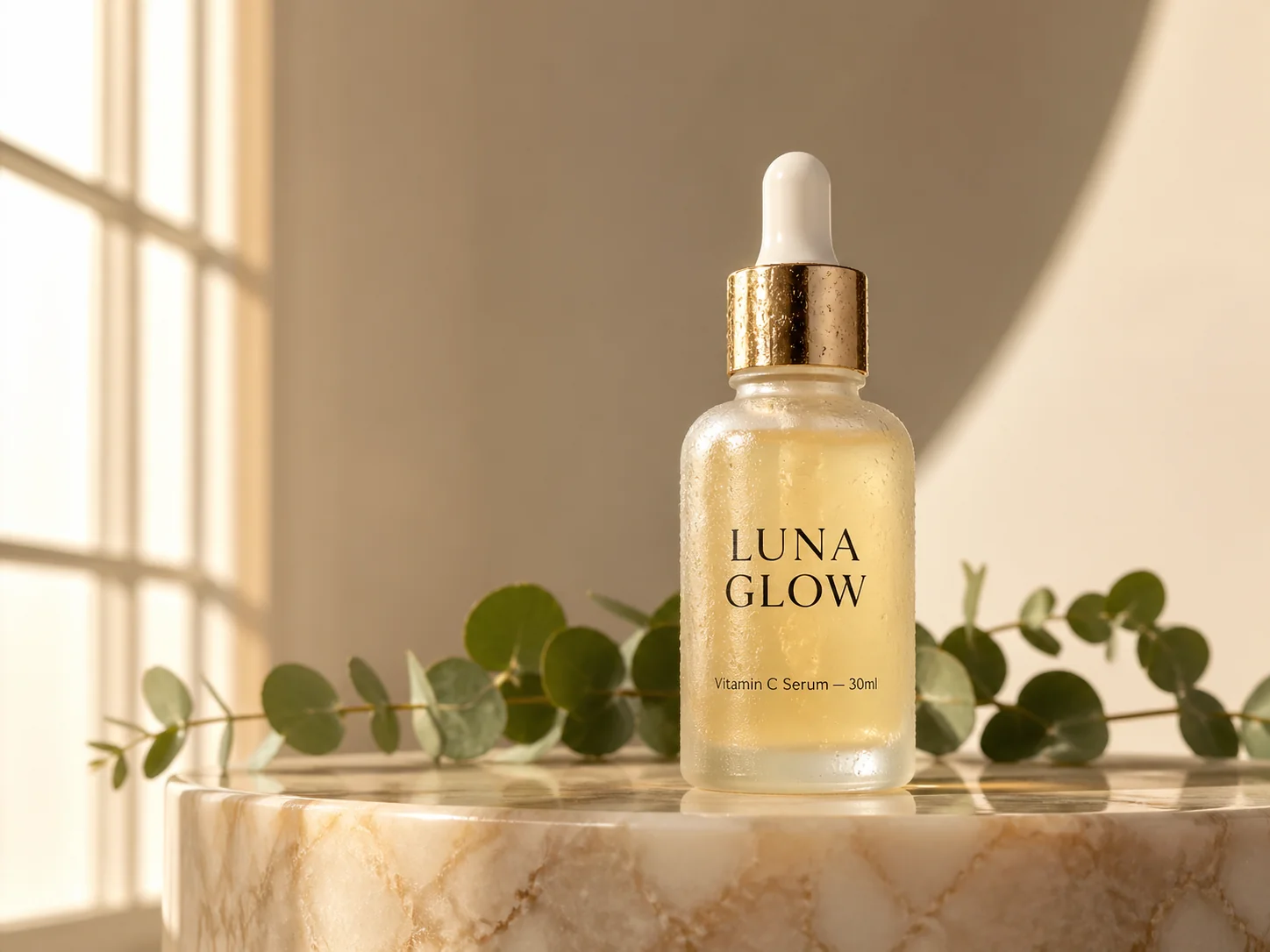
#4. Beauty and skincare bottle shots
If you sell DTC skincare, supplements, candles, or any small physical product, GPT Image 2 can produce magazine-quality bottle photography on the first try. The trick: name the light source, the surface, and the label text, then let the model handle reflection, condensation, and material.
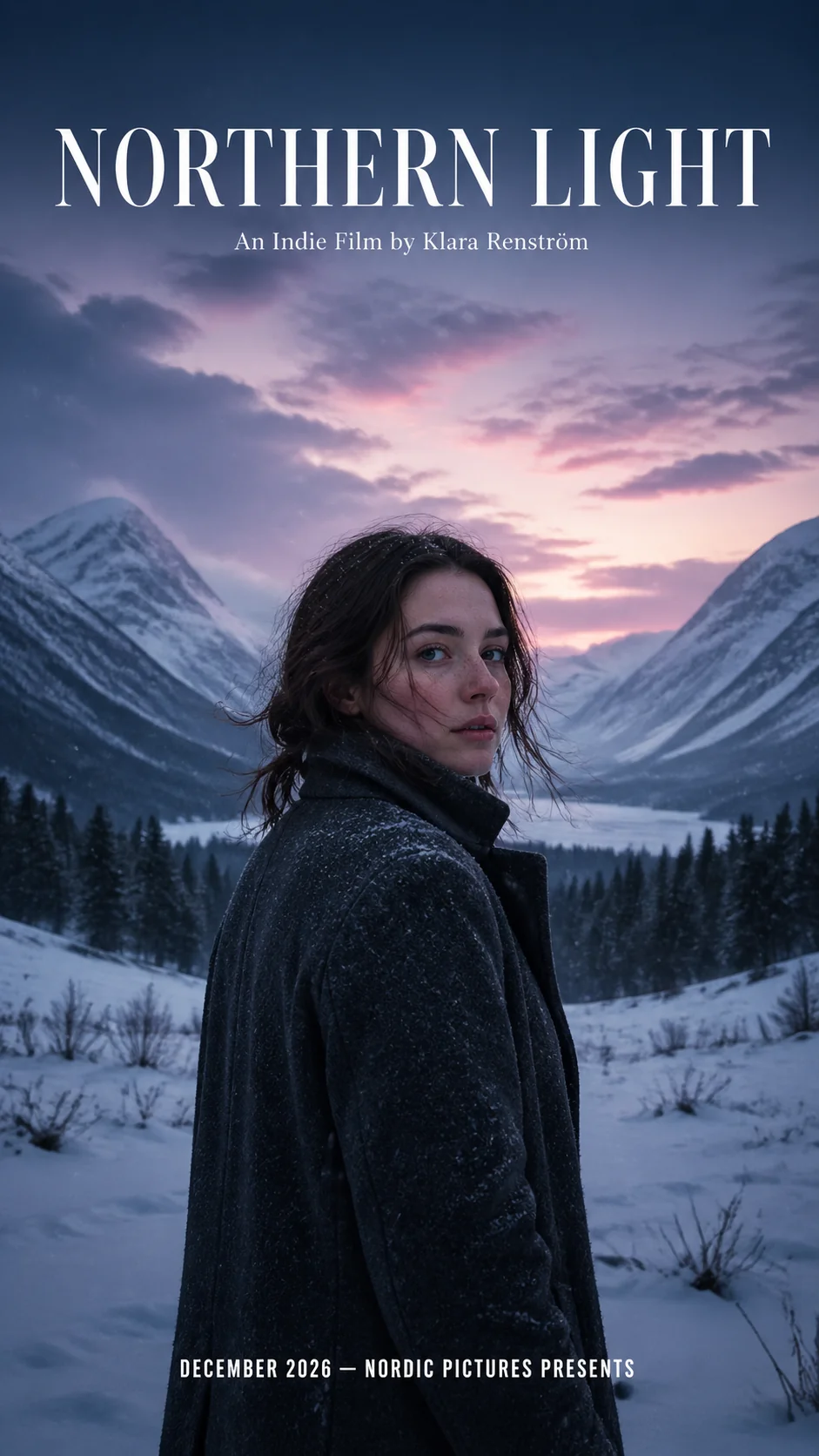
#5. Movie / event / album posters with typography
Vertical 9:16 posters with display typography used to be a designer task. GPT Image 2 nails the title-treatment, the photo, and the credits in one shot — useful for film festival submissions, indie album art, event posters, and editorial covers.
#6. Editorial illustration and lifestyle scenes
Past GPT image models leaned heavily on plastic-y, over-rendered "AI" looks. GPT Image 2 produces convincingly photoreal lifestyle scenes — cafe brunches, candid couple shots, golden-hour portraits — that don't immediately read as synthetic.
#7. Brand campaign creatives in batches
For paid social, you want 8–16 variants of the same hero idea to A/B test. GPT Image 2 supports up to ~20,000 character prompts, so you can hand it a multi-paragraph brief — colors, brand voice, product details, do-not-do list — and run a batch of variants without re-prompting from scratch each time.
This is also where the MCP path shines: ask your AI assistant to "produce 8 ad variants of this concept, alternate background colors and headline phrases", and it loops generate_media 8 times for you.
#8. Image-to-image edits with up to 16 references
GPT Image 2 accepts up to 16 reference images in image-to-image mode. Practical uses:
- Mood-board distillation — drop 12 reference images, ask for a single new image that combines their lighting, palette, and composition cues
- Brand kit consistency — pass your logo, product hero, and color swatches as references so every new asset stays on-brand
- Style transfer — pass a stylized reference + a product still and request "the product, rendered in the style of the reference"
When passing references via the API or MCP, set generation_type: "image-to-image" and pass the URLs in source_media_urls. Image-to-image keeps the same gpt-image-2 model id and the same flat per-image cost.
#9. Print-grade assets at 4K
For magazine covers, packaging mocks, billboard pitches, and oversized print, GPT Image 2 supports 4K resolution. Constraint: at 2K or 4K, the aspect ratio must be explicit (9:16, 16:9, 4:3, or 3:4) — auto and 1:1 are 1K-only.
POST https://api.kubeez.com/v1/generate/media
{
  "model": "gpt-image-2",
  "prompt": "...",
  "aspect_ratio": "16:9",
  "resolution": "4K"
}
#10. Multilingual marketing imagery
Because GPT Image 2 places typography directly in-image, you can produce localized variants of the same campaign in English, Spanish, Romanian, French — anything that fits the prompt. Same composition, same product, localized headline text rendered correctly. That used to mean re-shooting or re-Photoshopping every market.
#How to run GPT Image 2 on Kubeez
You have three integration paths — pick whichever your team prefers.
#Web app
Open Media generation, pick GPT Image 2 in the model list, paste a prompt, and run. For image-to-image, attach reference images and the app routes through image-to-image automatically.
#REST API
POST https://api.kubeez.com/v1/generate/media
X-API-Key: sk_live_...
{
  "model": "gpt-image-2",
  "prompt": "...",
  "aspect_ratio": "16:9",
  "resolution": "1K"
}
Poll GET /v1/generate/media/{id}. Check the API overview for full details.
#MCP (chat-driven)
Connect via Settings → MCP. Then ask any compatible AI assistant: "Generate four 9:16 product variants of this with gpt-image-2." The assistant calls the generate_media tool, polls, and returns the URLs.
#Pricing and limits at a glance
| Setting | Value |
|---|---|
| Model id | gpt-image-2 |
| Modes | text-to-image, image-to-image |
| Max reference images | 16 |
| Prompt limit | ~20,000 characters |
| Aspect ratios | auto, 1:1, 9:16, 16:9, 4:3, 3:4 |
| Resolutions | 1K (default), 2K, 4K |
| Billing | Flat per finished image, varies by resolution |
For the live, current rate per resolution, call get_models or check the available models doc.
#What to use instead, when
- For rigid 16:9 or 9:16 output with the smallest credit cost, Imagen 4 Fast or Nano Banana 2.
- For character consistency across a series (same person, same product, multiple poses), Nano Banana 2.
- For vector logos and SVG output, Logo Maker.
- For everything else where typography and prompt fidelity matter most, GPT Image 2.
#FAQ
Is GPT Image 2 the same as the rumored "OpenAI Image V2" leak?
The current rumored-leak coverage we wrote about in April tracked Arena codenames around what looked like a next-gen OpenAI image model. The product running on Kubeez today as gpt-image-2 is OpenAI's shipped, stable image model — see the API/MCP technical guide for the integration details.
Can I use GPT Image 2 output commercially? Standard Kubeez output rights apply. Always sanity-check brand, likeness, and trademark for the platforms you're publishing on.
How long does a generation take?
GPT Image 2's typical first-poll delay on Kubeez is around 45–60 seconds. Use get_models for the current estimated_time_seconds value rather than guessing.
Bottom line: GPT Image 2 makes a category of work — readable typography in-image, photoreal product photography, UI mocks, posters, multilingual creatives — practical for solo operators and small teams that previously had to choose between cost and quality. Run it on Kubeez via Images, the REST API, or the MCP.
Dex writes the Kubeez guides and makes every example with the same tools you use.
See also