


 Video
Kling 4.0 for free: what a new Kubeez account can actually render
Kling 4.0 and Kling 4.0 Flash both run on Kubeez. Neither has a free tier, and the welcome credits a new account gets after signing up and confirming its email do not cover a Kling 4.0 clip on their own. They do cover a short draft on a lower-cost video model, so you can learn the studio before you pay for Kling.
The plain answer: no free Kling 4.0 renders, with or without an account
The cheapest first Kling clip: Kling 4.0 Flash, a few seconds at 720p, no reference clip
Every model card shows its live rate and an estimate before you spend anything
Short Seedance 2.5 drafts, made on Kubeez
Three 4-second clips at 480p, made on Kubeez with Seedance 2.5, not with Kling 4.0. Each is one generation with its own sound and no edits. They show what a short, prompt-only draft looks like before you commit to a longer or sharper render.
Product close-up, Seedance 2.5 at 480p
A terracotta mug on a walnut table, steam rising through window light as the camera pushes in. One prompt, one 4-second render.
Landscape move, Seedance 2.5 at 480p
A low glide over misty pines that rises to reveal a lake mirroring the sunrise clouds. The camera move and the light both come from the prompt.
Animal moment, Seedance 2.5 at 480p
A red fox in a snowy clearing at dusk watches a snowflake fall and ends the shot with its face dusted in snow.
Why the welcome credits stop short of Kling 4.0
Kling 4.0 bills per second of output at a higher rate than the lower-cost models on the video screen, and the shortest clip either card renders is 3 seconds. At today's rates that first clip, even on Flash, costs more than the welcome credits hold. Rather than promise otherwise, this page tells you what the credits do cover and the cheapest way into Kling once you top up.
- Kling 4.0 Flash is the lower per-second rate of the two cards: 720p only, up to 20 seconds
- Kling 4.0 adds 1080p and takes of up to 30 seconds, at a higher rate per second
- Length multiplies the rate, so a 10-second clip costs twice a 5-second one on the same card
- Prompts, reference stills and Frames runs all bill at the no-clip rate
- A reference clip lowers the per-second rate but bills the clip's length too, so the billed seconds at least double
Kling 4.0 vs Kling 4.0 Flash
Both are cards on the same video screen and take the same kinds of input. Flash is the one to learn on. Kling 4.0 is the one to finish on when the shot needs 1080p, more than 20 seconds or more than a start frame.
Clip length
- Kling 4.0
- 3 to 30 seconds
- Kling 4.0 Flash
- 3 to 20 seconds
Resolution
- Kling 4.0
- 720p, 1080p
- Kling 4.0 Flash
- 720p
Aspect ratio
- Kling 4.0
- Auto, 16:9, 9:16, 1:1, 21:9
- Kling 4.0 Flash
- Auto, 16:9, 9:16, 1:1, 21:9
Reference stills
- Kling 4.0
- Up to 10
- Kling 4.0 Flash
- Up to 10
Reference clips
- Kling 4.0
- Up to 5, 3 to 30 s each, 30 s in total
- Kling 4.0 Flash
- Up to 5, 2 to 20 s each, 20 s in total
Frames
- Kling 4.0
- Start frame, middle keyframes, end frame
- Kling 4.0 Flash
- Start frame only
Standalone voices
- Kling 4.0
- Up to 3
- Kling 4.0 Flash
- None, a voice binds to a character element
Prompt length
- Kling 4.0
- 8,000 characters
- Kling 4.0 Flash
- 8,000 characters
Audio
- Kling 4.0
- Always generated, or the clip's own sound
- Kling 4.0 Flash
- Always generated, or the clip's own sound
Both cards bill per second of output and both have an Edit video tab for changing a clip you attach. With a reference clip attached, the billed seconds are the output plus the longer of the output and the clip, at a lower per-second rate. Rates and the estimate are shown live on the model card before you render.
How it works
Sign up and confirm your email
The welcome credits arrive once your address is confirmed. Spend them on a lower-cost model, such as a short Seedance 2.0 Mini draft at 480p, and learn how the studio and your prompts behave before Kling is involved.
Top up, then start on Flash
Kling 4.0 Flash renders 3 to 20 seconds at 720p from the same kind of prompt, stills and clips as Kling 4.0, at the lower per-second rate of the two. A few seconds with no reference clip is the smallest Kling 4.0 run there is.
Move the keeper to Kling 4.0
When a shot works, render it on Kling 4.0 for 1080p or a take of up to 30 seconds. Both cards take the same prompt and references, so you pay for the long or sharp version once, not for every attempt.
What makes Kling 4.0 worth topping up for
- A long single take: Kling 4.0 runs to 30 seconds from one prompt
- A new shot built from your own stills, each named in the prompt as @image_1, @image_2 and so on
- Reusing the camera move of a clip you already have, attached as a reference
- Changing a clip you shot, from the Edit video tab on either card
- Pinning a start frame, or on Kling 4.0 a start, middle and end frame, with Frames
How to spend the least on a first Kling clip
- Start on Kling 4.0 Flash at 720p, the lower per-second rate of the two cards
- Keep the first clips at 3 to 5 seconds: the bill follows length, not the prompt
- Leave reference clips out of test runs, because a clip bills its own seconds on top of the output
- Use stills instead: reference images and Frames runs bill at the no-clip rate
- Write the whole shot into one prompt of up to 8,000 characters instead of rendering three versions of one idea
Honest caveats
There is no free tier for Kling 4.0 on Kubeez and no way to render it without an account. The welcome credits are a one-time grant for new accounts, and at today's rates they do not cover even the shortest Kling 4.0 Flash clip on their own. The grant and the per-second rates are live values, so the estimate on the model card is the number to trust, not this page. Neither card renders above 1080p.
Available models and pricing
Kubeez is an independent platform. Third-party model names are trademarks of their respective owners. Availability and capabilities depend on your plan and current provider offerings. See documentation for live model lists.
FAQ
No. Kling 4.0 and Kling 4.0 Flash use credits on every render. A new account gets welcome credits after signing up and confirming its email, but those do not cover a Kling 4.0 clip on their own. They cover a short draft on a lower-cost video model instead.
No. Every render on Kubeez runs on an account, and there is no no-signup mode for any video model. Signing up is free; rendering Kling 4.0 needs credits beyond the welcome grant.
Kling 4.0 Flash at 720p, a few seconds long, from a prompt or stills with no reference clip. Flash has the lower per-second rate, the bill follows length, and a reference clip at least doubles the billed seconds. The estimate on the model card reads the live rate, so check it before you render.
Flash renders 720p only and up to 20 seconds, takes up to 20 seconds of reference clips in total, and its Frames lane takes a start frame only. Kling 4.0 adds 1080p, runs to 30 seconds, takes up to 30 seconds of reference clips, and its Frames lane can also pin middle keyframes and an end frame. Flash costs less per second.
Yes. Without a reference clip, both cards always generate an audio track with the picture; there is no switch to turn it off. With a clip attached, you can keep the clip's own sound instead.
Any model whose estimate fits inside them. On the video screen, a short Seedance 2.0 Mini draft at 480p fits, which is a fair way to learn prompting and the studio before you pay for Kling. The Seedance trial page covers how to stretch them.
Related topics
Seedance 2.5 free trial with Kubeez signup credits
Try Seedance 2.5 free with the starter credits every new Kubeez account gets, on Seedance 2.5 or any Seedance 2.0 tier. No upfront cost, a one-time trial.
Open SeedanceGenerate a 30-second AI video in one render with Seedance 2.5
Seedance 2.5 renders up to 30 seconds of video in a single generation, with native audio and up to 50 reference assets. Starter credits on a new Kubeez account cover your first render.
Open Seedance 2.5Model pickers: Kling vs Veo-class
Pick the right video model tier for each shot—practical workflow notes for teams running both Kling and Veo-class models via Kubeez.
Media StudioAffordable AI video without cutting corners on quality
Looking for an affordable AI video generator? Seedance 2.0 Mini is the lowest per-second video rate on Kubeez, with Fast one step up and the newer Seedance 2.5 alongside them.
Open Seedance 2.0 MiniText-to-video that respects creative direction
Turn scripts and shot lists into AI video with Kubeez—control camera language, tone, and duration as you iterate.
Generate videoAn AI video platform built for throughput
Plan, generate, and ship AI video from one Kubeez workspace—built for marketers, creators, and ops teams who need dependable throughput.
Start in Media Studio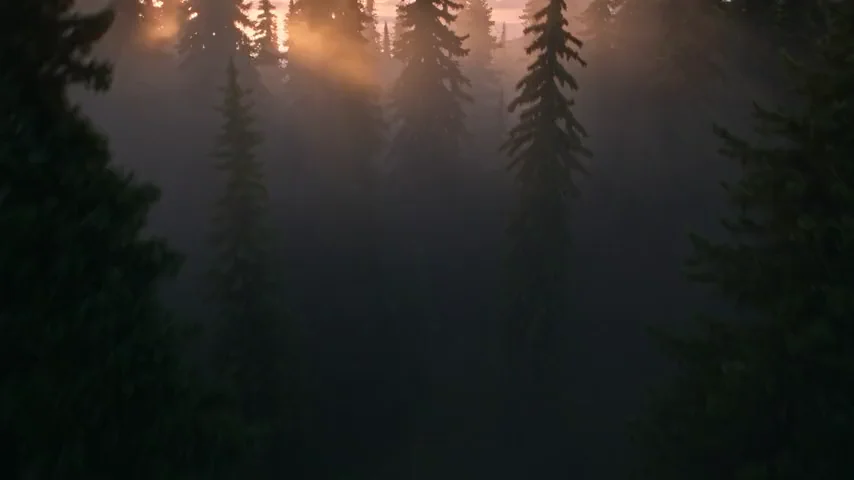
Run it on Kubeez
Open the workspace and run it yourself. Kubeez shows the credit cost of a job before you spend anything.