Guides
Lip Sync AI Explained: Make Photos Talk or Dub Videos
Lip sync AI makes a mouth match audio. Learn its two jobs, making a photo talk and dubbing a video, what makes results look real, and how to do each on Kubeez.
· Dex
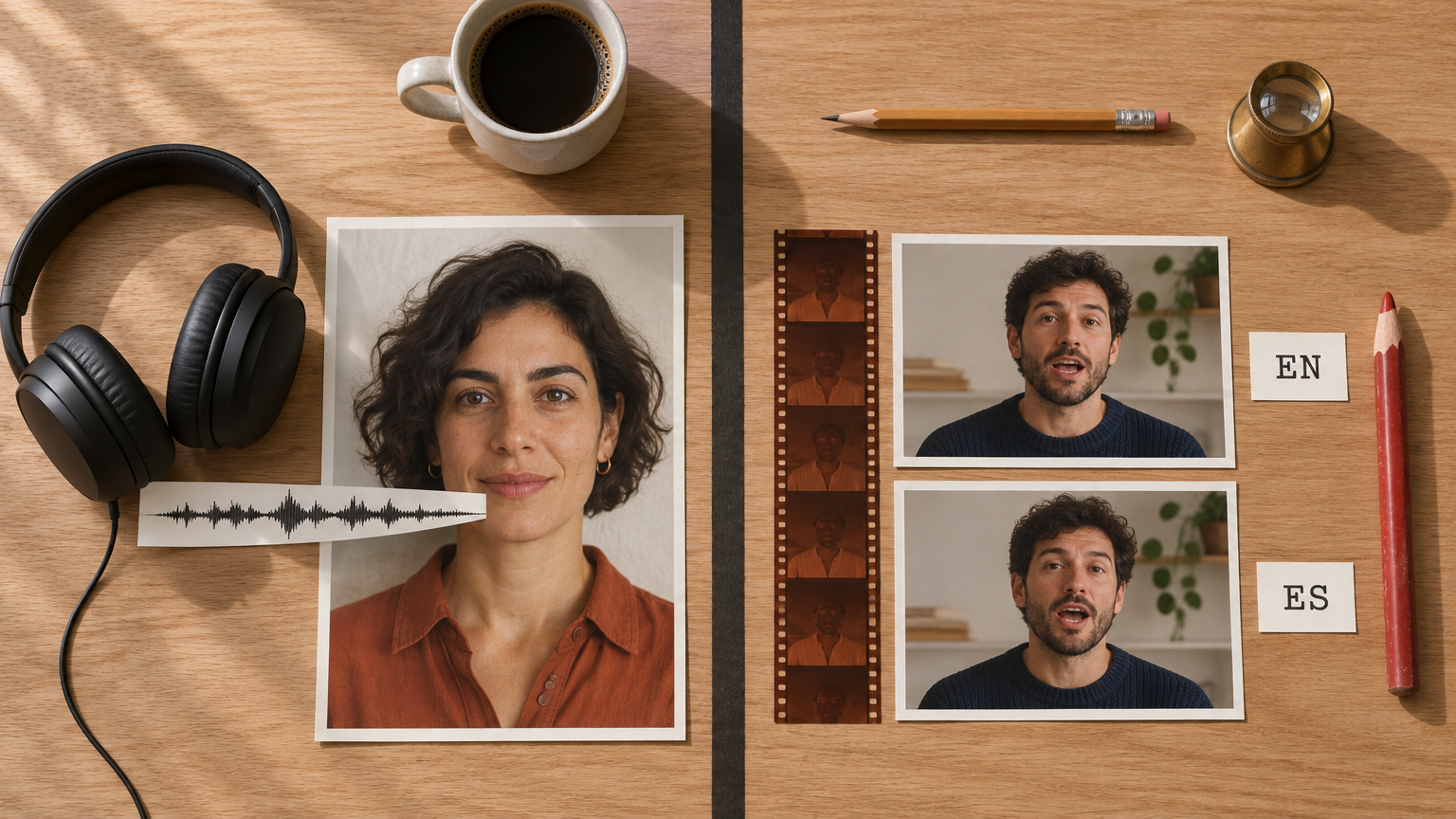
Lip sync AI is software that makes a face's mouth move in time with an audio track. People use the term for two different jobs. The first is making a still photo talk or sing: you give the AI one portrait and one audio file, and it generates a video of that person speaking your words. The second is re-syncing the mouth in a video that already exists, usually after the speech has been dubbed into another language. This guide explains how both work, what makes results look real or fake, and how to do each one on Kubeez.
What is AI lip sync?
Every sound you make has a mouth shape. "M" and "B" close the lips, "O" rounds them, "F" puts the top teeth on the bottom lip. Animators call these shapes visemes, and for decades they were drawn or keyed by hand.
AI lip sync learns that mapping from huge amounts of video of people talking. Give it audio and a face, and it predicts which mouth shape belongs on each frame, then renders those frames so they match the person's face, skin and lighting. Good models also add the things that make speech look human: blinks, small head movements and expressions that follow the tone of the voice.
The two jobs people mean by "lip sync AI"
Know which job you have before you pick a tool.
| Make a photo talk or sing | Re-sync a mouth in an existing video | |
|---|---|---|
| You start with | One still photo and one audio file | A video of someone talking, plus new audio |
| The AI creates | The whole performance: mouth, head, eyes, expression | A new mouth area, the rest of the footage stays |
| Typical use | Talking avatars, presenters, singing portraits, explainers | Dubbing into another language, fixing a line after the shoot |
| Common search terms | talking photo AI, AI lip sync from photo | lip sync video AI, visual dubbing |
Job 1: Talking photo AI
Here the model has only a single frame to work with, so it invents everything that moves. The lips follow the audio, and the face and head move the way a person's do when they speak. Nothing outside the photo can appear: if the picture is head and shoulders, the video stays head and shoulders.
Job 2: Lip sync video AI for dubbing
Here the footage already exists. The goal is to change as little as possible: keep the person, the background, the camera move and the lighting, and repaint only the mouth so it matches new audio. This is what makes a dubbed video look like the speaker is really speaking the new language.
How AI lip sync works, in plain terms
Under the hood, most lip sync systems do three things:
- Read the audio. The model turns the sound into a sequence of features that describe what is being said and how, frame by frame.
- Predict the mouth. For each frame, it predicts the mouth shape and the motion around it (jaw, cheeks, chin) that fit those features.
- Render the face. It draws frames that keep the person's identity and blend the new mouth into the skin, teeth and lighting.
The hard part is judging the sync. A widely cited paper, A Lip Sync Expert Is All You Need for Speech to Lip Generation In The Wild (Prajwal et al., 2020), showed that earlier methods often drifted out of sync on real-world video of unseen people, and fixed it by training against a lip sync "expert" that scores how well lips match audio.
What makes AI lip sync look good or bad
Most bad results come from the inputs, not the model. Four things decide most of it.
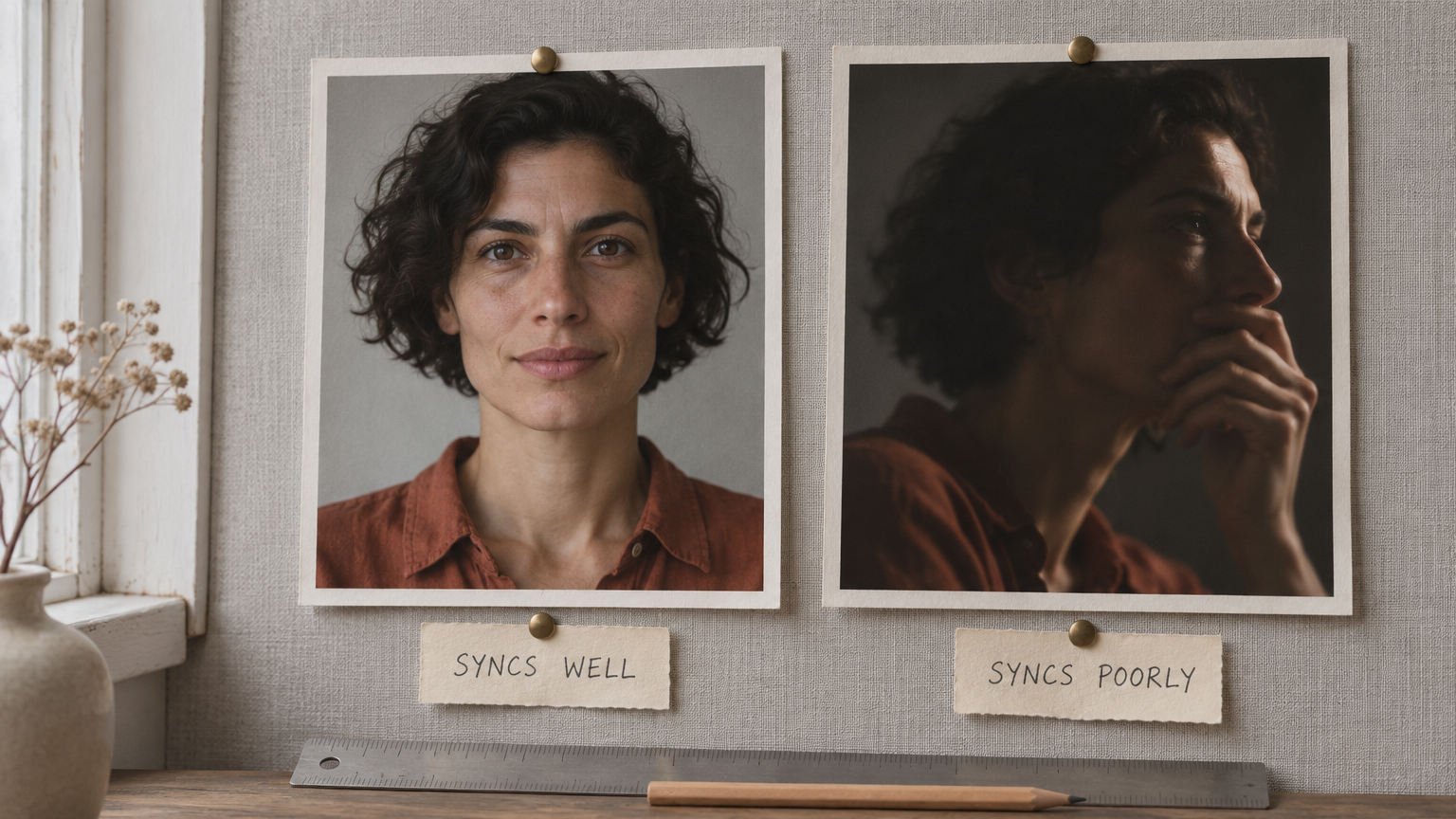
1. Audio quality
The lips can only follow what the model can hear. Clean speech with no music under it, no echo and no background chatter gives the clearest mouth shapes. Mumbled words and heavy reverb give vague, mushy lips. If you are generating a voice with text to speech, you control this completely. For songs, pick a section where the vocal is easy to hear.
2. Face angle and visibility
A front-facing face with the mouth fully visible is the best case. The more the head turns away, the less mouth there is to work with. Hands at the chin, a microphone in front of the lips, hair across the mouth or sunglasses that hide the eyes all make results worse.
3. Resolution and sharpness
The mouth is a small part of the frame. A sharp, evenly lit photo or clip gives the model real detail for lips and teeth. A blurry, dark or heavily compressed source gives it guesses, and guesses show up as smeared teeth and soft edges around the mouth.
4. Clip length
Short clips are easier to get right and cheaper to redo. For a long script, generate one paragraph or scene at a time, so a bad take costs ten seconds, not three minutes. Also check the length limits of the model you use: some lip sync models stop at around 20 seconds, others take several minutes of audio.
How to make a photo talk with AI on Kubeez
If you want an AI lip sync video generator that starts from a photo, Kubeez has two models built for it. Both bill per second of the audio you give them, and the live price is on the model card before you generate.
| OmniHuman 2.0 | P-Video | |
|---|---|---|
| Best for | Presenters, explainers, singing portraits, longer takes | Short clips and quick drafts |
| Audio length | 4 seconds to 5 minutes | Up to 20 seconds |
| Output | 720p, shaped like your photo | 720p or 1080p, with faster draft tiers |
| Video length | Exactly as long as your audio | Exactly as long as your audio |
The steps:
- Get the audio. Record yourself, use a voiceover you own, or write a line and voice it in Kubeez dialogue and text to speech. Trim silence at both ends, because every second of audio is a second of video you pay for.
- Pick the photo. Front facing, sharp, evenly lit, mouth visible and relaxed, nothing covering the face. The shape of the photo is the shape of the video, so crop it for where the video will be posted.
- Open the model in the studio and attach the photo and the audio. Use OmniHuman 2.0 for anything over 20 seconds.
- Add a short prompt (optional). Describe the mood, small movements and the camera, for example "warm, small nods, laughs on the last line, steady framing". Do not paste the script. The model already hears it.
- Generate and check the mouth on hard sounds: "m", "b", "p" and "f". If they look right, the rest usually does too.
For a full worked example with real inputs and the finished video, read our step by step guide to making a photo talk or sing. The OmniHuman 2.0 launch post covers the specs and how to run it over the API.
How to dub a video into another language on Kubeez
Kubeez video dubbing translates the speech in your clip and re-voices it in the languages you pick.
What it does: you upload an MP4, MOV or MP3 with speech in it, up to 5 minutes. You pick one or more languages. You get one file per language: same picture, same music and effects, new speech.
What it does not do: it does not repaint the mouth. The picture is your original footage, so the speaker's lips still move for the original language.
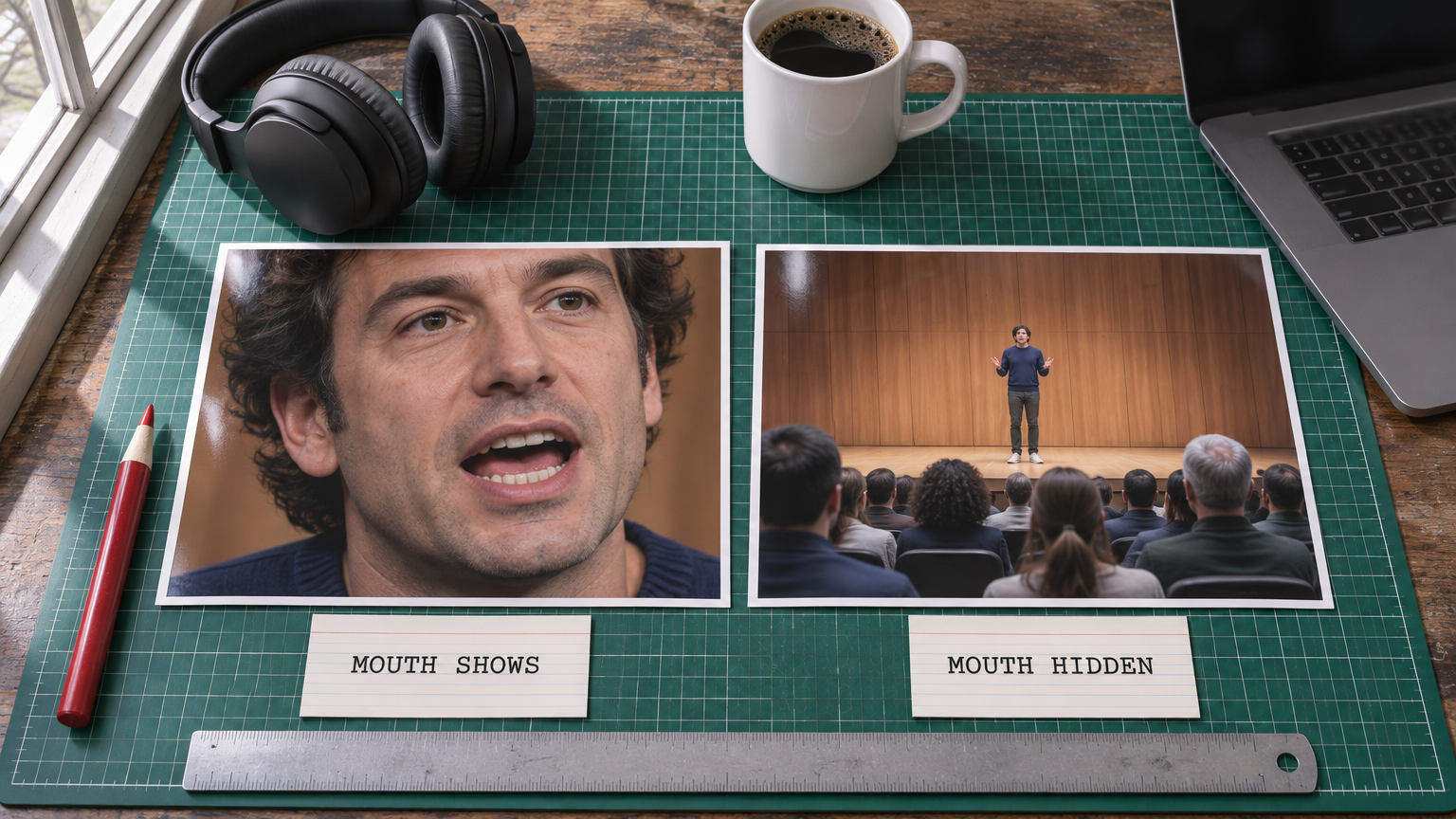
Whether that matters depends on the shot:
- Mouth hidden or small: voiceover over B-roll, product shots, screen recordings, wide shots of a stage, people seen from behind. Dubbing alone looks natural here, because nobody can read the lips.
- Mouth large on screen: close-up talking heads, interviews, direct-to-camera ads. Viewers notice when the lips do not match the words.
The steps:
- Open video dubbing and add a clip with clear speech in it. Dubbing rewrites speech that is already there, it does not add speech to a silent clip.
- Pick the languages. Each language is a full charge, billed per second of the clip, so choose only the ones you need. The price shows before you start.
- Generate and compare. Play the dubbed versions side by side, or download each one on its own.
For close-up talking heads, there is another route. For a presenter speaking straight to camera in several languages, build each version as a talking photo. Write or translate the script, voice it in each language (record it yourself, or use dialogue and text to speech if the voice you choose supports that language), then run each voice line through OmniHuman 2.0 with the same portrait. Every version then has lips that match its own language. The trade-off: it is a new performance generated from one still, not your original footage, so the body movement and the background of the original shoot are not kept.
Consent: using a real person's face or voice
Lip sync AI makes it easy to put words in someone's mouth. Be strict about whose face and voice you use.
- Use your own face and voice, or those of people who have agreed, preferably in writing, to the exact use: where it will be posted and for how long.
- Do not make a real person appear to say something they did not say, and do not imitate anyone who has not agreed.
- Label synthetic video when viewers could mistake it for a real recording.
- Know that the law is catching up. Tennessee's ELVIS Act, signed on March 21, 2024, created a property right in a person's own voice and made it possible to sue over unauthorized use of someone's voice or likeness (summary by Covington). Rules differ by state and country, so check the ones that apply to you.
A generated portrait of someone who does not exist avoids most of these problems.
Frequently asked questions
What is the best lip sync AI for a photo?
It depends on length. For talking or singing clips longer than 20 seconds, OmniHuman 2.0 takes up to 5 minutes of audio from a single portrait. For short clips and fast drafts, P-Video is quicker.
Can AI lip sync a photo to a song?
Yes. Use the song as the audio file. Songs drive the lips the same way speech does. Start with a section where the vocal is clear and not buried under the music.
Can AI change the mouth in a dubbed video to match the new language?
That is visual dubbing, and dedicated tools do it by repainting only the mouth area. Kubeez dubbing re-voices the speech but keeps your original picture, so the lips are not changed. For close-up talking heads, you can make each language version as a talking photo instead.
Is there a free lip sync AI?
Kubeez needs an account. New accounts get a one-time welcome credit grant, and after that you buy credits. There is no permanent free tier. Lip sync is billed per second of audio, so short clips cost less.
Does AI lip sync work on cartoons or animals?
Lip sync models are built for human faces. Clear, realistic portraits of people give the most reliable results. Do not count on drawings, cartoons or animals.
Is AI lip sync legal?
Making a lip-synced video is legal in most places. Using someone's face or voice without permission may not be, and some places, such as Tennessee, have laws protecting a person's voice and likeness. Use faces and voices you have the right to use.
Dex writes the Kubeez guides and makes every example with the same tools you use.