Guides
AI Movie Generator Guide: Make a Short Film With AI
An AI movie generator builds a film one scene at a time. Learn the full workflow: shot list, consistent characters, dialogue, sound effects, music and editing.
· Dex
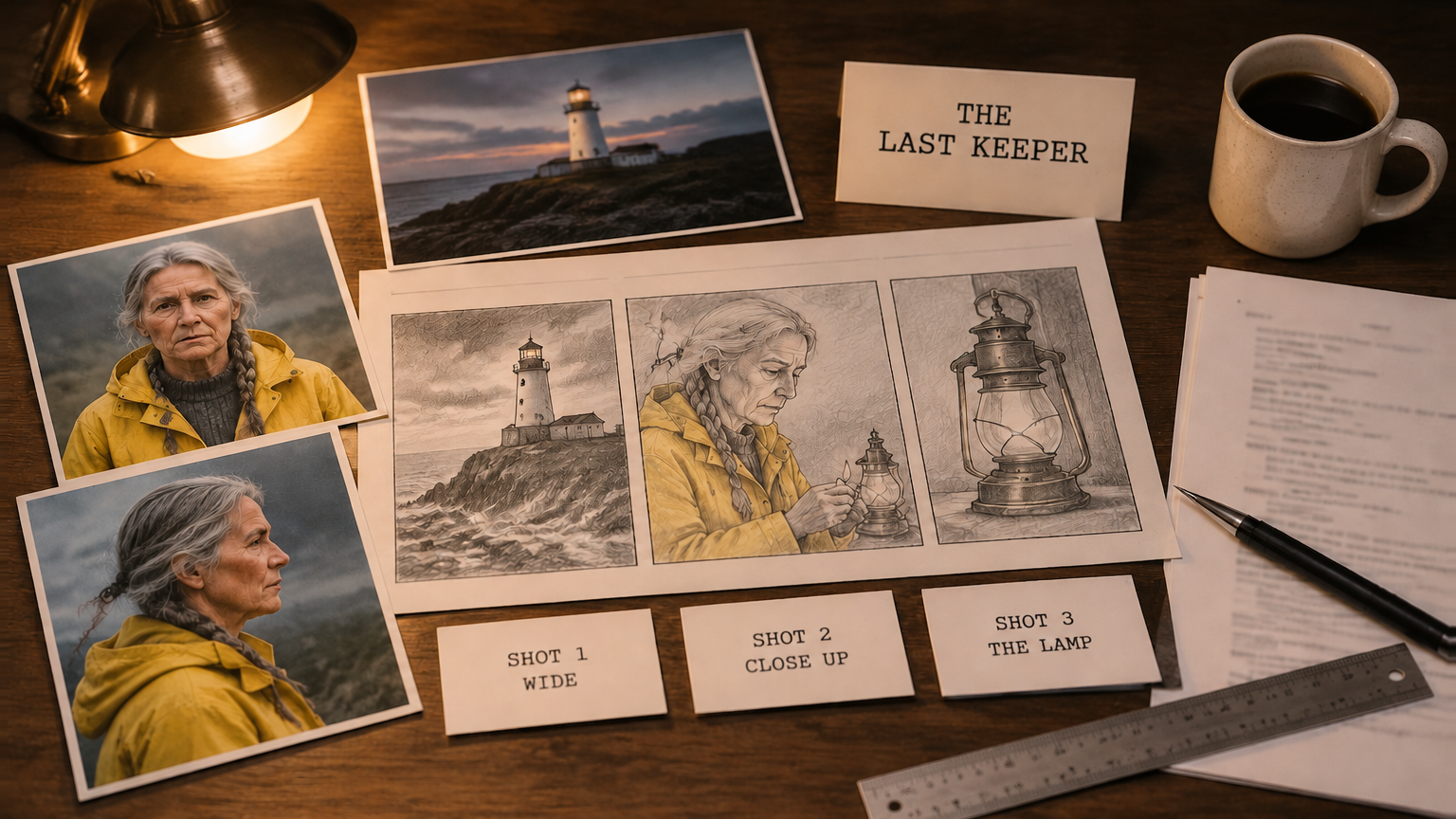
You can make a short film with an AI movie generator today, but not with one button. Current models build a film one scene at a time: each cinematic render is a single shot or a short sequence of up to 30 seconds, with sound. Your job is the director's part: write the story, plan the shots, keep the cast consistent and cut it together. This guide covers the whole workflow, from logline to export, and which model to pick for which shot.
We will use one example film throughout: The Last Keeper, a two minute short about an old lighthouse keeper who lights the lamp one final night before the light is automated.
Can an AI movie generator make a full length movie?
Not in one go. A feature runs around 90 minutes, and the longest single cinematic take on Kubeez today is 30 seconds. What AI does well is the shot: a camera move, a performance, a burst of action, with ambient sound in the same file.
So the honest workflow is the one film crews already use. Break the story into shots, generate each shot, keep continuity with references, and assemble the film in any video editor. A two minute short is roughly 8 to 15 shots, a weekend project. The Kubeez AI movie generator puts the main video models, plus dialogue, sound effects and music, on one credit balance.
Step 1: Write the logline
A logline is the film in one sentence: who wants what, and what stands in the way. For our example:
On her last night before the light is automated, an old lighthouse keeper climbs the tower in a storm to light the lamp by hand one final time.
Then write a five line beat sheet: opening image, problem, turn, climax, closing image. Keep it physical, because models render actions and places well and abstract ideas badly. "She hesitates with the match in her hand" works. "She reflects on forty years of service" does not.
Step 2: Turn the story into a shot list
The shot list is where an AI short film is won or lost, because every row becomes one generation. For each shot, write the framing, the action, the camera move, the length and the sound.
| Shot | Framing | Action and camera | Length | Sound |
|---|---|---|---|---|
| 1 | Extreme wide | Lighthouse on the cliff at dusk, storm rolling in, slow push in | 8 s | Wind, waves |
| 2 | Medium | Keeper reads the automation letter at her kitchen table | 10 s | Rain on the window |
| 3 | Tracking | She climbs the spiral stairs with a lantern, one continuous take | 25 s | Footsteps, storm |
| 4 | Close up | Her hand strikes a match in the lamp room | 6 s | Match strike |
| 5 | Medium close | She lights the lamp and says one quiet line | 10 s | Dialogue, wind on glass |
| 6 | Extreme wide | The beam sweeps over the sea, pull back | 12 s | Score swells |
Give every shot one action and one camera move, and write the constants once so you can paste them into every prompt: face, hair, wardrobe, time of day, weather, light.
Step 3: Make character and location reference images
Before you render any video, generate stills of your cast and sets. They keep shot 6 looking like the same film as shot 1.
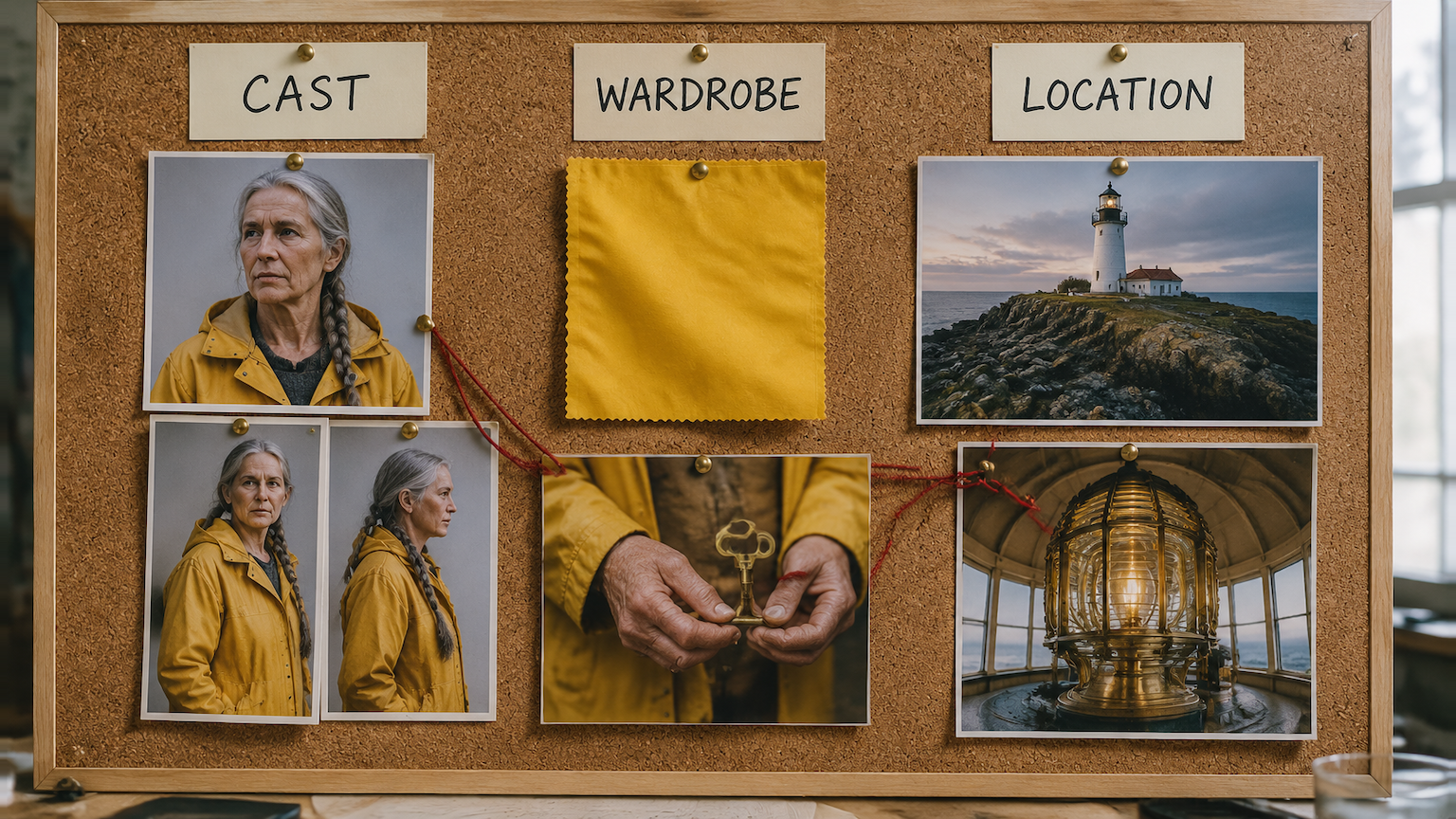
For each main character, make a front view, a three quarter view and a profile, in the same wardrobe, on a plain background. For each location, make a wide establishing still and one closer angle.
One practical warning: if your character is a photoreal person and you plan to animate them with Seedance 2.5, make their stills with Seedream 5.0 Pro. Seedance can refuse photoreal people made by other image models, and it accepts stills from Seedream because they come from the same model family.
How to keep characters consistent across scenes
The answer is references, every single time. A prompt alone re-rolls the face on every render. Here is what each model gives you on Kubeez:
- Kling 4.0 takes up to 10 reference stills and 5 reference clips per render. You point at them in the prompt as @image_1 or @video_1.
- Kling 3.0 keeps named @elements steady across shots, each built from 2 to 4 images of the same subject.
- Seedance 2.5 accepts up to 30 reference images, 10 reference clips and 10 audio references in one text to video render.
- Gemini Omni Video and Gemini Omni 1.1 Flash let you save a character once, with a voice bound to it, and then reuse that saved character in every clip. The strongest option when one person must look and sound the same across many shots.
Also repeat the same character description in every prompt, word for word, wardrobe included. "Yellow oilskin raincoat, long grey braid" in shot 1 and "rain jacket" in shot 4 is how a costume changes halfway through a film.
Step 4: Generate the shots, and which model to pick for each
Different shots want different models. What we would pick today:
| Shot type | Model | Why |
|---|---|---|
| One long continuous take | Seedance 2.5 or Kling 4.0 | Up to 30 seconds without a cut, 21:9 widescreen available |
| Several cuts in one render | Kling 3.0 | Up to 5 prompted shots returned as one sequence |
| A recurring character with the same voice | Gemini Omni Video | Saved characters with built in voices |
| Short cinematic beats | Veo 3.1 | 8 second clips with sound, first and last frame mode |
| Cheap test renders | Seedance 2.5 draft | 480p draft, promote a keeper to 1080p within 7 days |
Shot 3, the climb up the stairs, used to be faked with five cuts. Now it can stay one take. We cover how to plan and prompt those in what a 30 second single shot changes about AI video.
If a shot comes back great but a few seconds too short, you do not have to re-roll it. You can continue the clip from its final frames, which we cover in how to extend a video with AI.
Three habits save credits on every shot: draft at 480p before you pay for 1080p, write "no cuts" when you want one take, and give the camera one job ("slow push in" beats "cinematic camera movement").
How long can an AI movie scene be?
It depends on the model. On Kubeez today:
| Model | Length per render |
|---|---|
| Seedance 2.5 | 4 to 30 seconds |
| Kling 4.0 | 3 to 30 seconds |
| Kling 4.0 Flash | 3 to 20 seconds |
| Kling 3.0 | 3 to 15 seconds, up to 5 shots |
| Gemini Omni Video | 4 to 10 seconds |
| Veo 3.1 | 8 seconds |
A glitch at second 22 of a 30 second take costs the whole take, so keep long takes for shots that need one unbroken move.
Step 5: Add dialogue and lip sync
There are two ways to get your characters talking.
Write the line in the prompt. Seedance 2.5, Veo 3.1 and Gemini Omni Video render speech with the picture, so a prompt like she lights the lamp and says quietly, "Well. One more night." returns the shot with the line spoken and the room tone around it. Seedance 2.5 speaks 11 officially supported languages, and Gemini Omni Video and 1.1 Flash voice lines in one of 30 built in voices.
Record the line first, then animate to it. When you need control over the exact read, generate the voice in the AI dialogue and text to speech tool: write the lines, pick a voice per speaker, preview the voices before you spend a credit, and download the take. Then give one portrait of your character and that audio file to OmniHuman 2.0, which returns a lip synced talking shot that runs exactly as long as the audio.
The second route is slower, but it suits narration and lines you may rewrite later.
Step 6: Sound effects and score
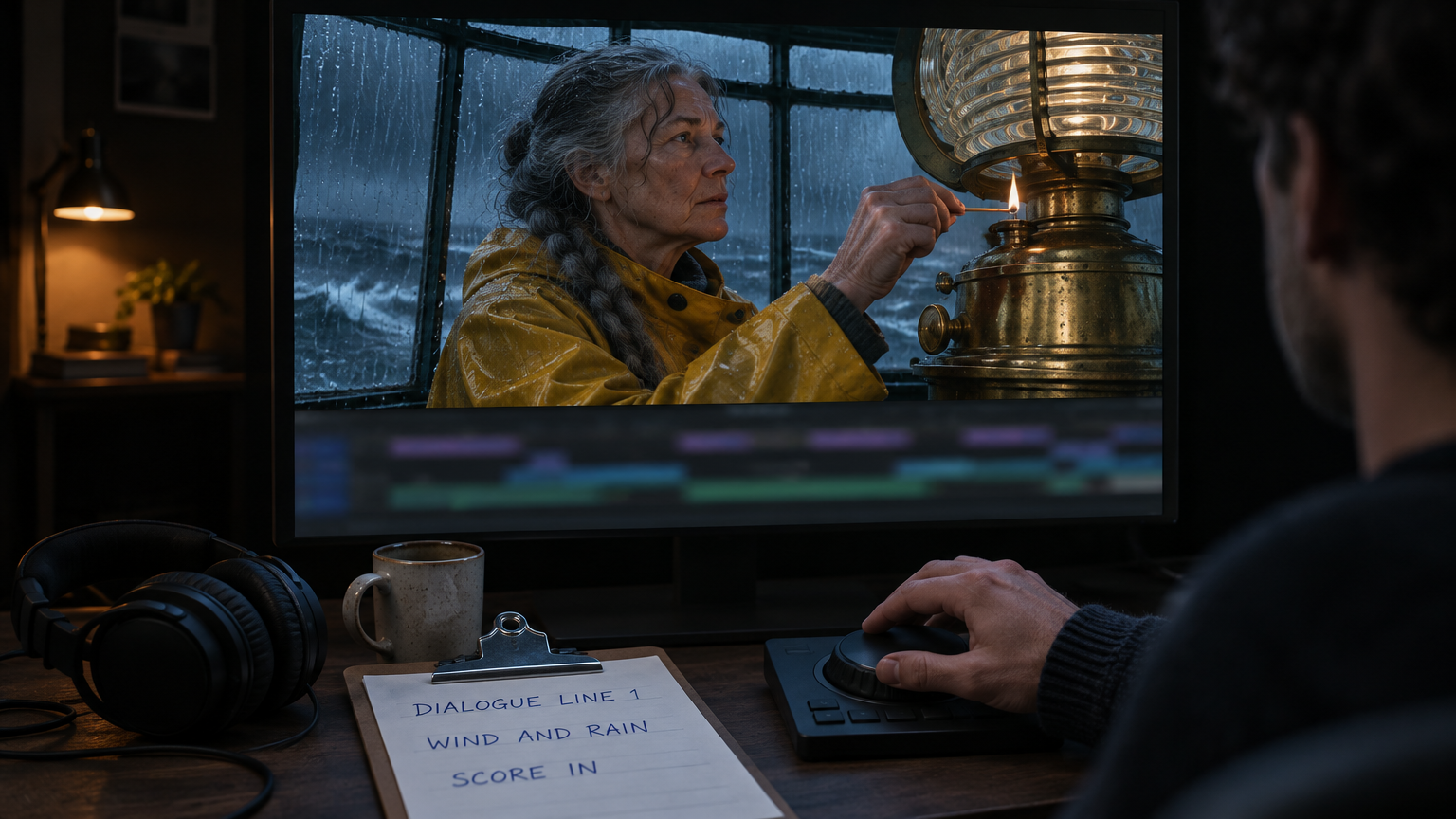
Most shots will arrive with ambient sound already in them. That is a starting point, not a mix. A short film needs three more layers:
- Spot effects. The match strike in shot 4, the door slam, the bell. Make them in the AI sound effects generator: describe the sound, set a length from one second to three minutes, and download it. The more you say about the space and the material ("a wooden match struck in a small stone room, close and dry"), the closer it lands.
- Room tone and weather. A long bed of wind and rain under the whole lamp room scene hides the joins between shots better than anything else.
- Score. Generate an instrumental cue for the climax and the ending, and keep music out of the shot renders so you can cut it to the edit.
Step 7: Edit and export
Download every shot and audio file and bring them into your editor. Kubeez makes the parts, the cut is yours. Four moves do most of the work:
- Cut on action. Cut while a hand moves or a door opens, and small differences between shots disappear.
- Lay the sound across the cuts. Start the next shot's audio half a second early. Seams in picture are forgiven when the sound is continuous.
- Match the color. One grade over the whole film pulls slightly different shots together.
- Trim hard. A 10 second render often has 6 good seconds. Use the 6.
What a short film costs to make
Video on Kubeez is billed per second of output, so the length of your film is the biggest lever on cost. When we checked today, a 10 second Kling 4.0 shot at 720p was 390 credits and a 10 second Seedance 2.5 shot at 720p was 610 credits. Rates change, and the studio shows the live price before you run anything. Drafting at 480p and keeping long takes for the shots that need them is what keeps a two minute short affordable.
When you are ready to make the first shot, open the AI video generator, paste row one of your shot list and attach your references.
FAQ
Can AI make a full length movie?
Not in one render. Each cinematic render is one scene of up to 30 seconds. You generate the scenes one by one and cut them together in your editor.
How do I keep characters consistent across AI video scenes?
Attach the same reference images to every render and repeat the same character description in every prompt. Saved characters on Gemini Omni Video also lock the voice.
How long can an AI movie scene be?
Up to 30 seconds in one take on Seedance 2.5 and Kling 4.0. Longer scenes are built from several shots in the edit.
Can I add dialogue and lip sync to an AI film?
Yes. Write the line in the prompt, or generate the voice first and make a portrait of your character speak it with OmniHuman 2.0.
Which AI model is best for a short film?
There is no single best one. Match the model to the shot: long takes, multi shot sequences, recurring characters and short beats each have a different best pick.
Do I need video editing software?
Yes, for the final assembly, timing and sound mix. Any editor you already use works.
Dex writes the Kubeez guides and makes every example with the same tools you use.