

 Kubeey
What you will make
A six slide carousel in one look, with the words drawn into every slide, ready to post.
You need
- 1.A Kubeez account with credits
- 2.For the Kubeez MCP only: an AI assistant app that can add MCP servers
- 3.What your post is about and who it is for
1. Pick Kubeey or the Kubeez MCP
Kubeey is the Kubeez AI agent. It lives inside Kubeez and makes carousels with nothing to set up. The Kubeez MCP brings the same tools into an AI assistant you already use. Both follow the same carousel guide and spend the same Kubeez credits.
Open Kubeey in Kubeez and start a new chat. It works inside your Kubeez account, so there is nothing to connect. Go straight to step 2.
Tip: Apps you connect through the Kubeez MCP are listed on the MCP page, so you can always see what has access.
Kubeey
The Kubeez AI agent. Open it in Kubeez and start a chat, nothing to set up.
kubeez.com/agent
Kubeez MCP
Kubeez inside your own AI assistant. Connect it once with this URL.
https://mcp.kubeez.com/mcp
Both follow the same carousel guide, on the same models, with your Kubeez credits.
2. Ask for the carousel
Tell Kubeey or your assistant what the post is about, who it is for, where it goes and how many slides you want. Ask to see the plan first, so nothing is made until you agree.
PromptMake a 6 slide Instagram carousel for my coffee shop: 4 simple fixes for better coffee at home. It is for people who brew at home and want it to taste like a cafe. Show me the plan before you make anything.
Tip: Give the facts yourself when they matter, like prices, dates or numbers. Every word you approve ends up drawn on a slide.
3. Check the plan before anything is made
Before it makes a slide, Kubeey or your assistant reads the Kubeez carousel guide and comes back with a plan: one look for the whole deck, the colors, and the exact words on every slide. Changing the plan is free. Changing a finished slide costs a new image.
- 1Read the words of every slide. Keep each slide under about 25 words.
- 2Check the look. If it does not fit, ask for another one, or ask to see the styles. Kubeey shows them as previews you can tap.
- 3Say yes when the plan is right.
Tip: Kubeez remembers the looks of your last decks, so your next carousel does not come out looking like this one.
The plan, before any slide is made
- Look
- The Photograph: a moody photo on every slide, the headline over it
- Colors
- #221712#EFE6D8#D2733A
- Slides
- 1YOUR COFFEE ISN'T BAD. Your recipe is.
- 21. WEIGH IT. Don't scoop it.
- 32. GRIND IT FRESH. Right before you brew.
- 43. DON'T USE BOILING WATER. Let it rest first.
- 54. CHECK THE ROAST DATE. Not the best before.
- 6SAVE THIS for tomorrow morning.
Nothing is made until you say yes.
4. Let slide 1 set the look
The assistant makes the first slide on its own, with GPT Image 2.5. The words are drawn into the picture, so the slide comes out finished, not as a background for text you add later.
- 1Look at slide 1 and read its words letter by letter.
- 2If the look or a word is off, ask for slide 1 again and say what to change.
- 3Move on only when slide 1 is the look you want on every slide.
Tip: If a slide comes back as a picture with no words on it, ask the assistant to read the Kubeez carousel guide first, then try again.
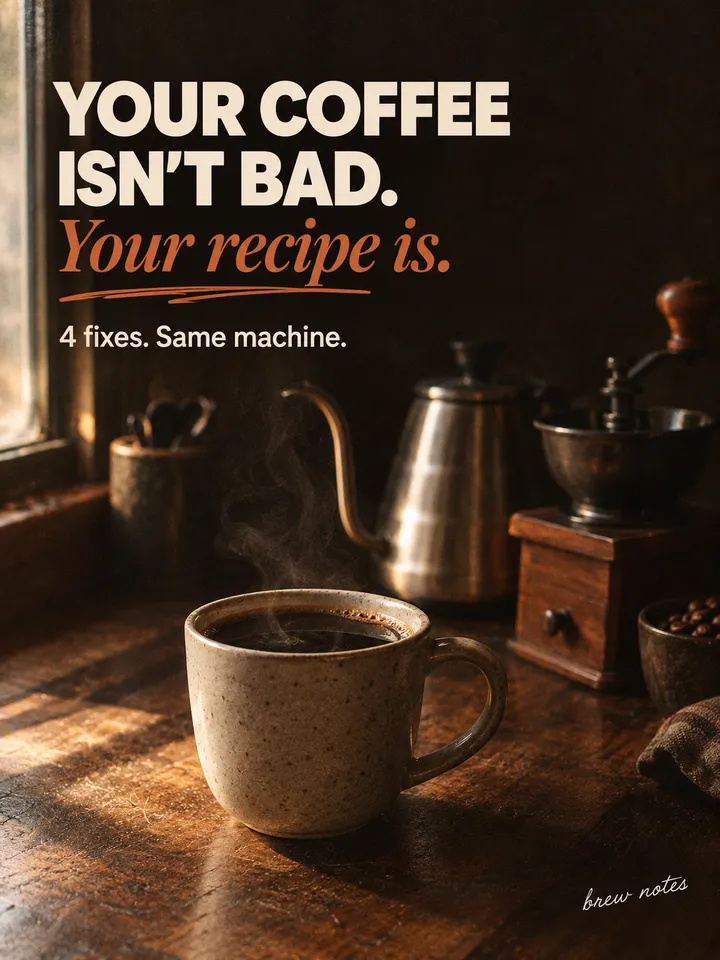 Slide 1 sets the look
GPT Image 2.5
5. Get the other slides made to match
Once slide 1 is right, the assistant makes all the other slides at the same time and gives each one slide 1 as its reference. That is what keeps the type, the colors and the marks the same across the deck.
- 1Tell the assistant slide 1 is right and to make the rest.
- 2Read every slide as it comes in.
- 3Check that each one looks like part of the same set as slide 1.
Tip: Each slide is one image at the normal GPT Image 2.5 price. Kubeey shows you the cost before it starts. In your own assistant, ask for the total first.
Slide 1, the reference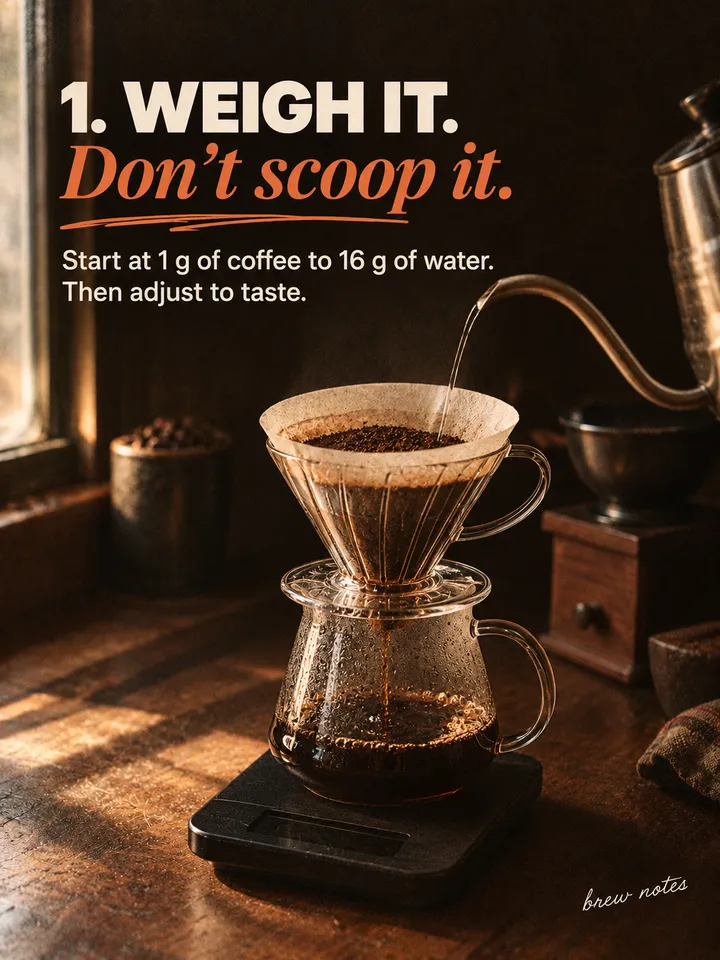 Slide 2
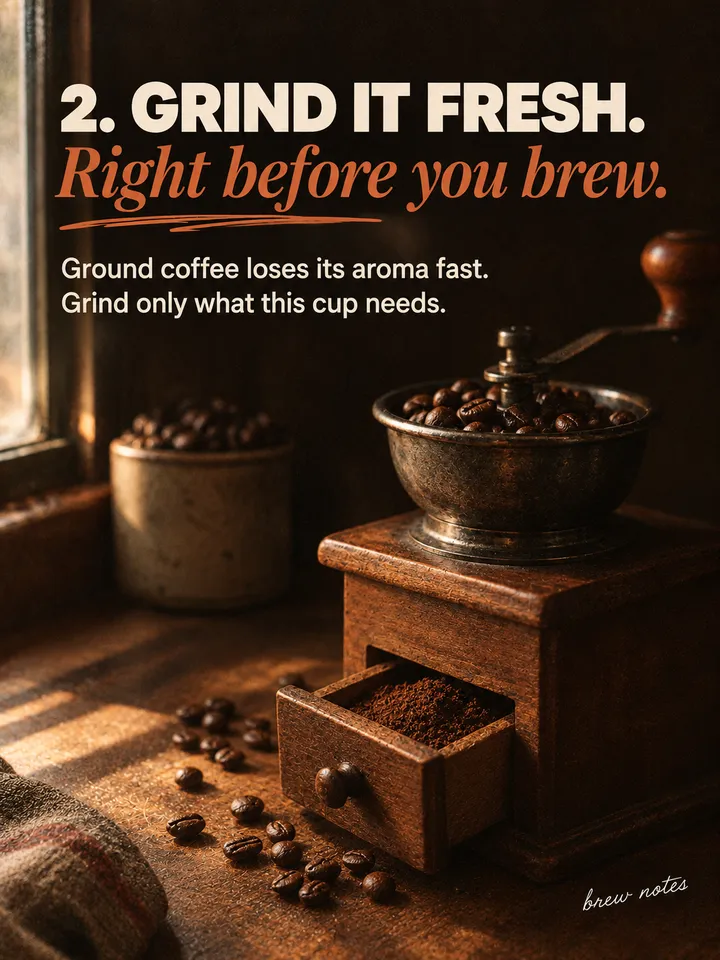 Slide 3
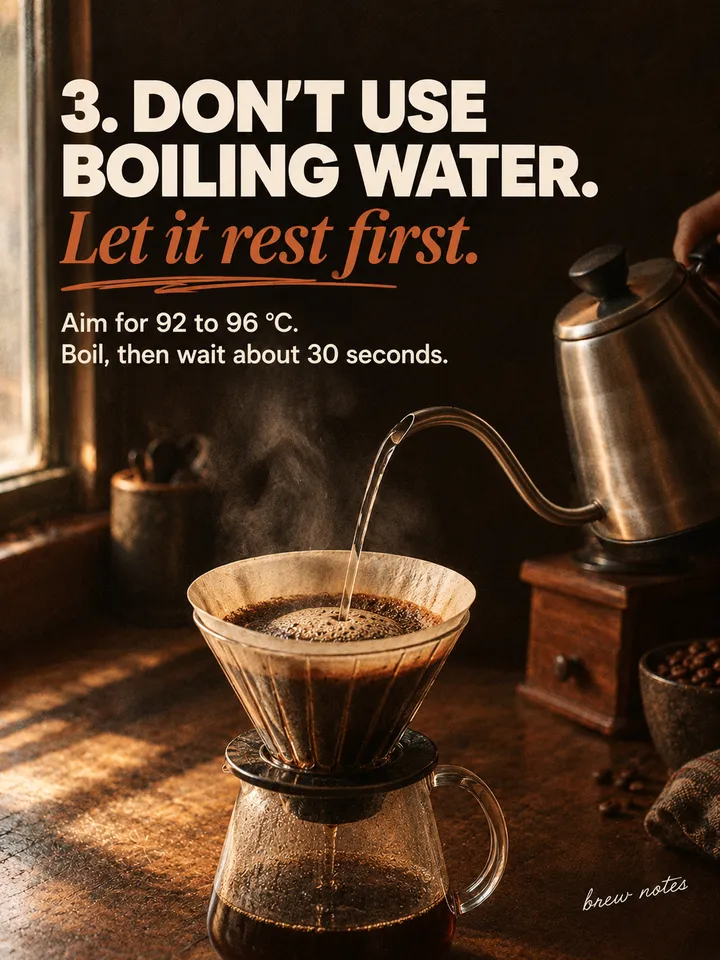 Slide 4
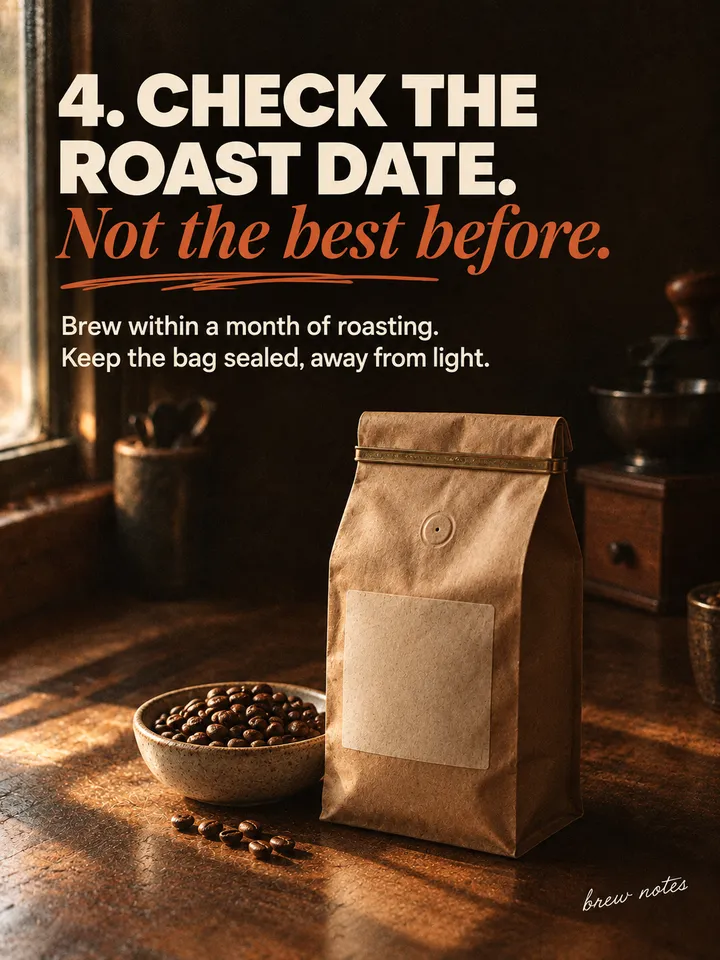 Slide 5
 Slide 6
Slides 2 to 6 were made at the same time, each one given slide 1 as its reference.
GPT Image 2.5
6. Fix one slide, then post
A wrong word or an odd detail on one slide does not mean starting over. Ask for just that slide again, with slide 1 as its reference, and keep the rest.
- 1Tell the assistant which slide to redo and the exact words it must say.
- 2Download the slides from the chat or from your Kubeez gallery.
- 3Post them in order, slide 1 first.
Tip: Want 4:5 slides? Say so before slide 1. GPT Image 2.5 does not make 4:5, so the assistant makes those slides with Nano Banana 2.
'%3e%3c/path%3e%3cpath%20d='M20.616%2010.835a14.147%2014.147%200%2001-4.45-3.001%2014.111%2014.111%200%2001-3.678-6.452.503.503%200%2000-.975%200%2014.134%2014.134%200%2001-3.679%206.452%2014.155%2014.155%200%2001-4.45%203.001c-.65.28-1.318.505-2.002.678a.502.502%200%20000%20.975c.684.172%201.35.397%202.002.677a14.147%2014.147%200%20014.45%203.001%2014.112%2014.112%200%20013.679%206.453.502.502%200%2000.975%200c.172-.685.397-1.351.677-2.003a14.145%2014.145%200%20013.001-4.45%2014.113%2014.113%200%20016.453-3.678.503.503%200%20000-.975%2013.245%2013.245%200%2001-2.003-.678z'%20fill='url(%23lobe-icons-gemini-1-_R_0_)'%3e%3c/path%3e%3cpath%20d='M20.616%2010.835a14.147%2014.147%200%2001-4.45-3.001%2014.111%2014.111%200%2001-3.678-6.452.503.503%200%2000-.975%200%2014.134%2014.134%200%2001-3.679%206.452%2014.155%2014.155%200%2001-4.45%203.001c-.65.28-1.318.505-2.002.678a.502.502%200%20000%20.975c.684.172%201.35.397%202.002.677a14.147%2014.147%200%20014.45%203.001%2014.112%2014.112%200%20013.679%206.453.502.502%200%2000.975%200c.172-.685.397-1.351.677-2.003a14.145%2014.145%200%20013.001-4.45%2014.113%2014.113%200%20016.453-3.678.503.503%200%20000-.975%2013.245%2013.245%200%2001-2.003-.678z'%20fill='url(%23lobe-icons-gemini-2-_R_0_)'%3e%3c/path%3e%3cdefs%3e%3clinearGradient%20gradientUnits='userSpaceOnUse'%20id='lobe-icons-gemini-0-_R_0_'%20x1='7'%20x2='11'%20y1='15.5'%20y2='12'%3e%3cstop%20stop-color='%2308B962'%3e%3c/stop%3e%3cstop%20offset='1'%20stop-color='%2308B962'%20stop-opacity='0'%3e%3c/stop%3e%3c/linearGradient%3e%3clinearGradient%20gradientUnits='userSpaceOnUse'%20id='lobe-icons-gemini-1-_R_0_'%20x1='8'%20x2='11.5'%20y1='5.5'%20y2='11'%3e%3cstop%20stop-color='%23F94543'%3e%3c/stop%3e%3cstop%20offset='1'%20stop-color='%23F94543'%20stop-opacity='0'%3e%3c/stop%3e%3c/linearGradient%3e%3clinearGradient%20gradientUnits='userSpaceOnUse'%20id='lobe-icons-gemini-2-_R_0_'%20x1='3.5'%20x2='17.5'%20y1='13.5'%20y2='12'%3e%3cstop%20stop-color='%23FABC12'%3e%3c/stop%3e%3cstop%20offset='.46'%20stop-color='%23FABC12'%20stop-opacity='0'%3e%3c/stop%3e%3c/linearGradient%3e%3c/defs%3e%3c/svg%3e) Nano Banana 2
Nano Banana 2Avoid these
- Asking for one image with every slide on it. That gives you one picture of tiny panels, not a deck people can swipe.
- Saying yes to a plan you have not read. Fixing words in the plan is free, fixing a finished slide is not.
- Putting a whole paragraph on one slide. Past about 25 words, letters start to come out wrong.
- Having every slide made before slide 1 looks right.
- Asking for 4:5 after the deck is made. It changes the model, so say it before slide 1.
- Remaking the whole deck to fix one slide.
Carousels with the Kubeez MCP
Ask Kubeey, the Kubeez AI agent, or connect the Kubeez MCP to your own AI assistant, and ask for the carousel in plain words. It plans the slides, makes slide 1 with GPT Image 2.5, then makes the rest to match slide 1.
Kubeey is the Kubeez AI agent. You chat with it inside Kubeez and it plans and makes images, video and audio for you, carousels included, with nothing to set up.
Use Kubeey to start right away inside Kubeez. Use the Kubeez MCP if you already work in another AI assistant and want Kubeez there. Both make the same carousel, with the same models and the same credits.
A connection that lets an AI assistant make images, video and audio in your Kubeez account, paid with your Kubeez credits. You add it with the URL https://mcp.kubeez.com/mcp and sign in to Kubeez once.
GPT Image 2.5, for every slide, because it draws headline type the most precisely and holds one look across a deck. Nano Banana 2 is used only for 4:5 slides.
Usually, when each slide keeps to about 25 words or fewer. Read every slide, and ask for just that slide again if a word is wrong.
Every slide after the first is made with slide 1 as its reference, and every slide gets the same design rules for type, colors, marks and texture.
One image per slide at the normal GPT Image 2.5 price, so a 6 slide deck is 6 images. Redoing a slide costs one more image. Ask the assistant for the total before it starts.
Tall 3:4 by default. If you want 4:5, ask before slide 1, and those slides come from Nano Banana 2.
Yes. Ask the assistant to show you the carousel styles it knows, or describe the look you want before you approve the plan.
Models used
Open a guide to see what each model is best at.
Your turn
Everything in this lesson is one click away. Open the tool and make your first version now.