Technology
GPT Image 2.5 vs Seedream 5.0 Pro: Which One, When
GPT Image 2.5 vs Seedream 5.0 Pro on Kubeez: native 4K, 16 references and thirteen ratios against dense in-image text, layers and video reference frames.
· Dex
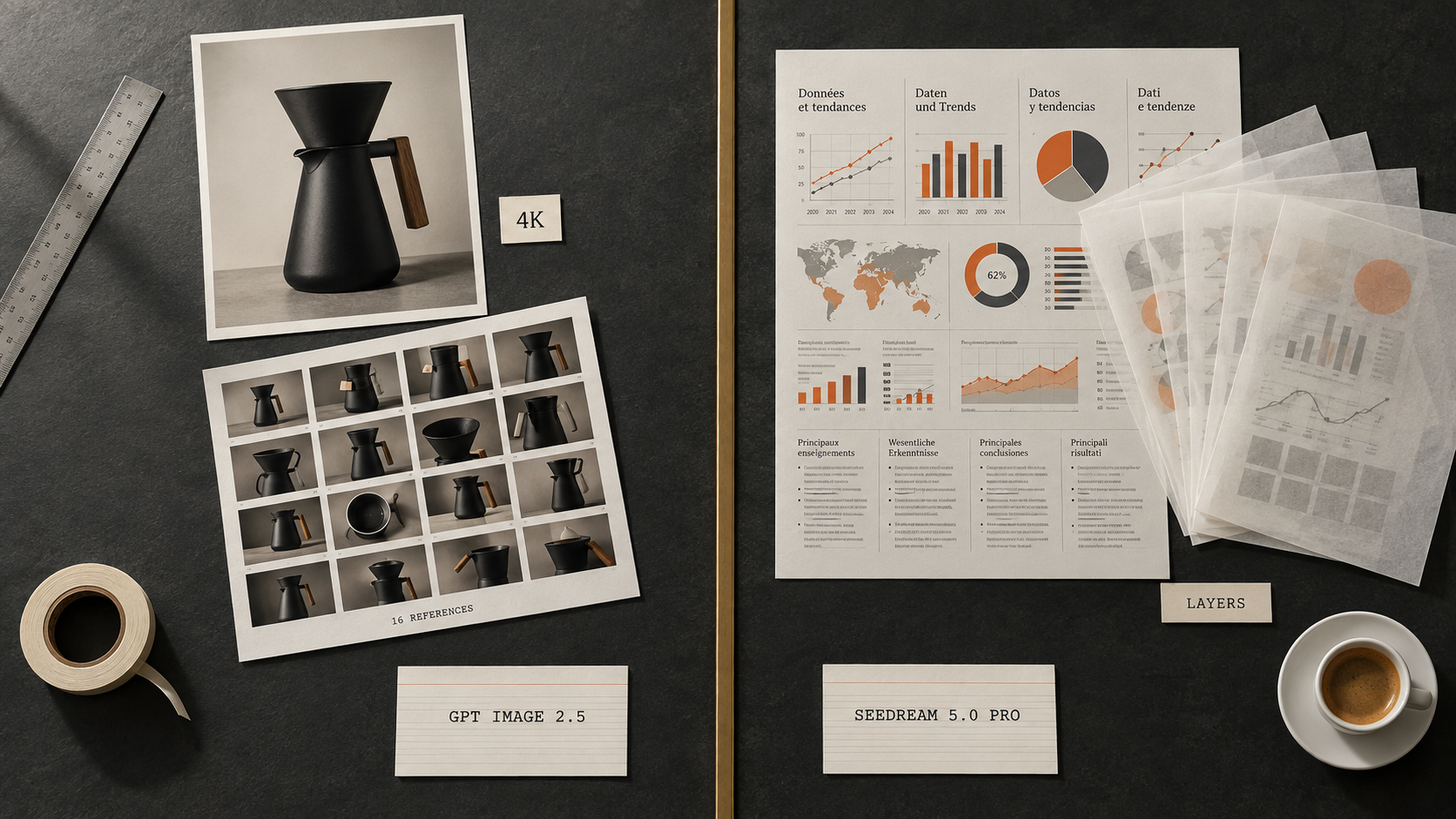
Both models sit on Kubeez, both bill from the same credit balance, and both are very good. So GPT Image 2.5 vs Seedream 5.0 Pro is not a question about which model wins. It is a routing question: which one do you send each job to. The short version is that GPT Image 2.5 is the fast, high resolution, tightly editable generalist, and Seedream 5.0 Pro is the design brain that handles dense in-image text, layered output and reference frames for video.
Here is how to split the work without guessing, with a head to head on the same prompt so you can see the difference rather than take our word for it.
The short answer
| The job in front of you | Send it to |
|---|---|
| Product hero that has to print or ship at 4K | GPT Image 2.5 |
| A dense infographic carrying a lot of accurate text | Seedream 5.0 Pro |
| A campaign frame in an unusual aspect ratio | GPT Image 2.5 |
| In-image copy in Romanian, Spanish, Japanese or Arabic | Seedream 5.0 Pro |
| An edit driven by fifteen reference images | GPT Image 2.5 |
| A poster you want to split into editable layers | Seedream 5.0 Pro |
| A first frame that will anchor a Seedance video | Seedream 5.0 Pro |
| Fast iteration on a long, heavily specified prompt | GPT Image 2.5 |
Everything below is the reasoning behind that table.
GPT Image 2.5: the fast, high resolution generalist
GPT Image 2.5 was announced on 8 September 2026 and went live on Kubeez the next day. It arrives as two lanes rather than one model. Flare is the fast default, running at up to 50 percent lower latency than GPT Image 2. Sunburst is the premium lane, built for multi-edit control when a single image has to survive several rounds of precise changes. The two lanes are covered in depth in Flare vs Sunburst, and the launch details are in GPT Image 2.5 is now on Kubeez.
What matters for this comparison:
- Credits are identical on both lanes. 15 credits at 1K, 20 at 2K, 28 at 4K.
- Native 4K. Not an upscale, a native render.
- 16 input images. You can hand it a full reference board.
- 20,000 character prompts. Long art direction survives intact.
- Thirteen documented aspect ratios, so awkward placements stop being a problem.
- Text to image and image to image, with no negative prompt field.
That combination makes it the model you reach for when the output is a finished asset at real print or display resolution, or when the brief is long and the reference pile is deep. If you want the generation to generation detail, GPT Image 2.5 vs GPT Image 2 covers what actually changed.
Seedream 5.0 Pro: the design brain
Seedream 5.0 Pro came out of ByteDance on 8 July 2026 and has been the quiet favourite of anyone whose images are really documents. Its reputation is not about pixels. It is about structure.
- Credits: 14 at 1.5K, 22 at 2K. The edit lanes cost the same, 14 and 22.
- Up to 10 input images on the edit lanes.
- Prompt limit of 2,995 characters.
- Aspect ratios: 1:1, 4:3, 3:4, 16:9, 9:16.
- Native output tops out at 2K and upscales cleanly to 4K.
The strengths are specific and hard to replace:
- Dense infographics. Large amounts of in-image text that stay accurate, aligned and readable.
- In-image text across roughly 14 languages, which is the single biggest reason localisation teams keep it in rotation.
- Precision layer-style editing. One image can split into 10 or more editable layers, so a headline, a product shot and a background stop being baked into the same flat pixel grid.
- Multi-turn conversational editing. You keep talking to the same image instead of rewriting the prompt from scratch.
- Realistic output, and reference grade frames that hold up when you feed them into Seedance for video.
That last point is the one people underrate. A still that looks great on its own is not automatically a good first frame. Seedream 5.0 Pro produces frames that survive being animated.
Head to head: the same prompt, both models
We gave both models one identical prompt, chosen to land squarely on the contested ground: a dense Swiss grid infographic poster with a headline, a subhead, three labelled columns, a four bar chart with numeric labels, and a footer strip. Text density is where these two models actually diverge, so that is what we tested.
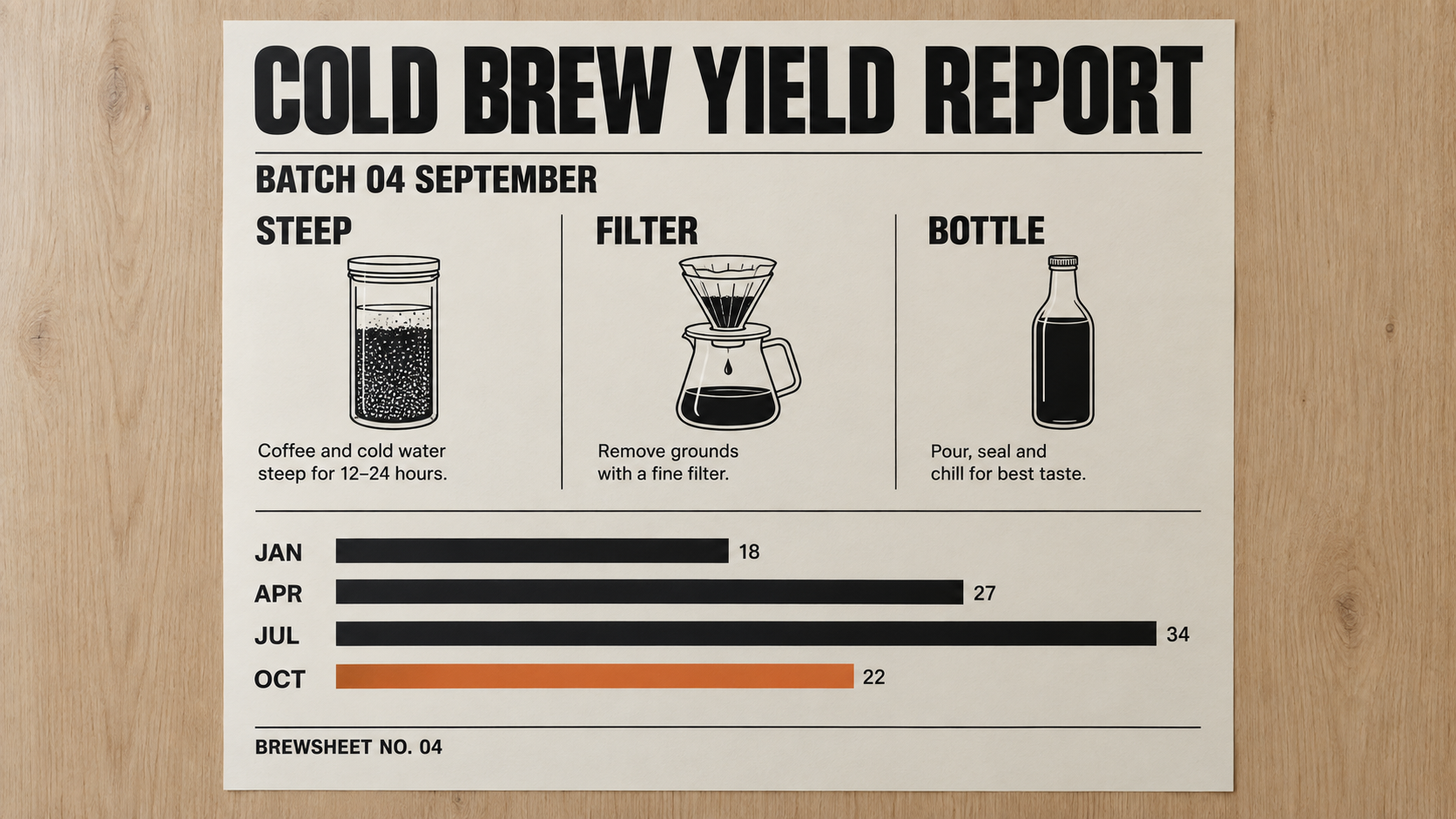
GPT Image 2.5 Flare, 1K, 16:9, 15 credits. Identical prompt to the render below.
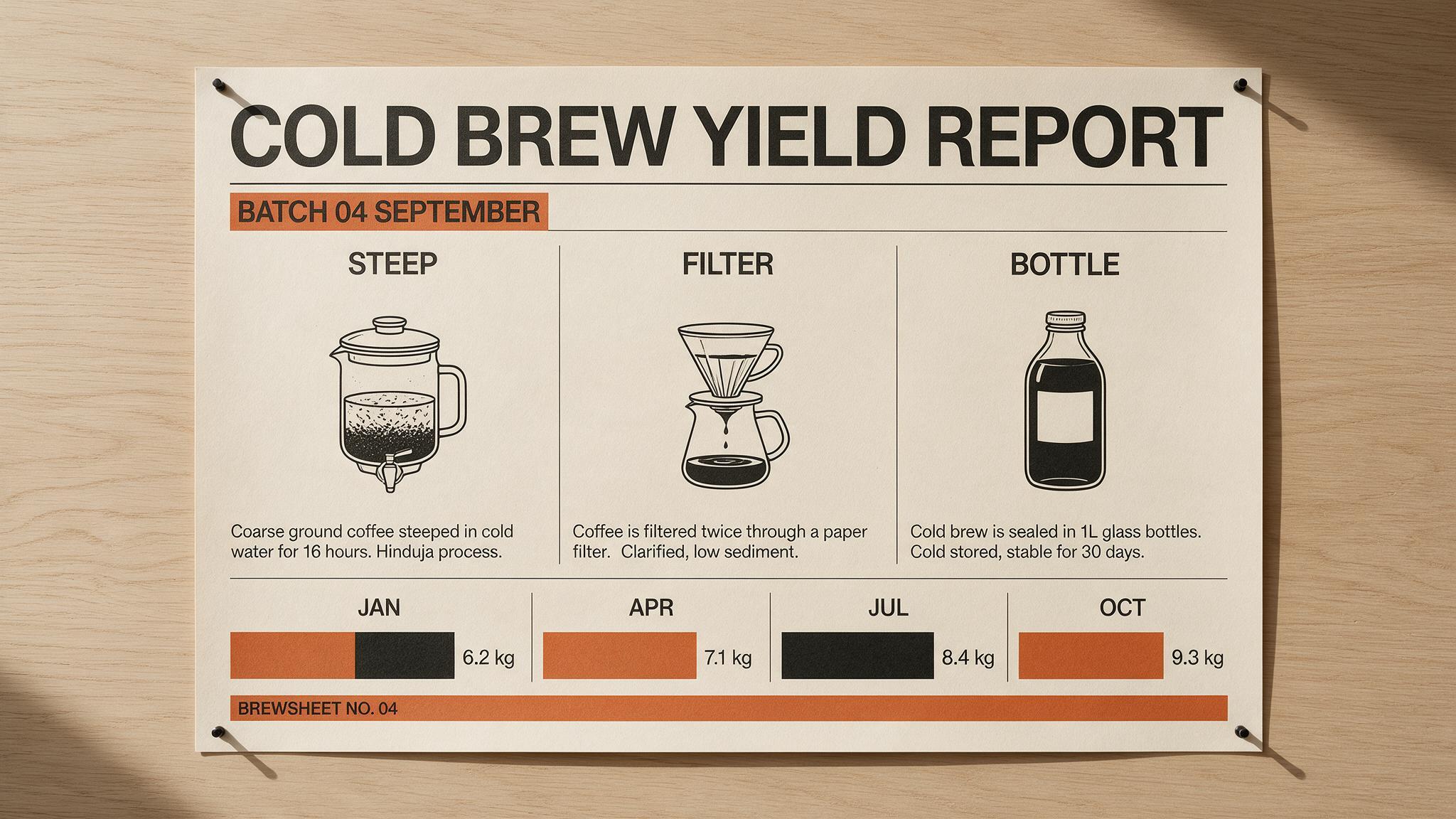
Seedream 5.0 Pro, 1.5K, 16:9, 14 credits. Identical prompt to the render above.
What actually came back:
- Every specified string rendered correctly on both. The headline, the subhead, the three column heads, all four bar labels and the footer strip. Neither model garbled a word. On a brief this text heavy, that is not a given, and it is the single biggest change from the previous generation of image models.
- Flare read the brief as an artboard. Seedream read it as an object. Flare returned a nearly flat, scan clean poster with the headline pushed almost to the edges. Seedream returned a photograph of a poster: pins in all four corners, a slight paper curl, a cast shadow on the wall, visible stock texture.
- Seedream did more design. It added an orange highlight band behind the subhead and an orange footer bar, and it set the three columns with proper vertical rules. Flare kept the layout literal and typographically plainer.
- Flare got the data right. Its four bars scale with their values, 18, 27, 34 and 22. Seedream's bars carry correct labels and plausible numbers, 6.2, 7.1, 8.4 and 9.3 kg, but the bars sit at roughly the same length, so the chart does not encode its own data. If a chart has to be truthful, check it by eye. Neither of these is a data visualisation tool, and treating one as such is how a wrong number ends up in a deck.
- Seedream wrote more copy. The prompt asked only for two short lines of body text per column and left the wording open. Flare wrote short and safe. Seedream filled three denser lines per column and invented some of the terminology on the way. That density is exactly why localisation teams keep it in rotation, and it is also why you proofread it.
One prompt and one render each is not a benchmark, and we are not going to pretend otherwise. Run your own brief through both lanes before you commit a campaign to either. Two renders cost 29 credits in total, which is a cheap way to settle an argument.
Credits, side by side
| Model | Lane | Resolution | Credits |
|---|---|---|---|
| GPT Image 2.5 | Flare or Sunburst | 1K | 15 |
| GPT Image 2.5 | Flare or Sunburst | 2K | 20 |
| GPT Image 2.5 | Flare or Sunburst | 4K | 28 |
| Seedream 5.0 Pro | Generate or edit | 1.5K | 14 |
| Seedream 5.0 Pro | Generate or edit | 2K | 22 |
The entry price is close enough that credits should not decide this. 14 against 15 is noise. The gap only opens at the top, where GPT Image 2.5 charges 28 for a native 4K render and Seedream 5.0 Pro has no native 4K to charge for.
The limits that actually decide the job
| Capability | GPT Image 2.5 | Seedream 5.0 Pro |
|---|---|---|
| Native resolution ceiling | 4K | 2K, upscales cleanly to 4K |
| Input images | 16 | 10 |
| Prompt length | 20,000 characters | 2,995 characters |
| Aspect ratios | Thirteen documented | 1:1, 4:3, 3:4, 16:9, 9:16 |
| Layer separation | Not documented | Yes, 10 or more layers |
| Conversational editing across turns | Not documented | Yes |
| Documented multilingual in-image text | Not documented | Roughly 14 languages |
| Negative prompt | No | No |
One clarification on that table. Sunburst's multi-edit control and Seedream 5.0 Pro's conversational editing are not the same mechanism. Sunburst is built to hold one image together across several precise edits that you issue. Seedream 5.0 Pro keeps a conversation running about the image. Both get you to round five, by different routes.
Two of these rows decide most real briefs.
Prompt length. 20,000 characters against 2,995 is not a small difference. If your art direction runs to a full page with brand rules, banned elements and a shot list, GPT Image 2.5 takes all of it. Seedream 5.0 Pro will need you to edit that brief down to its load bearing sentences, which is often a useful exercise but is still a constraint.
Aspect ratios. Five ratios covers most social and web work. Thirteen covers the awkward stuff: ultrawide banners, unusual print trims, the one placement in the media plan that does not fit a standard box. If your campaign has a format that is not 16:9, 9:16, 4:3, 3:4 or square, that decision is made for you.
Which one for which job
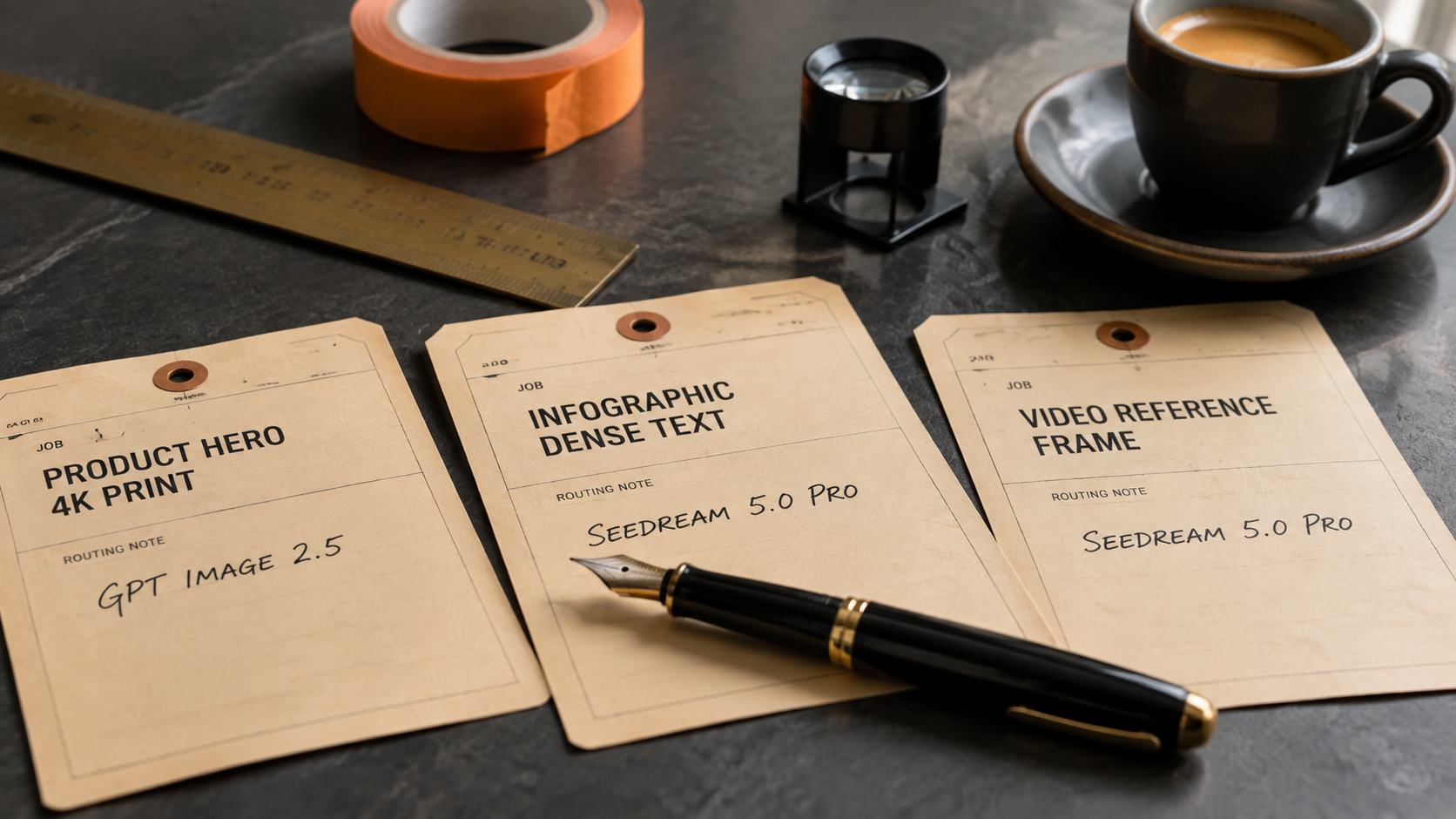
Routing is the real skill. The model is the easy part.
Send it to GPT Image 2.5 when:
- The deliverable ships at 4K.
- The reference board has more than 10 images.
- The brief is long and you refuse to cut it.
- You need a ratio outside the standard five.
- You are iterating fast and latency is the bottleneck. That is Flare's job.
- The image needs several rounds of surgical edits. That is Sunburst's job.
Send it to Seedream 5.0 Pro when:
- The image is really a document: a chart, a menu, a spec sheet, a comparison table, a one pager.
- The copy on the image has to work in more than one language.
- You want the output as layers so a designer can finish it properly.
- You would rather refine by conversation than by rewriting the prompt.
- The still is going to become the first frame of a video.
Use both when the job has two halves. Draft the layout and the typography in Seedream 5.0 Pro, then take the approved composition into GPT Image 2.5 as a reference for the 4K final. Same balance, no export, no second subscription.
Running both from one balance
Both models are in the same picker in Kubeez Images and in Media Studio, and both are exposed to agents through MCP and the REST API with these ids:
| Purpose | Model id |
|---|---|
| GPT Image 2.5, fast lane | gpt-image-2-5-flare |
| GPT Image 2.5, multi-edit lane | gpt-image-2-5-sunburst |
| Seedream 5.0 Pro, 1.5K | seedream-5-pro |
| Seedream 5.0 Pro, 2K | seedream-5-pro-2K |
| Seedream 5.0 Pro, edit at 1.5K | seedream-5-pro-edit |
| Seedream 5.0 Pro, edit at 2K | seedream-5-pro-edit-2K |
That means a Claude or Cursor session can route a batch across both models in one run, picking the lane per asset instead of per project. The setup is in GPT Image 2.5 through MCP in Claude and Cursor. The full parameter list for every image model lives in available models.
If you want more context on how these two sit against the rest of the catalogue, the older three way comparison in GPT Image 2 vs Nano Banana 2 vs Seedream 5 Lite is still a good map of the field, and we have fresher head to heads against Nano Banana 2 and Midjourney v8.
FAQ
Is GPT Image 2.5 better than Seedream 5.0 Pro?
Neither is better in general. GPT Image 2.5 wins on native 4K, reference count, prompt length and ratio choice. Seedream 5.0 Pro wins on dense in-image text, multilingual copy, layer separation, conversational editing and video reference frames. Pick per job, not per project.
Which one is cheaper on Kubeez?
Seedream 5.0 Pro starts at 14 credits at 1.5K against 15 credits for GPT Image 2.5 at 1K. At 2K it is 22 against 20, so GPT Image 2.5 is slightly cheaper there. The difference is small enough that capability should decide, not credits.
Can Seedream 5.0 Pro produce 4K images?
Not natively. It renders up to 2K and upscales cleanly to 4K. If you need a true native 4K render, use GPT Image 2.5 at 28 credits.
Which model should I use for a video first frame?
Seedream 5.0 Pro. Its output is reference grade for Seedance, which means the frame holds together when it gets animated rather than falling apart in motion.
Do both models support image to image editing?
Yes. GPT Image 2.5 accepts up to 16 input images across both lanes. Seedream 5.0 Pro has dedicated edit lanes at 14 and 22 credits that take up to 10 input images, plus multi-turn conversational editing.
How many aspect ratios does GPT Image 2.5 support?
Thirteen documented aspect ratios. Seedream 5.0 Pro supports five: 1:1, 4:3, 3:4, 16:9 and 9:16.
Stop choosing, start routing
The best answer to GPT Image 2.5 vs Seedream 5.0 Pro is that you already have both. One balance, one picker, one API surface. Send the print ready hero and the deep reference board to GPT Image 2.5, send the infographic and the multilingual layout and the video first frame to Seedream 5.0 Pro, and stop paying an attention tax on a decision that takes two seconds once you know the split.
Open Kubeez Images and run the same prompt through both. 29 credits, and the argument is over.
Dex writes the Kubeez guides and makes every example with the same tools you use.