Guides
Try GPT Image 2.5 Free: What 50 Credits Get You
New Kubeez accounts get 50 free credits after email confirmation, and GPT Image 2.5 costs 15 credits at 1K. That is three full renders before you spend anything. Here is how to use them well.
· Dex
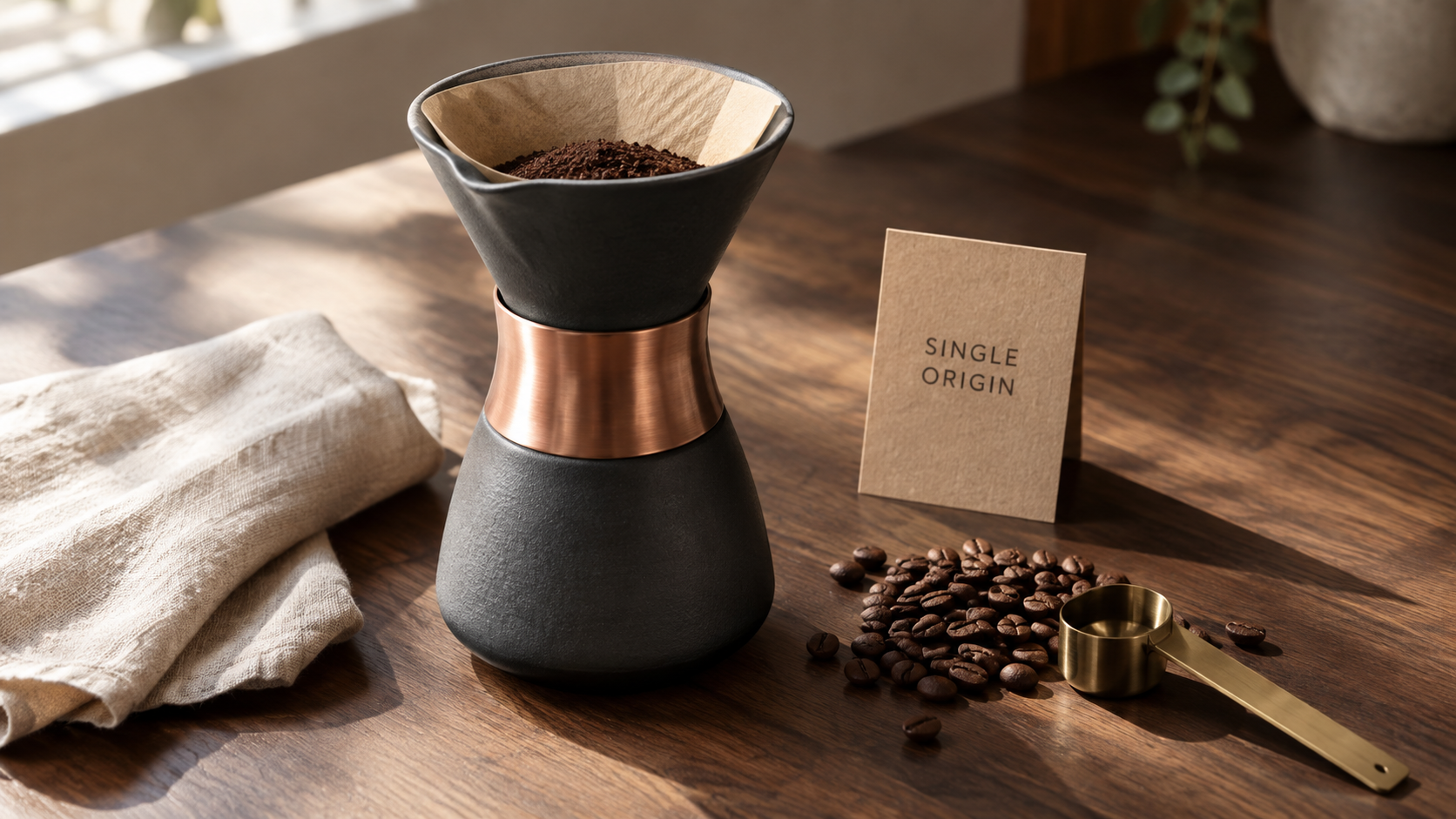
GPT Image 2.5 is a paid model, like everything else in the catalogue. What is free is the start. A new Kubeez account gets 50 credits once you confirm your email address, no card anywhere in that flow, and a GPT Image 2.5 render at 1K costs 15 credits. That is three complete renders, on either lane, before you decide whether the model deserves your money.
This post is about spending those three well.
Every image below was generated with GPT Image 2.5 Flare at 1K on Kubeez, straight from a prompt, no retouching and no second pass. They are the same 15 credit renders your free 50 buys.
What 50 free credits actually buy
| Resolution | Credits per render | Renders inside 50 |
|---|---|---|
| 1K | 15 | 3 |
| 2K | 20 | 2 |
| 4K | 28 | 1 |
The price is identical on both lanes, Flare and Sunburst, and identical for text to image and image to image. Resolution is the only thing that moves the number.
So stay at 1K while you are testing. The model does not understand your prompt better at 4K. Composition, typography, lighting and likeness are all decided at 1K too. All you buy with the extra credits is pixel count, which matters when you ship a poster and not when you are deciding whether to trust the model at all.
Getting the free credits
- Create an account with your email.
- Enter the six digit code we send you.
- The 50 credits land in your wallet as soon as the address is confirmed.
No card at any step. If your wallet still reads zero after step two, the confirmation did not complete: resend the code from the banner at the top of the app. Signup bonuses also pass an abuse check, so if it still has not landed after a confirmed email, write to support and we will sort it by hand.
Render one: your first prompt
Open Media Studio, pick GPT Image 2.5, leave the lane pill on Flare, set 16:9 and 1K, and paste this:
Studio product photograph of an olive canvas field bag on a warm cream sweep,
hard raking key light from upper right, soft bounce fill, 85mm, editorial
catalogue look, shallow depth of field. No watermark, no invented logos.
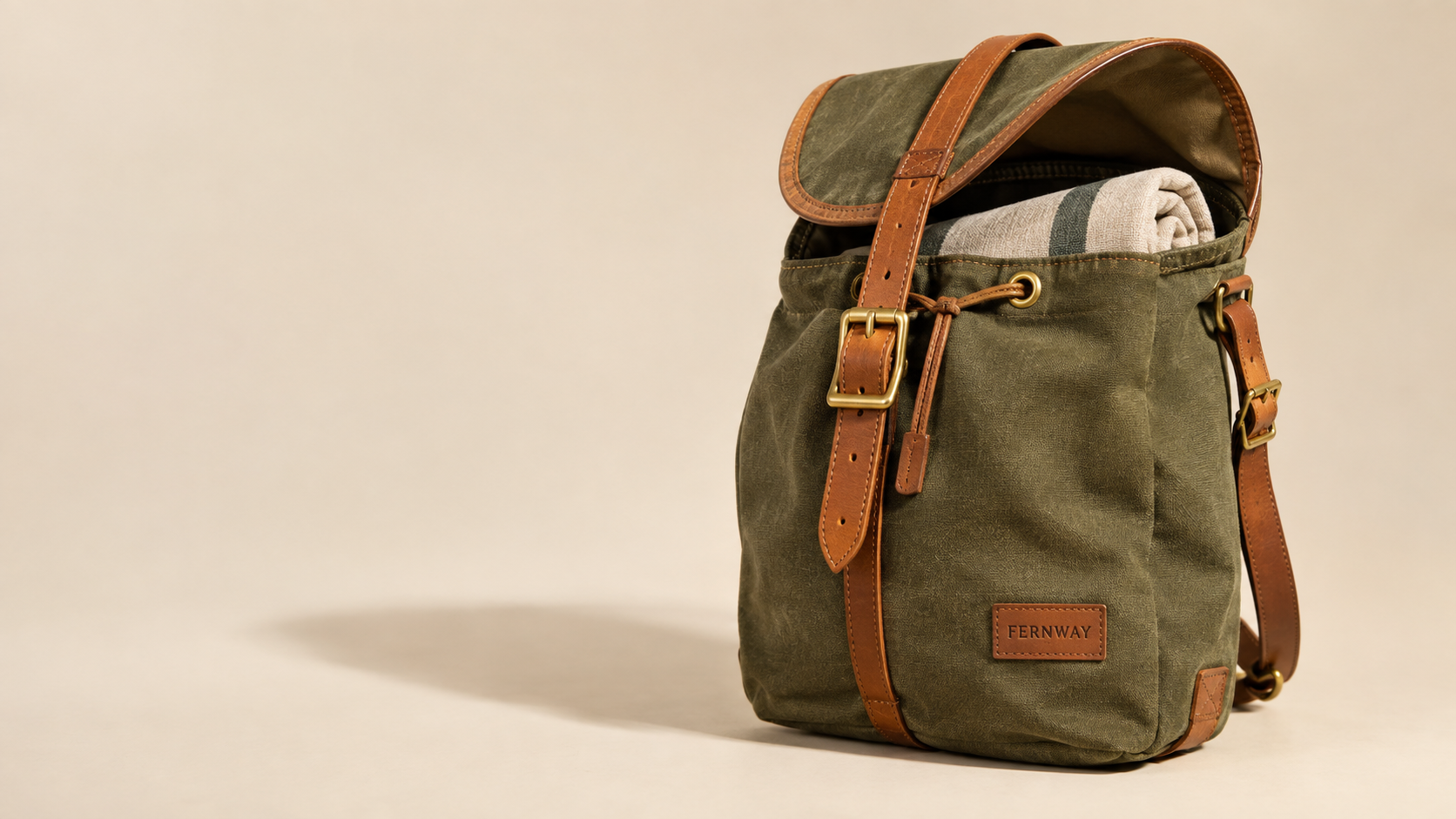
Fifteen credits gone, thirty five left. Note the closing line of the prompt. GPT Image 2.5 has no negative prompt field, so exclusions go in the prompt body as a short sentence naming what must not appear. That one habit removes most of the reasons people burn a second render.
Render two: pick the frame you actually ship
The reflex on a free trial is to run the same prompt twice and pick the better one. Do not. Change the frame instead.
GPT Image 2.5 accepts thirteen documented aspect ratios: auto, 1:1, 3:2, 2:3, 4:3, 3:4, 16:9, 9:16, 21:9, 27:16, 16:27, 9:8 and 8:9. It composes inside the frame you ask for rather than rendering a landscape and centre cropping it, so a 9:16 story is framed as a story, with headroom where a story needs headroom.
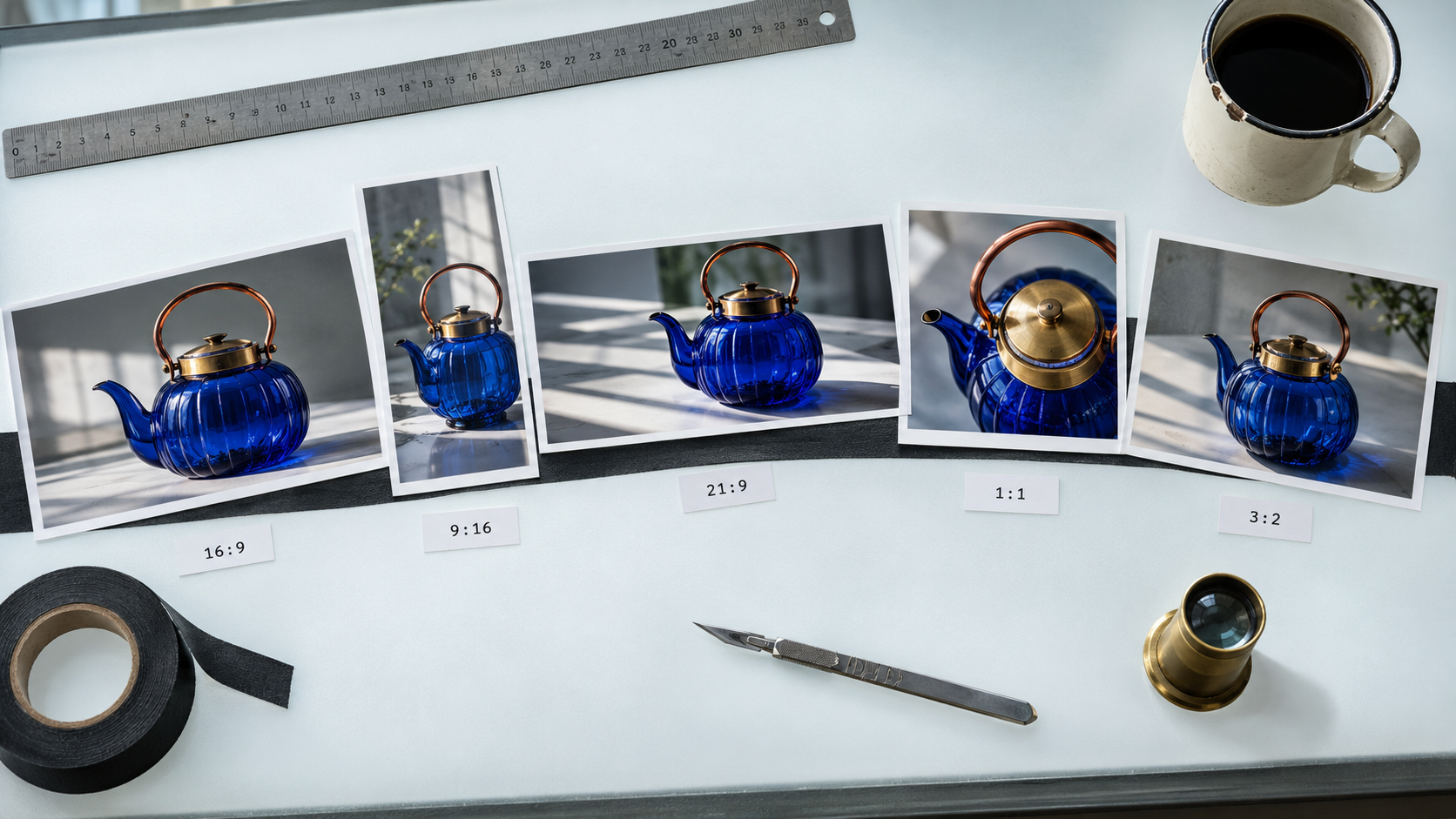
Run your second render at the ratio your actual channel needs. You learn more from that than from a coin flip between two near identical 16:9 frames.
Render three: put type in the frame
This family has always been the strongest text renderer in the catalogue, and 2.5 does not give that up. It is the single test that separates it from most of the alternatives, and it is the one worth a free credit.
Event poster for a coffee festival, large headline, subhead and a block of
fine print at the bottom, two colour risograph look on warm paper, centred
typographic layout. No watermark.
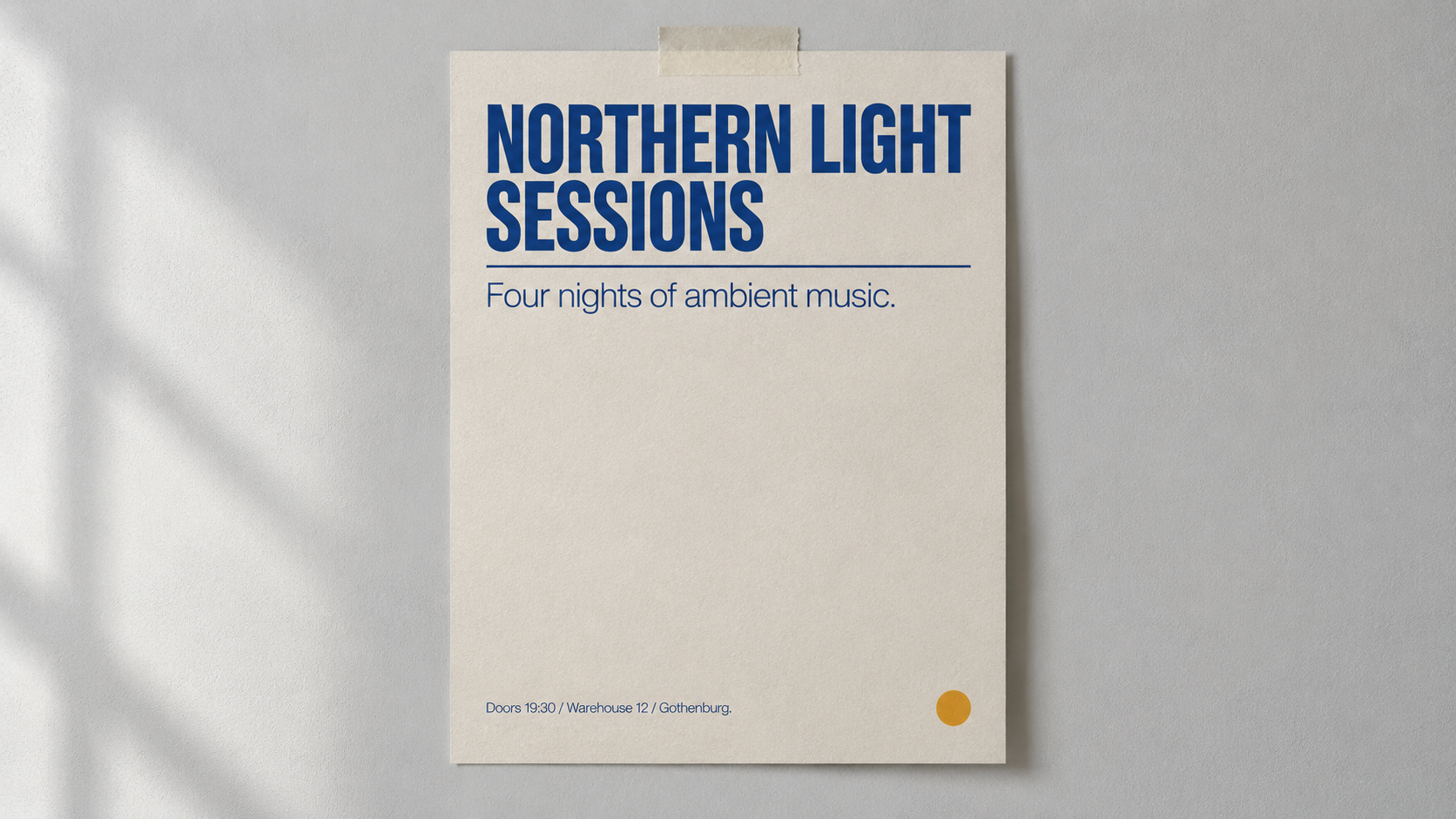
Ask for a headline, a subhead and fine print in one frame. Legible small type inside a rendered image is the hard part, and if it holds on your third free render, it holds on the work you were planning to pay for.
Flare or Sunburst on a free run
Both lanes cost the same, so there is nothing to save by picking one. Use Flare for the free three. It is the fast lane and it is the right default for first drafts, blog art and social variants.
Sunburst earns its keep across multi round edits, where one asset is revised five times and has to stay on model through all five. Three renders is not a revision cycle, so you cannot really see the difference on a free trial. When you get there, Flare vs Sunburst runs the same prompt through both.
For the full spec sheet, the sixteen reference image limit and the 20,000 character prompt window, see GPT Image 2.5 is now on Kubeez.
Spending free credits from an agent or the API
The 50 credits are ordinary wallet credits, so they spend the same way through the MCP server and the public REST API as they do in the Studio.
generate_media(
  model="gpt-image-2-5-flare",
  generation_type="text-to-image",
  prompt="Studio product photograph of an olive canvas field bag on a warm cream sweep, 85mm, editorial catalogue look. No watermark, no invented logos.",
  aspect_ratio="16:9",
  resolution="1K"
)
Call estimate first if you want the credit cost of a job before you commit to it, which matters more when three renders is your whole budget. The agent walkthrough is Running GPT Image 2.5 through MCP in Claude and Cursor.
When the 50 are gone
Top up with a credit pack or a plan on the pricing page. The per render credit price of GPT Image 2.5 does not change either way: 15, 20 and 28 credits at 1K, 2K and 4K, on both lanes, whichever way you bought the credits. The full model catalogue lists every model and its price if you want to compare before you top up.
Frequently asked questions
Is GPT Image 2.5 free to use?
No. GPT Image 2.5 costs 15 credits at 1K, 20 at 2K and 28 at 4K. What is free is the 50 credit welcome balance on a new account, which covers three renders at 1K.
How many free images do I get?
Three at 1K, two at 2K or one at 4K, out of the 50 welcome credits.
Do I need a card to try GPT Image 2.5?
No. Signup and email confirmation need no payment method, and the welcome credits are not a card authorisation.
Can I use the free credits over MCP or the REST API?
Yes. They are wallet credits, not Studio credits. Create an API key in your settings and the same balance covers agent and API jobs.
Which lane should I use on free credits?
Flare. Both lanes cost the same, and Sunburst's advantage only shows up across several rounds of edits on one asset.
My welcome credits have not appeared. What now?
Confirm your email address first, since the balance is granted at confirmation. If the address is confirmed and the wallet still reads zero, contact support and we will grant it by hand.
Start with your three
Open the image tools, leave the lane on Flare, keep the resolution at 1K and write one real brief instead of a test prompt. Three renders is enough to know.
Dex writes the Kubeez guides and makes every example with the same tools you use.