

 Made with Seedream 5.5
Seedream 5.5 vs Seedream 5.0 Pro: same sizes, different price math
Both render 1.5K or 2K stills at exact pixel sizes in 1:1, 4:3, 3:4, 16:9 and 9:16, and both edit from up to 10 reference images. Seedream 5.5 is the newer model, returns lossless PNG and costs less from a prompt. Seedream 5.0 Pro includes the first reference image and charges less for each extra one, so an edit with many references can cost less there. Real outputs from both, and the exact crossover, are below.
Text to image costs less on Seedream 5.5, at both 1.5K and 2K
An edit with several reference images can cost less on Seedream 5.0 Pro
Each model card shows the exact estimate before you render
Same prompt, both models, side by side
Four prompts, each rendered once on Seedream 5.5 and once on Seedream 5.0 Pro, at 1.5K with the same aspect ratio and seed. Nothing retouched and nothing picked from several tries. Open any image for the full-size file.
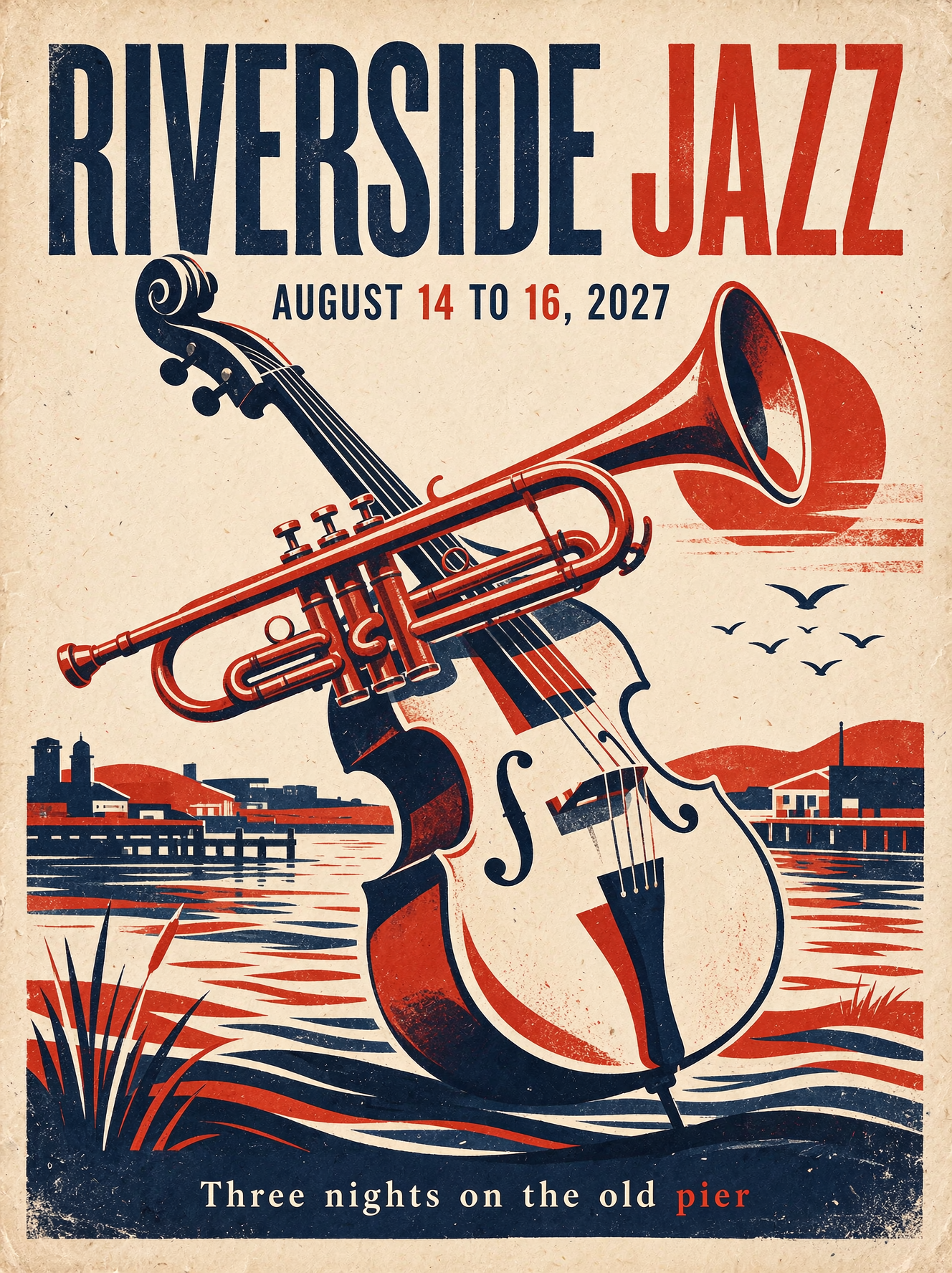
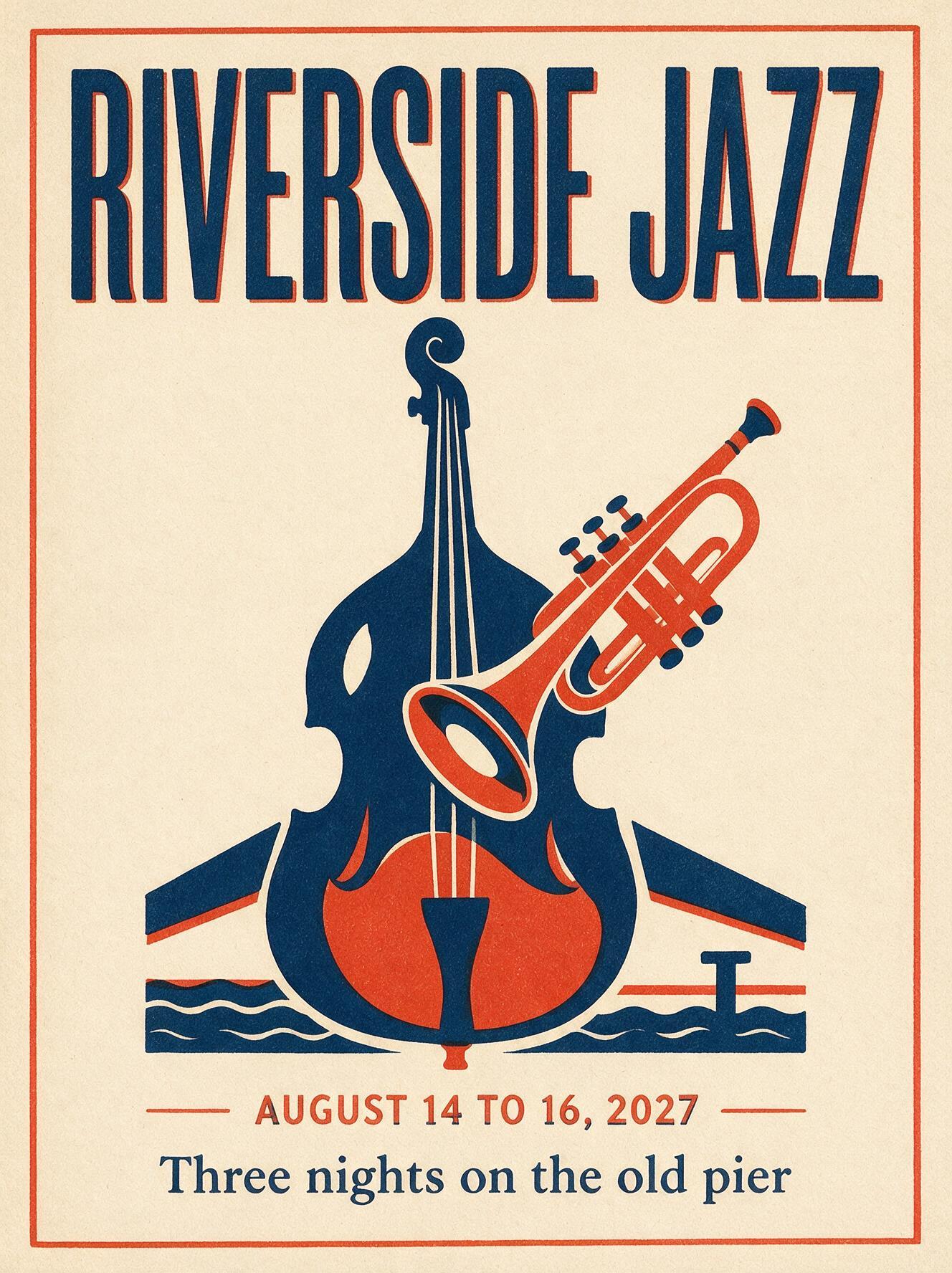
Poster lettering: a two-color jazz poster
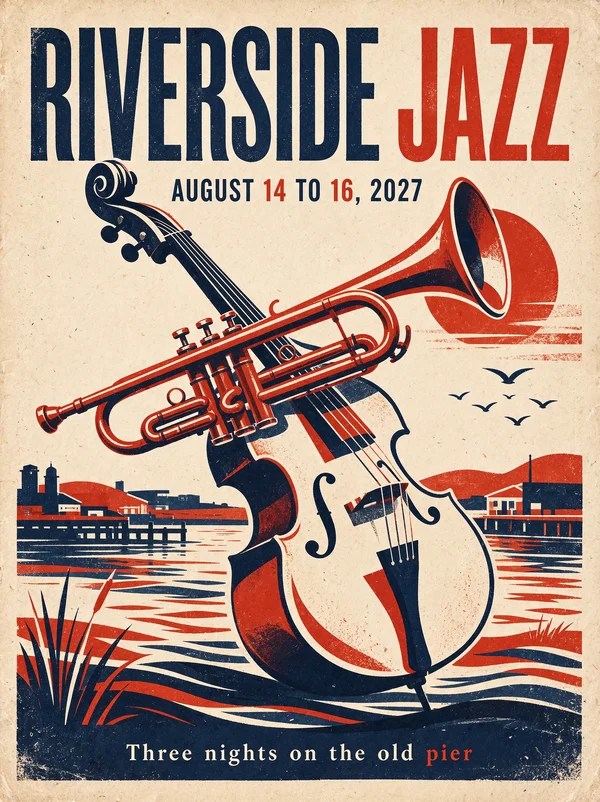
Both spell every line correctly. 5.5 builds a full riverside scene with more tonal shading; 5.0 Pro stays closer to the flat two-color print the prompt asked for and frames it with a border.
Seedream 5.5 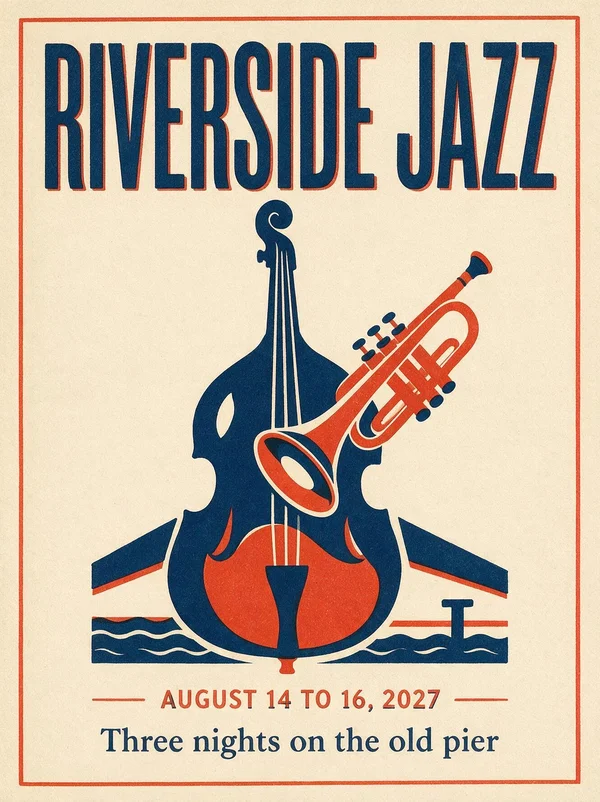
Seedream 5.0 Pro Prompt: A screen-printed poster for an outdoor summer jazz festival. Two-color print in deep navy and warm vermilion on cream paper with visible paper grain and slight ink misregistration. A stylized upright bass and a trumpet overlap in bold flat shapes in the center. Set at the top in a tall condensed sans serif: "RIVERSIDE JAZZ". Below the art, smaller: "AUGUST 14 TO 16, 2027". At the bottom edge in a small serif: "Three nights on the old pier". Mid-century concert poster design, flat print, no gradients, no watermark, no other text.
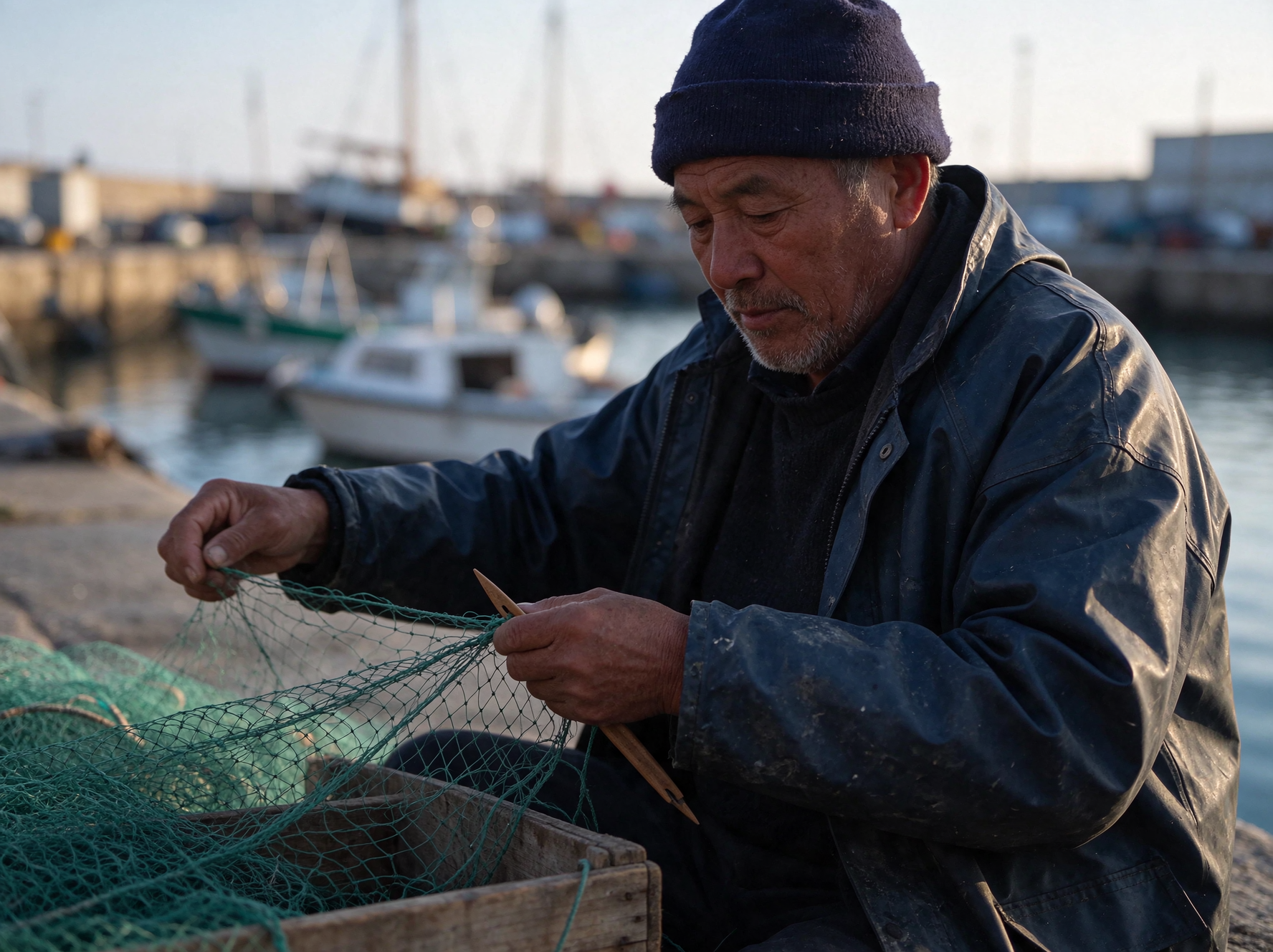
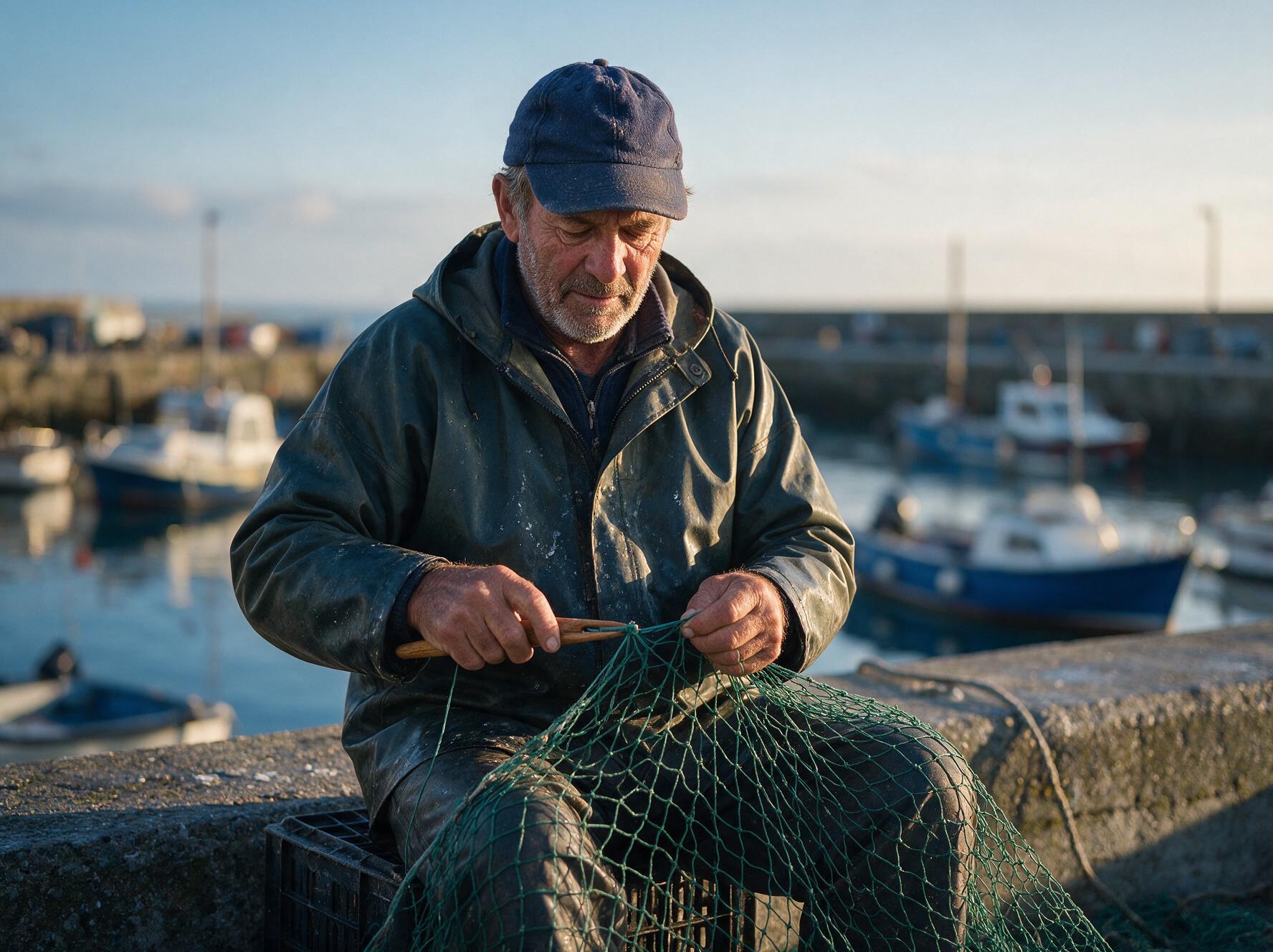
Photoreal portrait: a fisherman mending a net
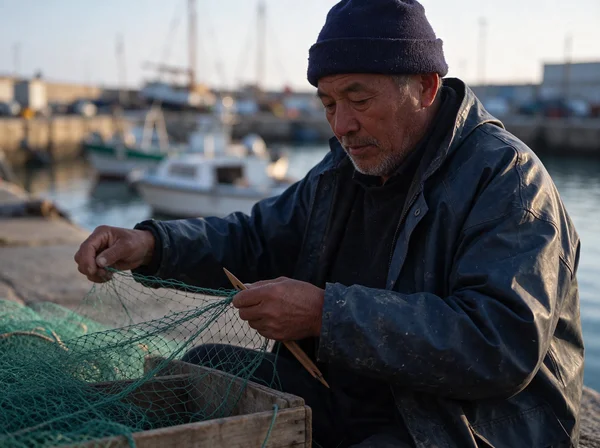
5.5 follows the wardrobe brief to the letter with the navy knit cap; 5.0 Pro swaps it for a peaked cap. Both keep real skin texture, stubble and a salt-marked oilskin, with no retouched look.
Seedream 5.5 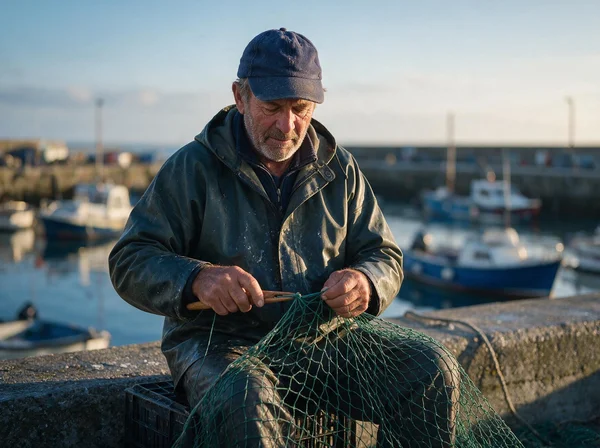
Seedream 5.0 Pro Prompt: Documentary portrait of a fisherman in his sixties mending a green nylon net on a harbor wall at dawn. He sits on an upturned crate, both hands working the net: the left hand holds the mesh taut, the right pulls a wooden netting needle through. He looks down at the knot, not at the camera. Weathered skin with visible pores, deep lines around the eyes, a grey stubble beard, a faded navy knit cap, an oilskin jacket with salt marks. Soft low sunlight from the right, cool blue shadows, small boats out of focus behind him. Shot on a 50mm lens at eye level, natural color, no retouching, no watermark.
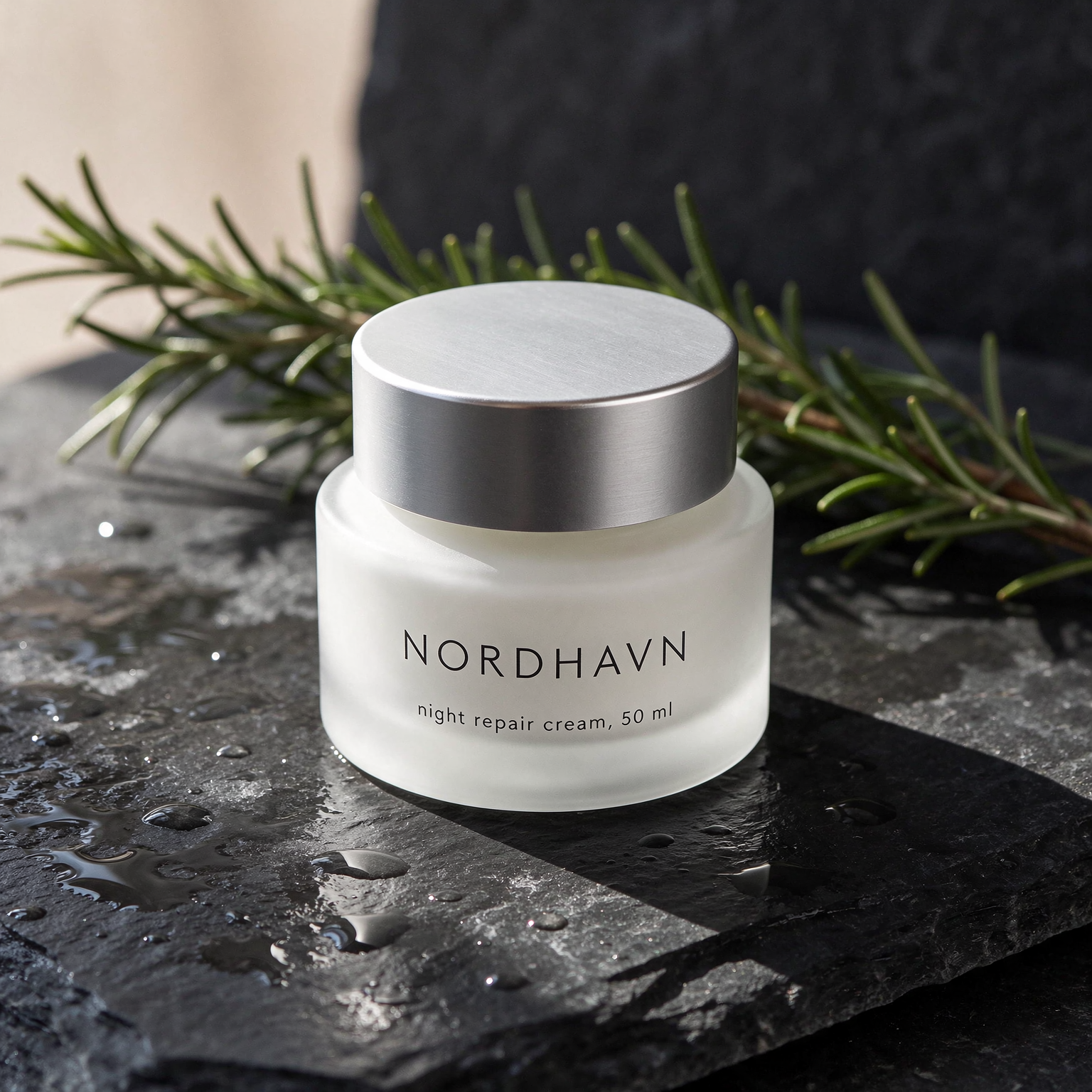
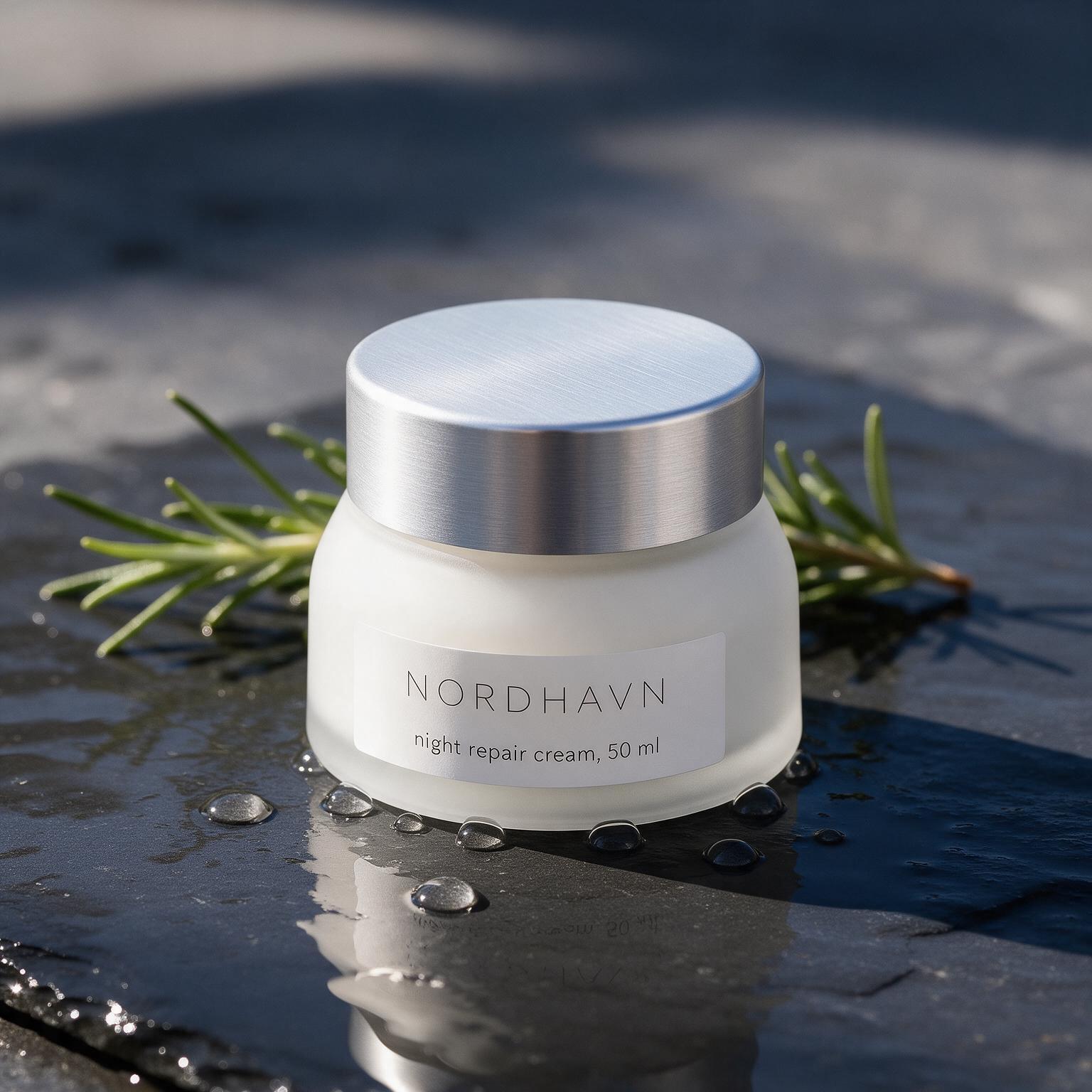
Product label: a skincare jar on wet slate
Both set the label text correctly. 5.5 prints it straight onto the frosted glass; 5.0 Pro puts it on a paper label and beads the water droplets around the base, as the prompt described.
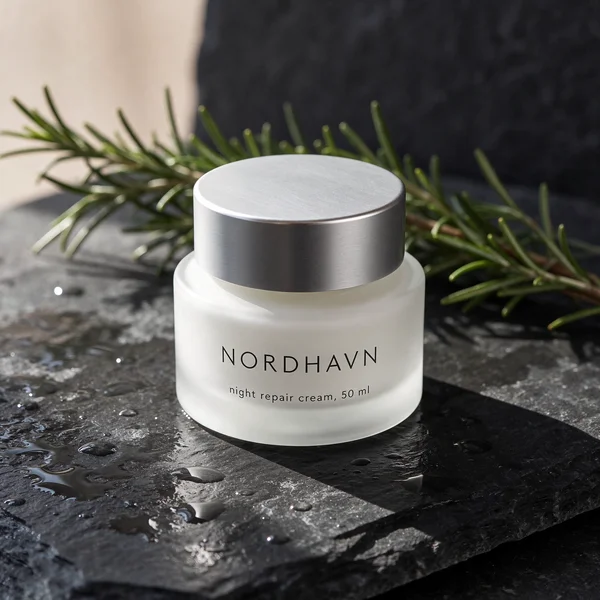
Seedream 5.5 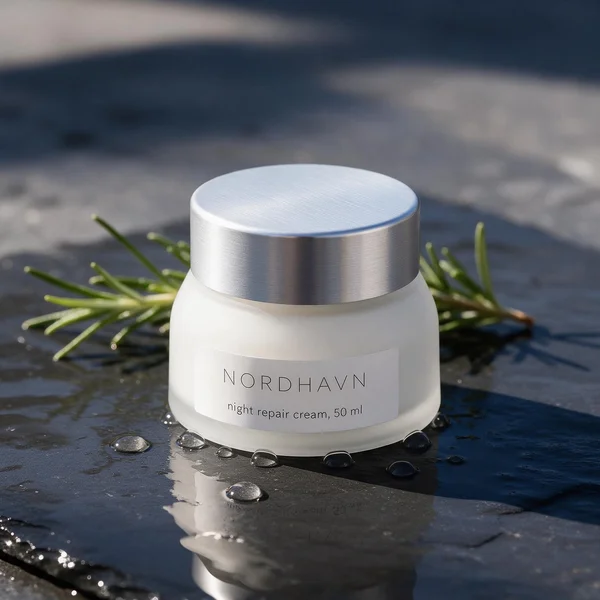
Seedream 5.0 Pro Prompt: Product photo of a frosted white glass skincare jar with a brushed aluminium lid, standing on a slab of wet dark slate with a few water droplets beading around it. A sprig of fresh rosemary lies behind the jar. The jar's front label is printed in a clean thin sans serif: "NORDHAVN" with "night repair cream, 50 ml" in small type beneath. Hard morning light from the upper left, a crisp shadow falling to the right, real water reflections on the slate. Editorial skincare photography, sharp focus on the label, no watermark, no other text.
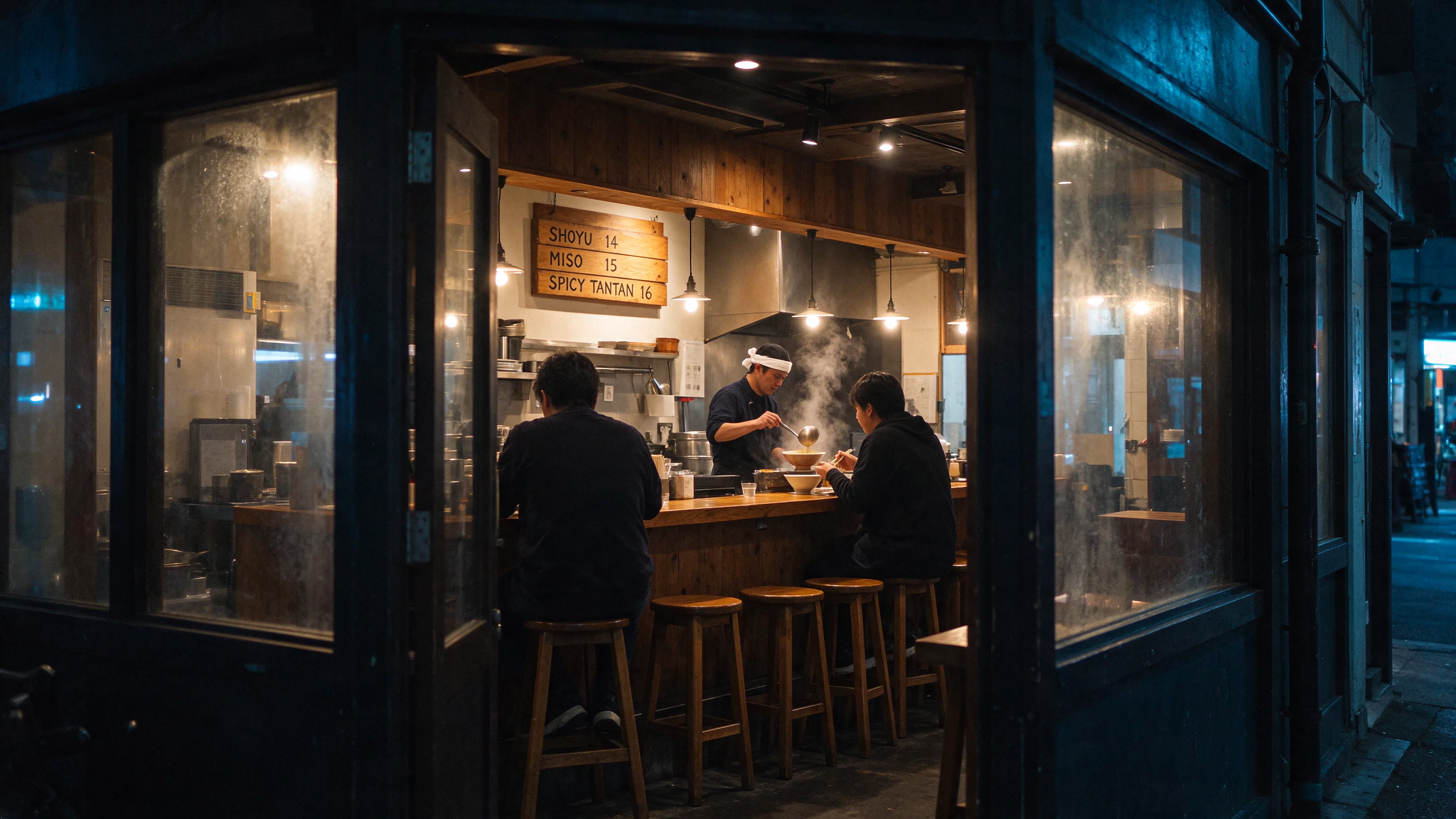
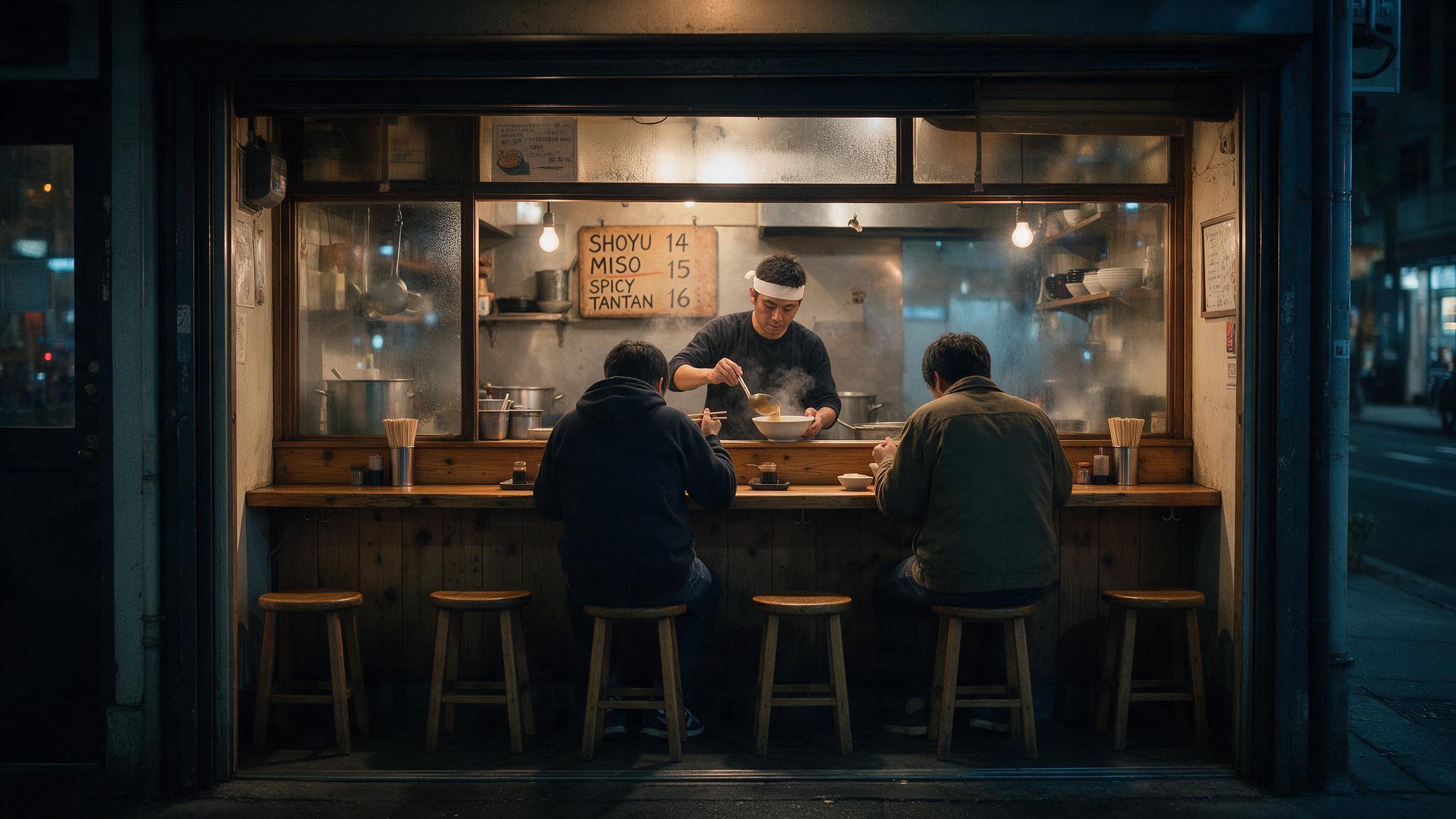
Signage in a scene: a ramen bar at night
Both paint the menu board correctly. 5.5 shoots at an angle through the doorway with condensation on the windows; 5.0 Pro frames the counter straight on, with both customers facing away from the camera.
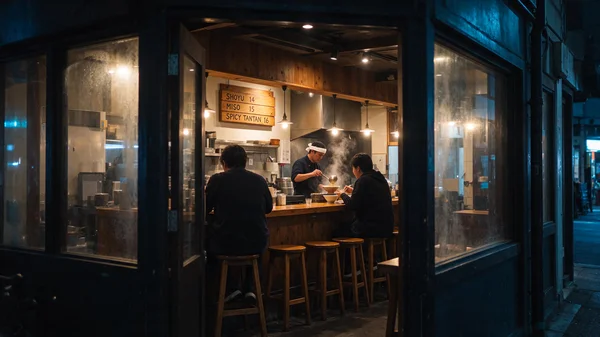
Seedream 5.5 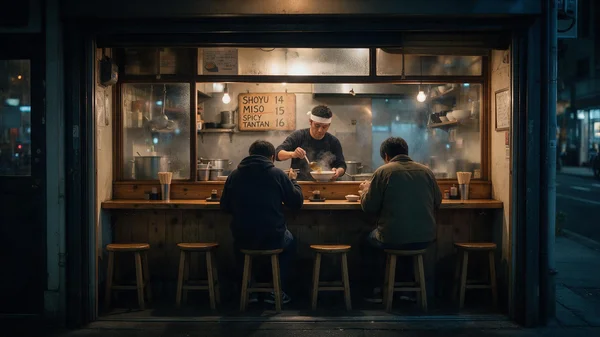
Seedream 5.0 Pro Prompt: Wide interior photo of a small ramen bar at night, seen from the street through the open doorway. Six wooden stools along a worn cedar counter, a cook in a white headband ladling broth into a bowl with steam rising, two customers eating with their backs to the camera. On the wall behind the counter, a hand-painted wooden menu board in English reads "SHOYU 14", "MISO 15", "SPICY TANTAN 16". Warm tungsten light inside, a cool blue street outside, a little condensation on the window glass. Shot on a 35mm lens, natural color, documentary food photography, no watermark, no other text.
More real outputs from each model
Unedited renders made on Kubeez, each with the exact prompt that produced it. These are different prompts on each model, so read them as what each one does well. Open any image for the full-size file.
Seedream 5.5
Shop signage at 2K, a three-reference edit that adds a printed label, and a handwritten card at 1.5K. PNG files.
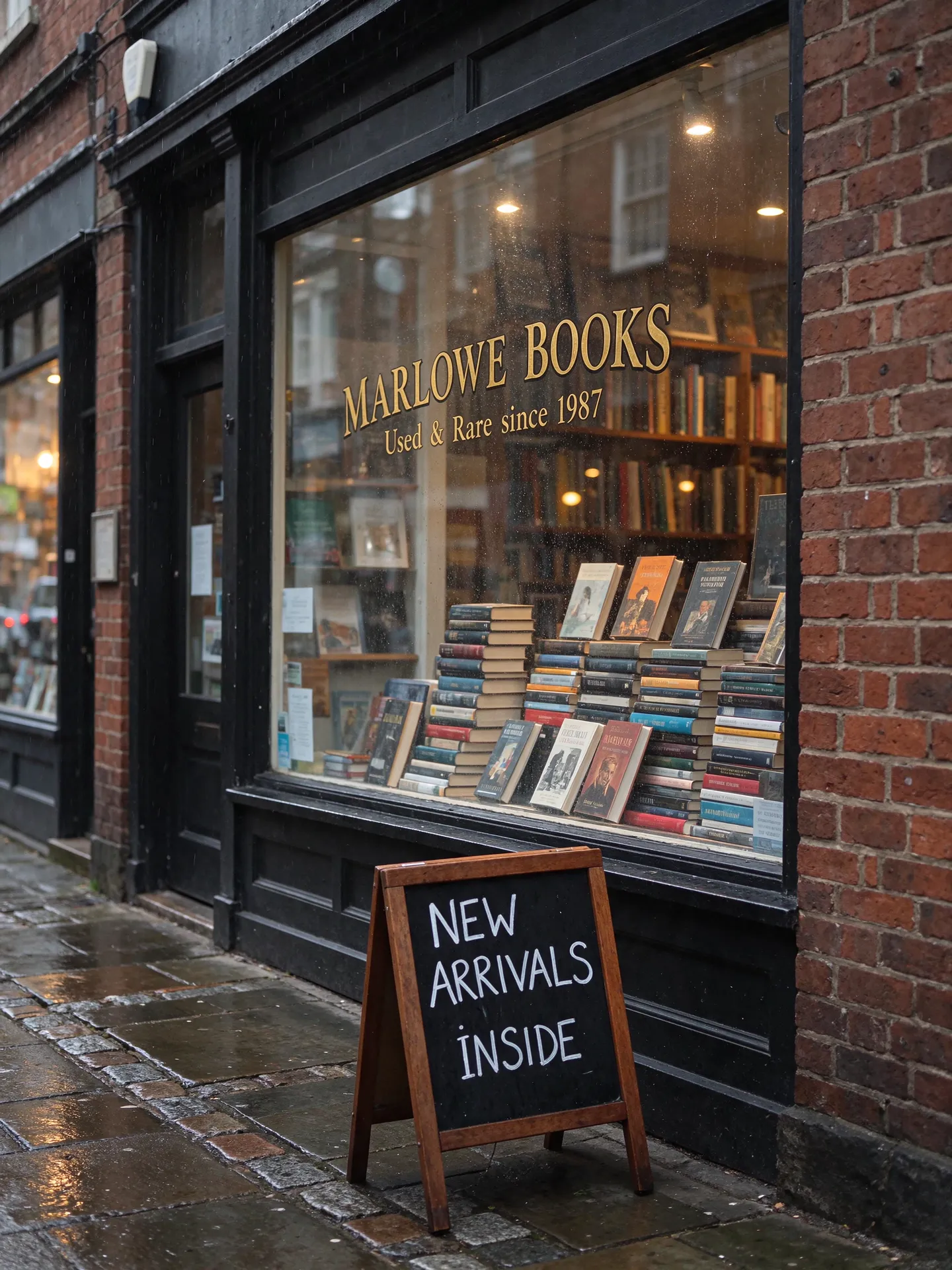
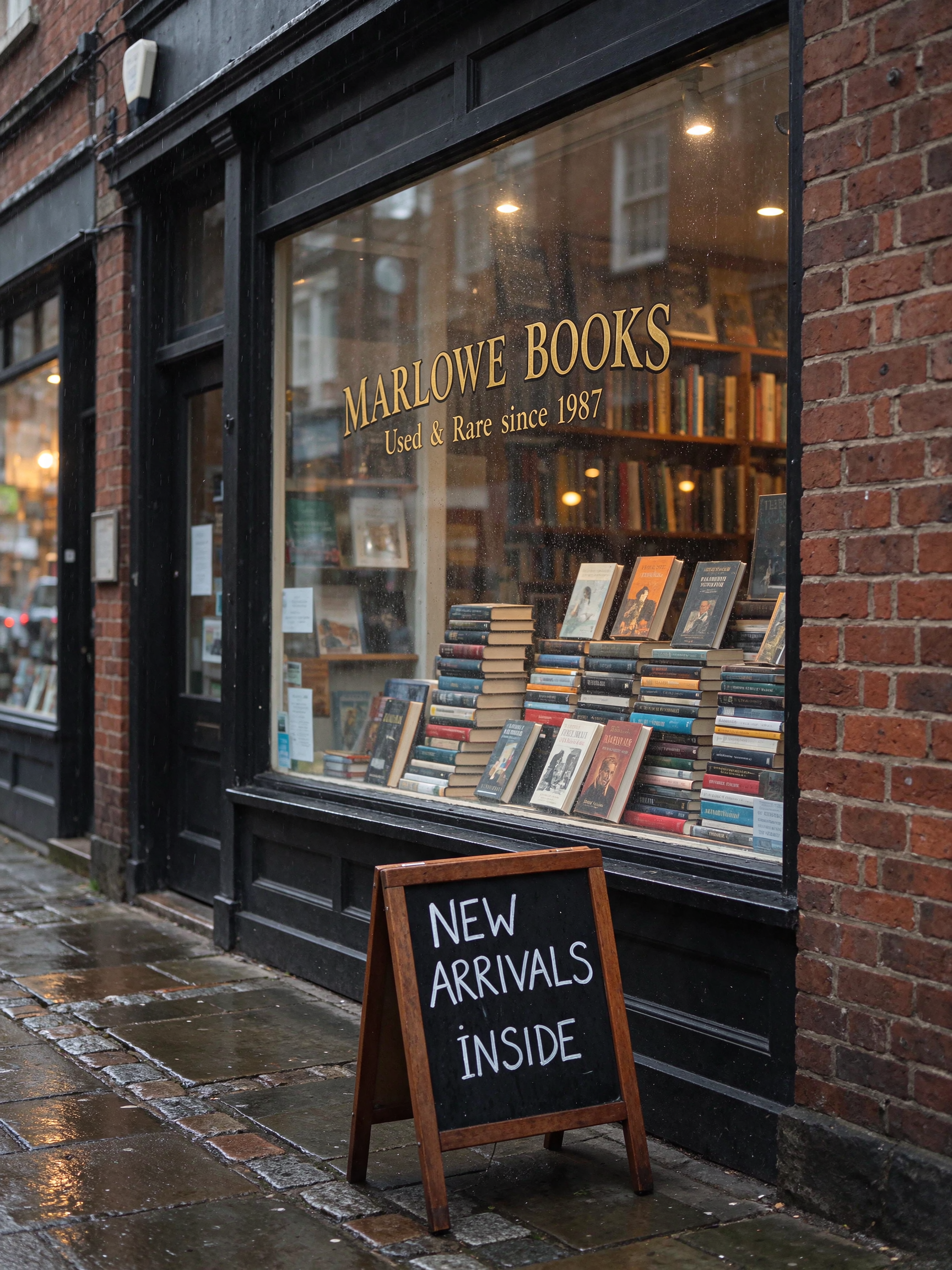
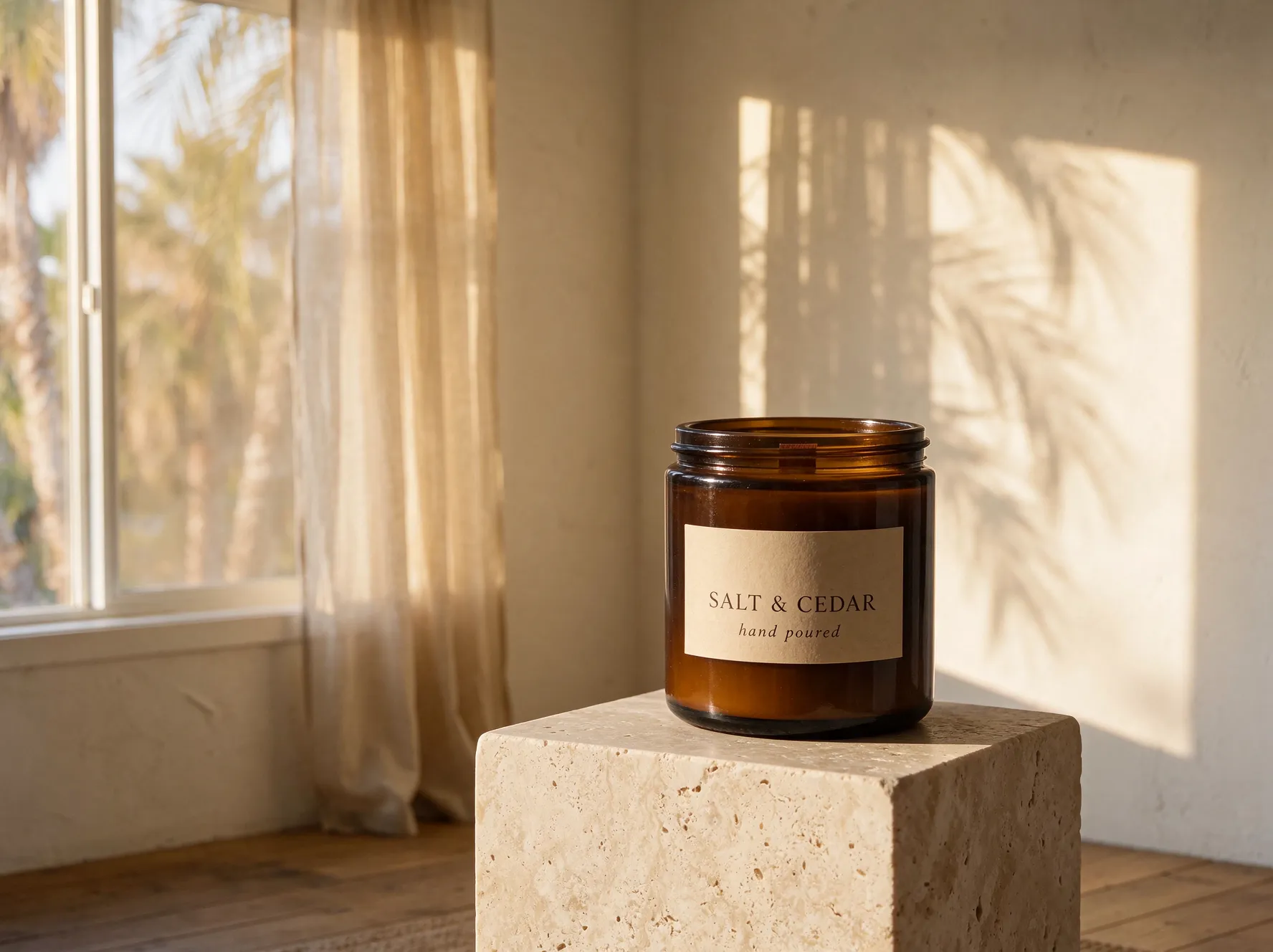
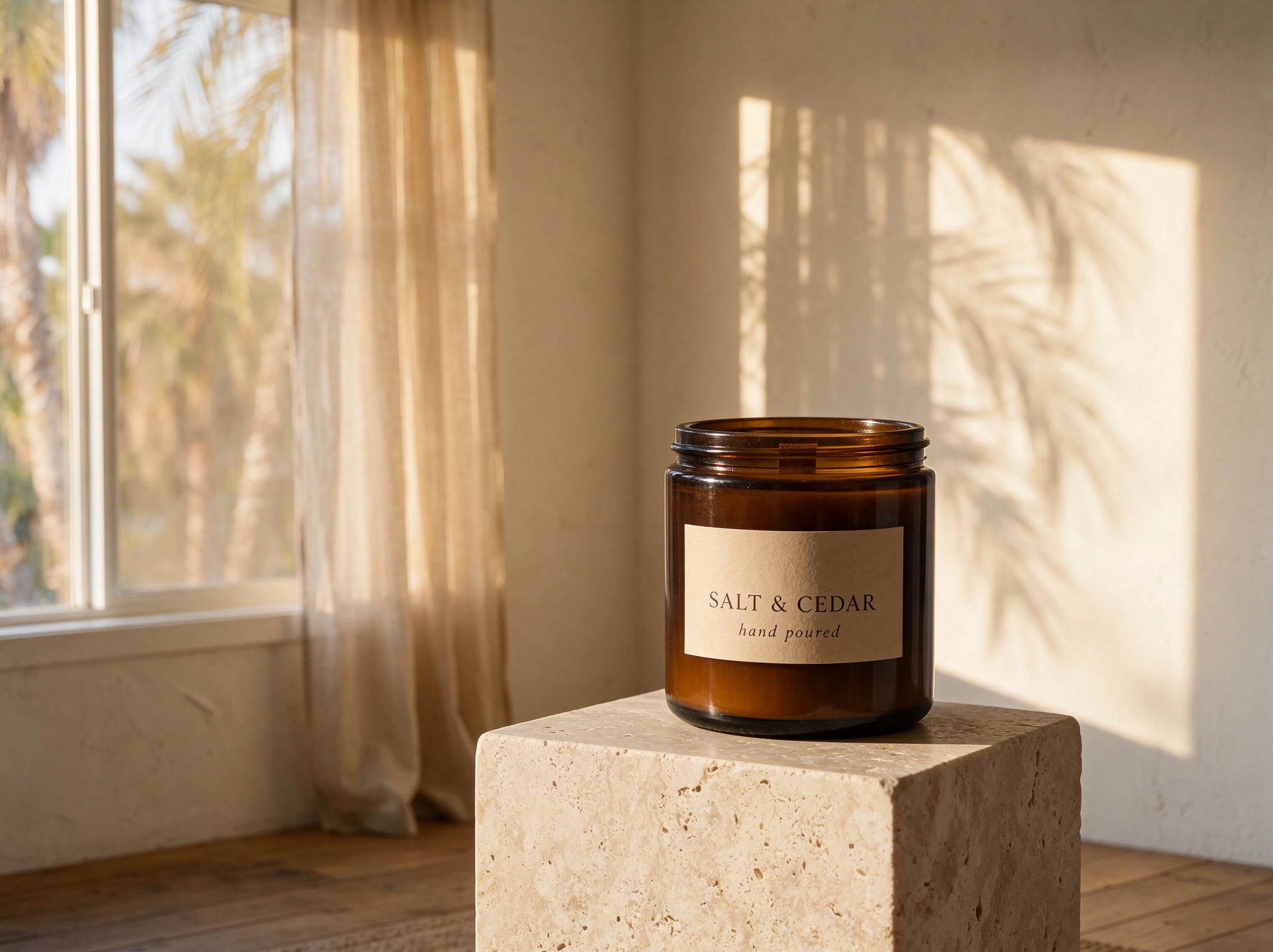


Prompt
Prompt: Storefront of a small independent bookshop on a rainy autumn morning, photographed straight on with a 50mm lens. Gold leaf lettering on the shop window reads "MARLOWE BOOKS" in a classic serif, with "Used & Rare since 1987" in smaller script below it. Stacks of hardcover books fill the window display, and a hand-chalked sandwich board on the wet sidewalk reads "NEW ARRIVALS INSIDE". Warm interior light glows through the glass, raindrops bead on the window, wet cobblestones reflect the light, fine detail on the red brick, the gold leaf and the book spines. Natural color, documentary street photography.
- 3:4
- 2K
Seedream 5.0 Pro
Campaign posters, a lookbook spread and packaging with set type, all at 1.5K. JPEG files.


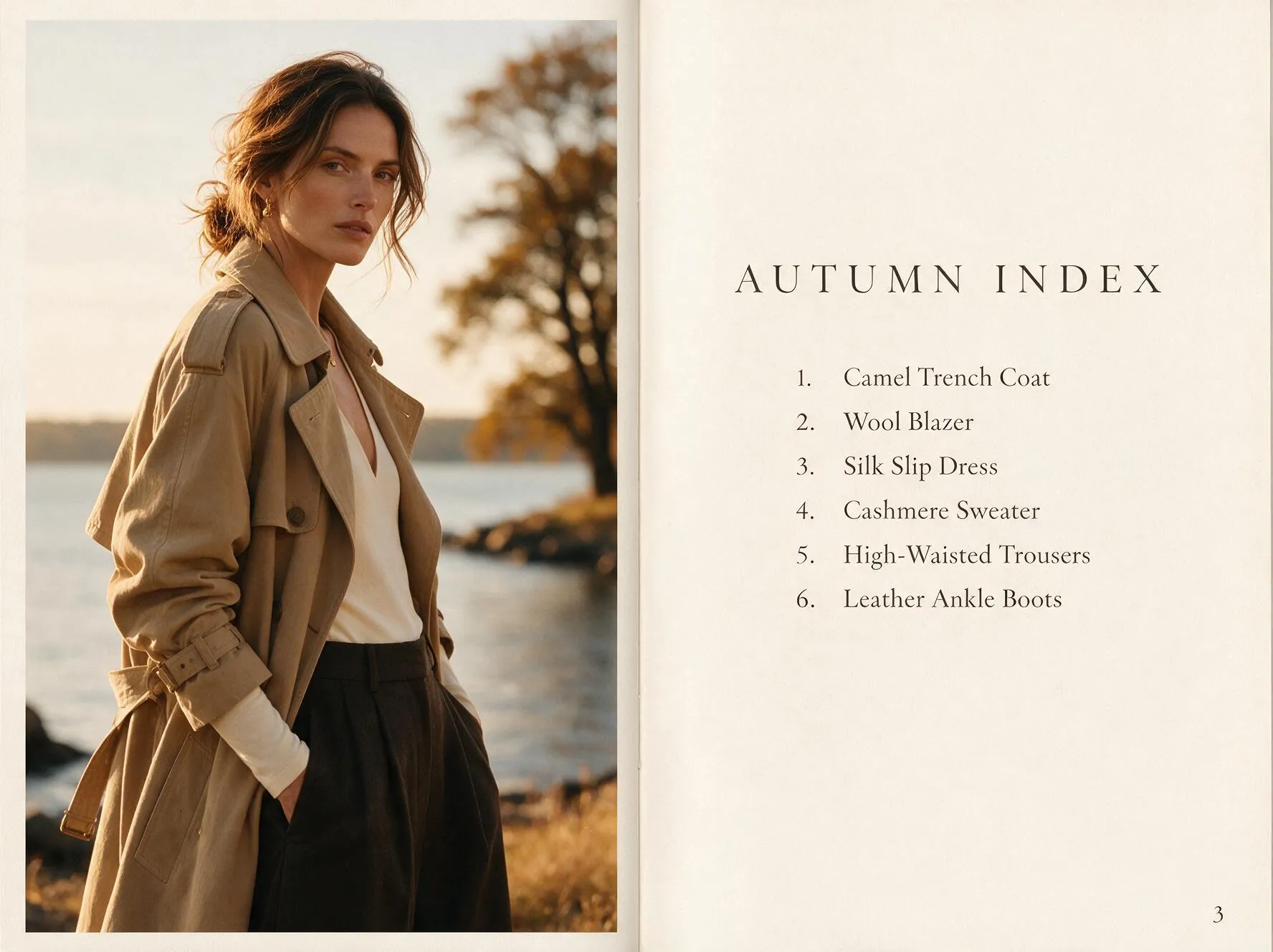
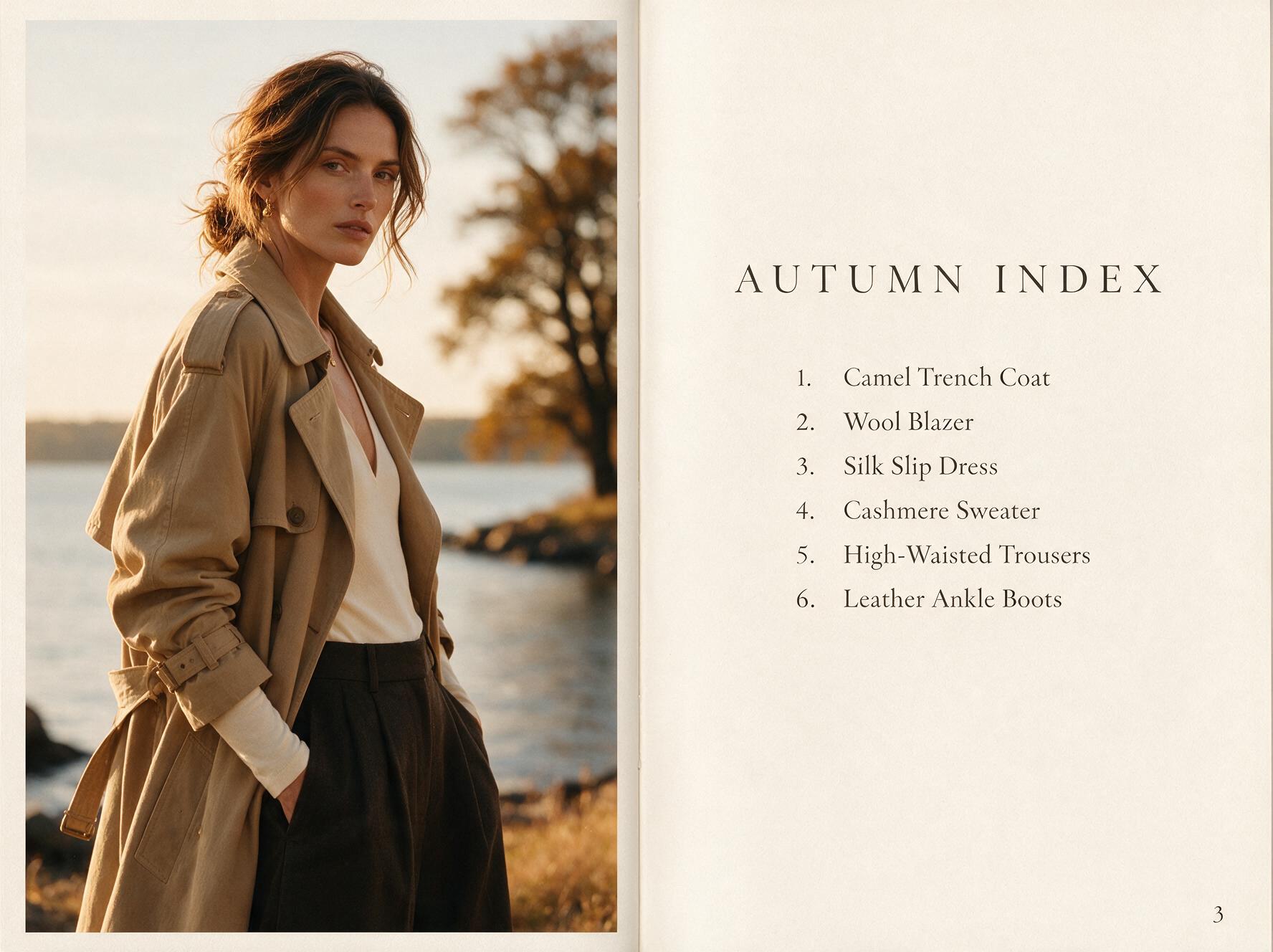
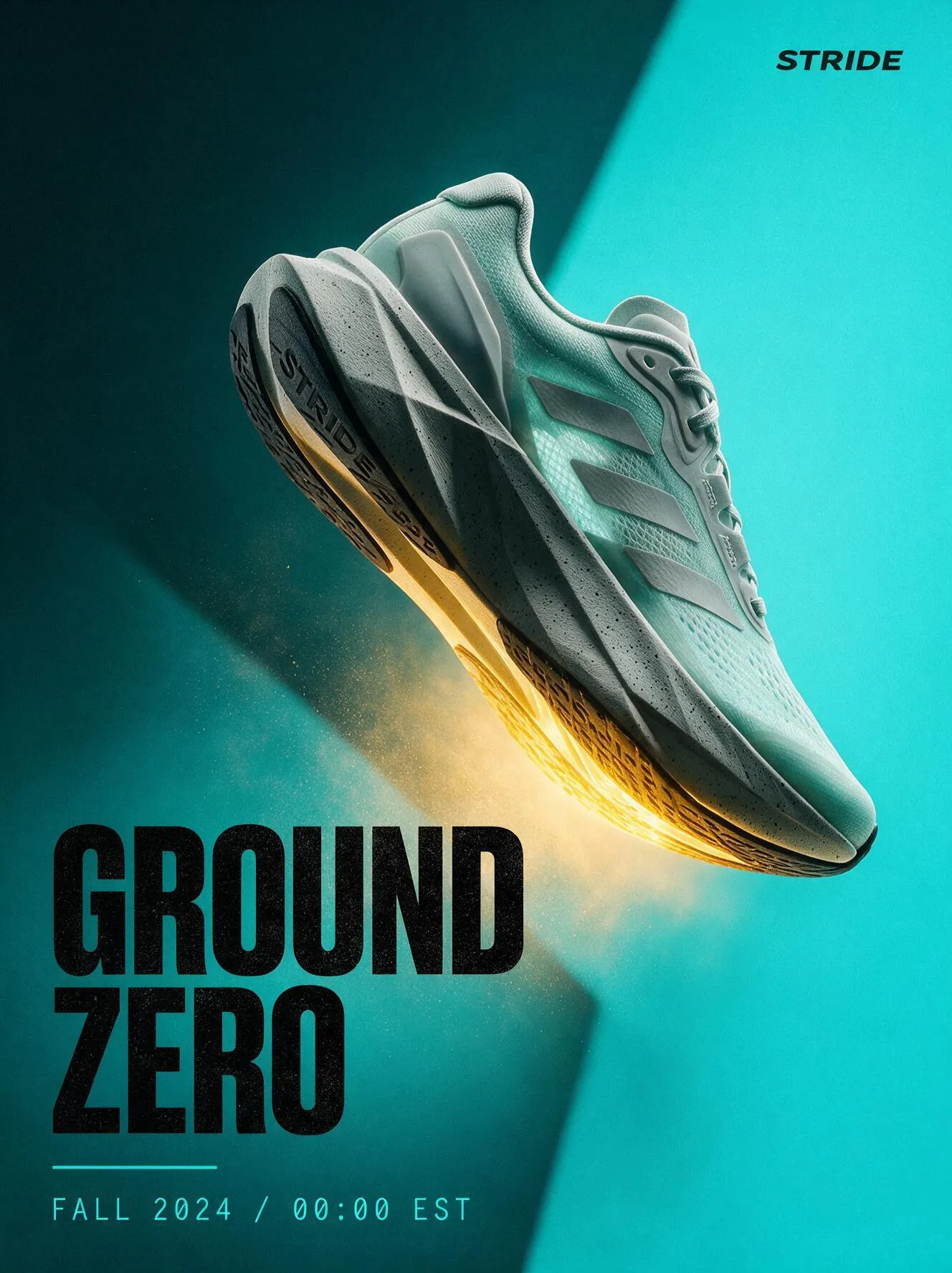
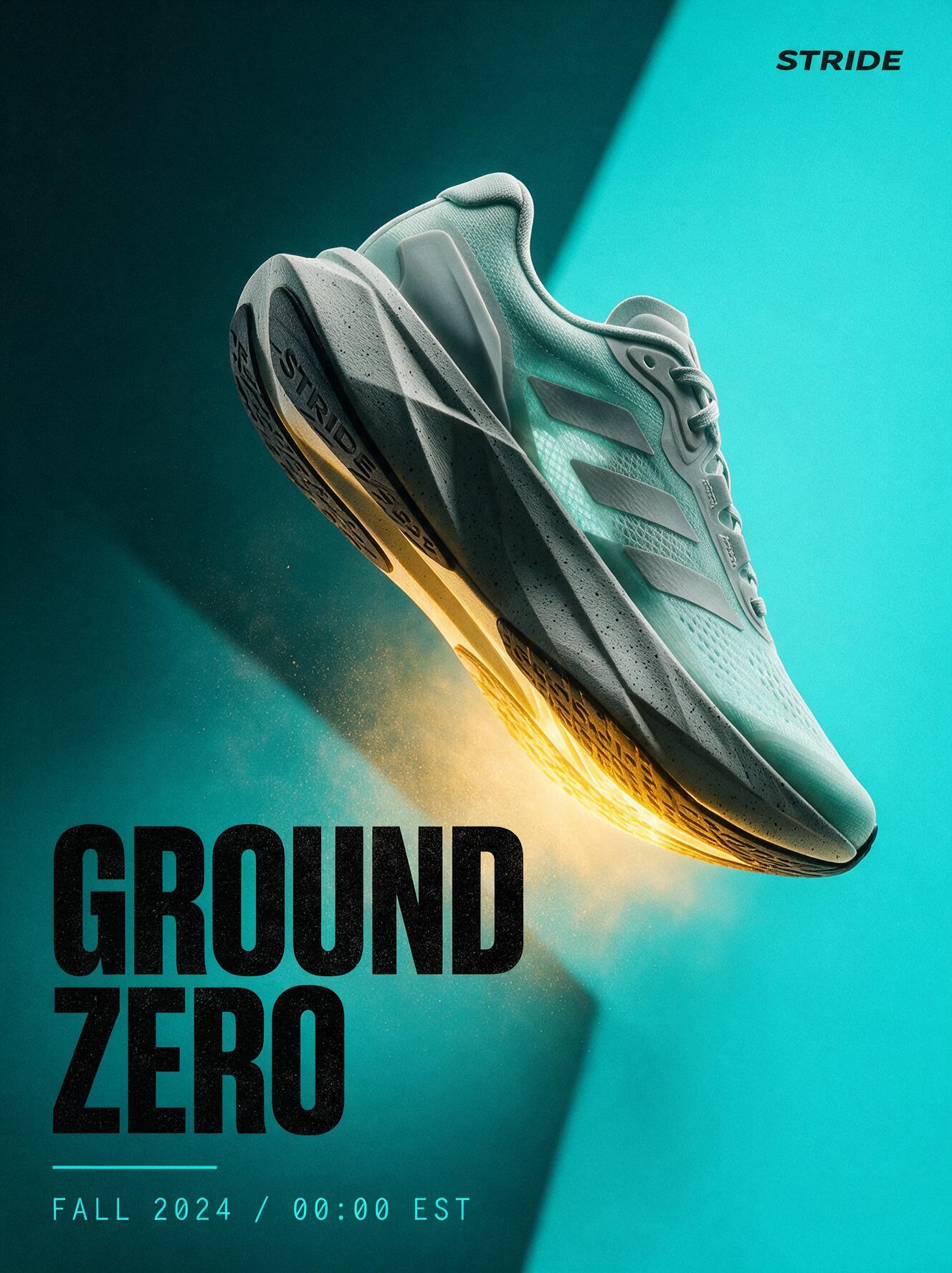
Prompt
Prompt: A luxury fragrance campaign poster. A faceted glass perfume bottle standing on wet black stone, one shaft of amber light through it throwing a caustic pattern, deep charcoal background. Set across the top in fine spaced capitals: "NOCTURNE". A short italic line beneath reading "eau de parfum". A tiny maison mark at the bottom edge. Restrained luxury advertising art direction, print quality, no watermark, no extra text.
- 3:4
- 1.5K
Where the two actually differ
Seedream 5.5 is a newer model that outputs at the same exact pixel presets as 5.0 Pro, so a layout built for one fits the other. Frame shapes, sizes, the reference limit and the prompt limit match. What changes is the model generation, the file you get back and how each one is priced.
- Output sizes are identical, from 1536 x 1536 at 1.5K to 2720 x 1536 at 2K
- 5.5 returns lossless PNG; 5.0 Pro returns JPEG
- From a prompt alone, 5.5 costs less at both 1.5K and 2K
- On 5.5 every reference image is charged; on 5.0 Pro the first is included and extras cost less
- Over the API, 5.5 is one model id for generation and edits; 5.0 Pro splits them into two
- 5.5 handles lettering well: shop signage, a printed label and a handwritten card all came out correct
Same models over the API and MCP
Both run through the Kubeez REST API and MCP server. Seedream 5.5 is a single id, seedream-5-5, for text to image and for edits from up to 10 image URLs, with resolution 1.5K or 2K. Seedream 5.0 Pro uses seedream-5-pro for generation and seedream-5-pro-edit for edits. The estimate tool returns the exact charge before anything runs.
Seedream 5.5 vs Seedream 5.0 Pro, spec by spec
Resolution
- Seedream 5.5
- 1.5K, 2K
- Seedream 5.0 Pro
- 1.5K, 2K
Aspect ratios
- Seedream 5.5
- 1:1, 4:3, 3:4, 16:9, 9:16
- Seedream 5.0 Pro
- 1:1, 4:3, 3:4, 16:9, 9:16
Exact pixel presets
- Seedream 5.5
- Yes, the same set
- Seedream 5.0 Pro
- Yes, the same set
Reference images
- Seedream 5.5
- Up to 10
- Seedream 5.0 Pro
- Up to 10
Reference pricing
- Seedream 5.5
- Every reference adds to the price
- Seedream 5.0 Pro
- First included, each extra adds less
Price from a prompt
- Seedream 5.5
- Lower
- Seedream 5.0 Pro
- Higher
File format
- Seedream 5.5
- PNG
- Seedream 5.0 Pro
- JPEG
Watermark
- Seedream 5.5
- None
- Seedream 5.0 Pro
- None
Prompt length
- Seedream 5.5
- 2,995 characters
- Seedream 5.0 Pro
- 2,995 characters
API model ids
- Seedream 5.5
- One: seedream-5-5
- Seedream 5.0 Pro
- Two: seedream-5-pro, seedream-5-pro-edit
Layer separation
- Seedream 5.5
- Not yet
- Seedream 5.0 Pro
- Yes, in Layer Studio
Release
- Seedream 5.5
- Newest Seedream
- Seedream 5.0 Pro
- Earlier release
In Media Studio both do text to image and edits on the same card: attach images and the model edits from them. Prices and the estimate are shown live on the model card before you render.
Which one costs less, by number of reference images
The price of both models follows the output size and how many reference images you attach, never the prompt. This is where the cheaper model flips.
None (text to image)
- At 1.5K
- Seedream 5.5
- At 2K
- Seedream 5.5
1
- At 1.5K
- Same price
- At 2K
- Seedream 5.5
2 to 4
- At 1.5K
- Seedream 5.0 Pro
- At 2K
- Seedream 5.5
5
- At 1.5K
- Seedream 5.0 Pro
- At 2K
- Same price
6 to 10
- At 1.5K
- Seedream 5.0 Pro
- At 2K
- Seedream 5.0 Pro
Worked out from the live prices on the day this page was written. The estimate on each model card is always the final word.
Exact output sizes, identical on both models
1.5K and 2K count pixels, not width, so a 16:9 frame at 1.5K is 2048 pixels wide. Every size below is what you receive, on either model.
1:1
- 1.5K
- 1536 x 1536
- 2K
- 2048 x 2048
4:3
- 1.5K
- 1776 x 1328
- 2K
- 2304 x 1728
3:4
- 1.5K
- 1328 x 1776
- 2K
- 1728 x 2304
16:9
- 1.5K
- 2048 x 1152
- 2K
- 2720 x 1536
9:16
- 1.5K
- 1152 x 2048
- 2K
- 1536 x 2720
How it works
Start from a prompt on 5.5
For text to image, Seedream 5.5 is the newer model and the lower price at both sizes. Write the brief in up to 2,995 characters and pick 1.5K or 2K.
Count your references before an edit
On 5.5 every reference image adds to the price, the first one included. On 5.0 Pro the first is included and each extra adds less. Check the crossover table below, then compare the two estimates before you render.
Keep the prompt, switch the card
Both read the same 2,995 character prompt and the same 10 references, so a brief tested on one renders on the other without rewriting. Use whichever estimate is lower for the job.
Test both on your own brief
- Write one prompt for the image you actually need, with any text in quotes
- Render it on Seedream 5.5 at 1.5K and check the lettering and the light
- Run the same prompt on Seedream 5.0 Pro if you want a second take
- For an edit, count the references and read the crossover table before you pick
- Render the final at 2K on the model that won
When 5.5 is the wrong choice
Seedream 5.5 is the lower-cost way to a new Seedream image from a prompt. It is not the cheapest route for every job.
- An edit built from many reference images: check the estimate on 5.0 Pro first
- A 21:9, 3:2 or 2:3 frame: use Seedream 5 Lite or V4.5
- A 4K still: use Seedream V4.5
- You need a small JPEG straight out of the model: 5.0 Pro saves a conversion step
- You want to split an image into separate, editable layers: Layer Studio runs on 5.0 Pro
What changed in Seedream 5.5
Seedream 5.5 is the newest generation of the Seedream image model on Kubeez. It keeps the frame shapes, the exact pixel presets, the 10-reference limit and the prompt length of 5.0 Pro, so nothing in an existing workflow breaks. The changes are the model itself, a lossless PNG file instead of JPEG, a single model for generation and editing, and pricing that charges for every reference image instead of including the first.
Jobs that fit Seedream 5.5
- Product and lifestyle stills from a prompt, at 1.5K or 2K
- Posters, cards, signage and social tiles with words in the image
- Edits from your own photos, up to 10 references on the same card
- 9:16 story frames and 16:9 banners at known pixel sizes
- Assets that go on to more editing, where a lossless PNG matters
Prompting tips that work on both
- Put every word that must appear in the image in quotes, exactly as it should read
- Say where the text sits and what it is printed on: window gold leaf, a kraft label, a chalkboard
- In an edit, name each reference by number and say what it contributes
- Say what must not change, for example the shape and color of the product from image 1
- Describe the light and the lens; both models follow photographic language closely
Honest limits
Seedream 5.5 stops at 2K and has no 21:9, 3:2 or 2:3 frame. Every reference image adds to its price, so an edit with several references can cost more than the same edit on 5.0 Pro. Like any image model it can misspell long passages of text, so proofread before you publish. Prices are live values, so the estimate on the model card is the number to trust, not this page.
Available models and pricing
Kubeez is an independent platform. Third-party model names are trademarks of their respective owners. Availability and capabilities depend on your plan and current provider offerings. See documentation for live model lists.
FAQ
It is the newer model, it costs less from a prompt and it returns a lossless PNG, at the same sizes and frame shapes. Pick 5.0 Pro when an edit uses several reference images, where it can cost less.
For text to image, yes, at both 1.5K and 2K. For edits it depends on how many reference images you attach: at 1.5K the price is the same with one reference and 5.0 Pro costs less from two, while at 2K 5.5 stays cheaper up to four references and 5.0 Pro costs less from six. The estimate on each card shows the exact figure.
Yes. At 1.5K both deliver 1536 x 1536 for 1:1 up to 2048 x 1152 for 16:9, and at 2K 2048 x 2048 up to 2720 x 1536. 1.5K counts pixels, not width, which is why a 16:9 frame is 2048 pixels wide.
PNG, which is lossless, so the image keeps every detail through later edits. Seedream 5.0 Pro returns JPEG. Neither adds a watermark.
Typically 20 to 40 seconds at 1.5K. The queue can make any single render take longer.
Yes, lettering is one of its strengths. The samples on this page include shop window lettering, a printed jar label and a handwritten card, all spelled correctly. Proofread the text before you publish anything.
Yes. It runs through the Kubeez REST API and MCP server as seedream-5-5, one id for both text to image and edits, with resolution 1.5K or 2K and up to 10 reference image URLs.
Yes. Both read the same 2,995 character prompt and the same reference images, so you can switch cards without rewriting anything.
Yes. Both stay in Media Studio as separate cards, so you can pick the one that fits each job.
Related topics
Seedream 5.5 free trial: make your first images with signup credits
Try Seedream 5.5 on Kubeez with the welcome credits a new account gets after confirming its email. Real sample images with their prompts, exact output sizes, and how to make the credits go furthest.
Open Seedream 5.5Nano Banana 2 vs Pro: picking a tier
Choose between Nano Banana 2 and Nano Banana Pro for marketing stills—clarity on speed, fidelity, and when to step up.
Image workspaceNano Banana 2 for production stills
Generate sharp marketing stills with Nano Banana 2 through Kubeez—fast iterations, strong prompt adherence, and a smooth path to video.
Image generationNano Banana Pro for maximum image fidelity
Step up to Nano Banana Pro on Kubeez when briefs demand higher fidelity, finer detail, or large-format exports.
Open imagesREST API for AI image generation
Create and iterate AI images over HTTP with Kubeez—ideal for catalogs, merchandising, and marketing ops at scale.
Image toolsRun it on Kubeez
Open the workspace and run it yourself. Kubeez shows the credit cost of a job before you spend anything.