


 Made with Seedream 5.5
Seedream 5.5 free trial: make your first images with signup credits
Seedream 5.5 generates and edits images on one model, at 1.5K or 2K, and returns lossless PNG files with no watermark. There is no free tier, but signing up is free, and the welcome credits a new account gets after confirming its email cover more than one Seedream 5.5 image from a prompt, or an edit from your own photos. Every render after that uses credits.
The plain answer: free to try with welcome credits, not free forever
Start at 1.5K from a prompt to get the most images out of the grant
Every model card shows the live price and an estimate before you spend anything
What Seedream 5.5 makes
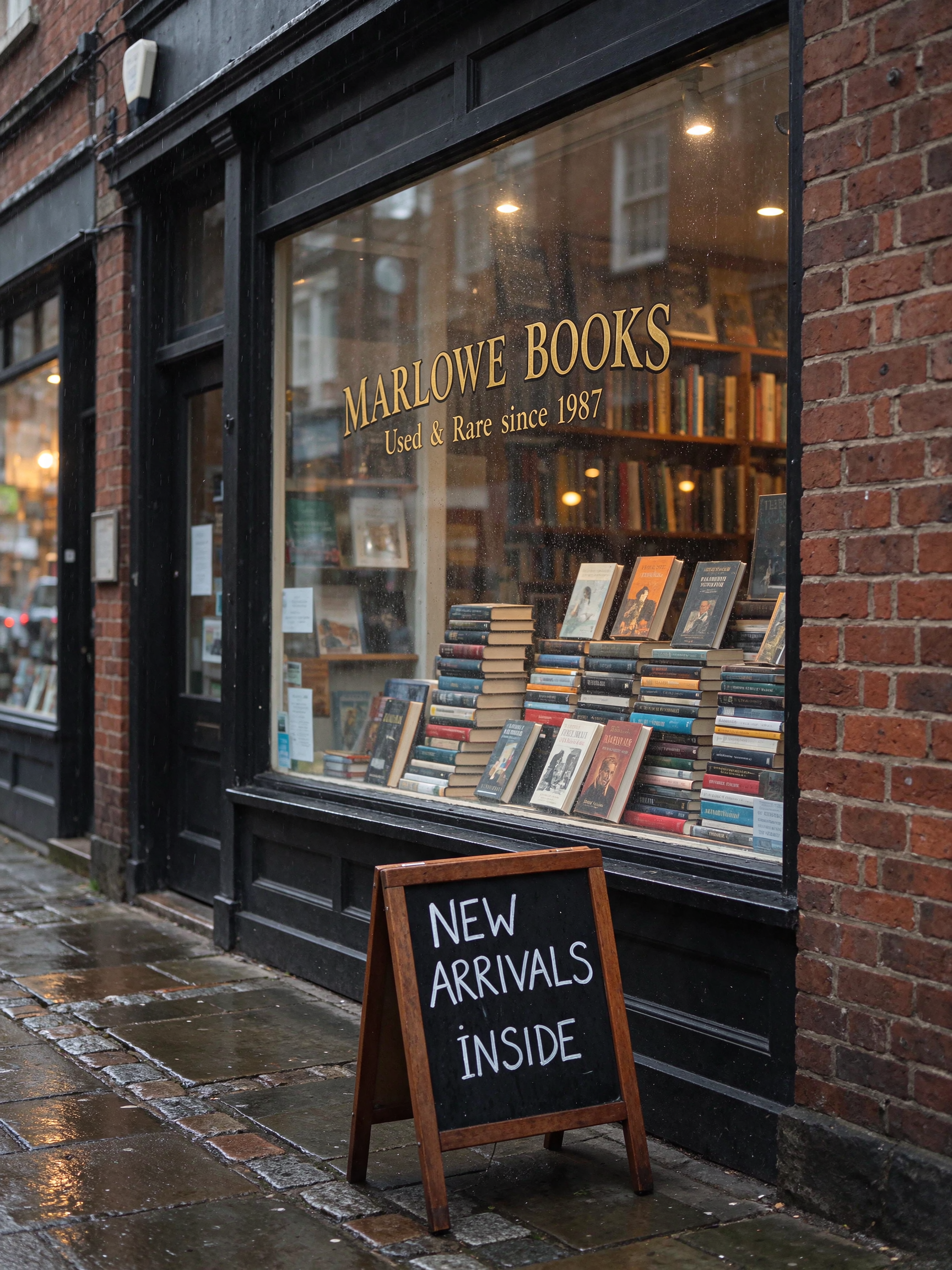
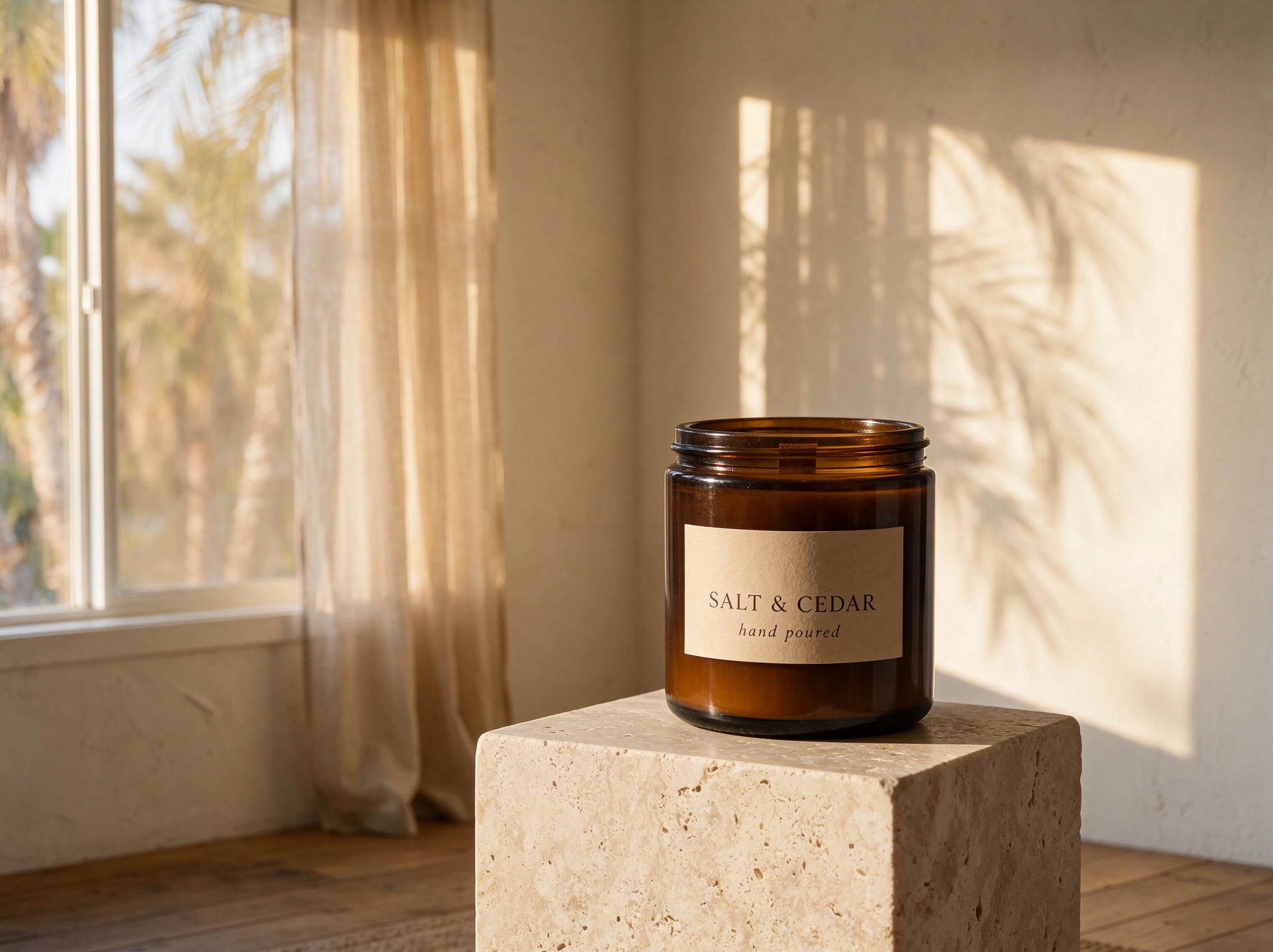
Three unedited renders made on Kubeez, each with the exact prompt that produced it: a 2K street scene with shop signage, an edit that combined three reference photos and added a printed label, and a 1.5K product shot with a handwritten card. Copy a prompt and change the subject to start your own.


Prompt
Prompt: Storefront of a small independent bookshop on a rainy autumn morning, photographed straight on with a 50mm lens. Gold leaf lettering on the shop window reads "MARLOWE BOOKS" in a classic serif, with "Used & Rare since 1987" in smaller script below it. Stacks of hardcover books fill the window display, and a hand-chalked sandwich board on the wet sidewalk reads "NEW ARRIVALS INSIDE". Warm interior light glows through the glass, raindrops bead on the window, wet cobblestones reflect the light, fine detail on the red brick, the gold leaf and the book spines. Natural color, documentary street photography.
- 3:4
- 2K
What the welcome credits cover
Seedream 5.5 charges a flat price per image, set by its size, plus a charge for each reference image. At today's prices the welcome grant covers more than one 1.5K image from a prompt, and even the most expensive single render, a 2K edit with all 10 references, fits inside it. The grant and the prices are live values, so the estimate on the model card is the number to trust.
- The price follows size and reference count, not prompt length
- 1.5K costs less than 2K, so trial images go further at 1.5K
- From a prompt, 5.5 costs less than Seedream 5.0 Pro at both sizes
- The welcome grant is a one-time grant for new accounts, not a monthly allowance
Seedream 5.5 at a glance
Modes
Text to image, and edits from up to 10 reference images
Resolution
1.5K (default) or 2K
Aspect ratios
1:1, 4:3, 3:4, 16:9, 9:16
Prompt length
Up to 2,995 characters
File format
PNG, no watermark
Typical render
20 to 40 seconds at 1.5K
Price
Flat per image by size, plus each reference image
Free trial
Welcome credits once you confirm your email
Prices and the estimate are shown live on the model card before you render.
Exact Seedream 5.5 output sizes
1.5K and 2K count pixels, not width, so a 16:9 frame at 1.5K is 2048 pixels wide. Pick the frame for where the image is going and you get exactly this size back.
1:1
- 1.5K
- 1536 x 1536
- 2K
- 2048 x 2048
- Good for
- Shop listings, feed posts, profile images
4:3
- 1.5K
- 1776 x 1328
- 2K
- 2304 x 1728
- Good for
- Product pages, slides, blog images
3:4
- 1.5K
- 1328 x 1776
- 2K
- 1728 x 2304
- Good for
- Posters, portrait feed posts, cards
16:9
- 1.5K
- 2048 x 1152
- 2K
- 2720 x 1536
- Good for
- Banners, video thumbnails, headers
9:16
- 1.5K
- 1152 x 2048
- 2K
- 1536 x 2720
- Good for
- Stories, reel covers, phone wallpapers
How it works
Sign up and confirm your email
The welcome credits arrive once your address is confirmed. Signing up is free, and no render runs without an account.
Generate at 1.5K first
Open Seedream 5.5 in Media Studio, pick a frame shape and keep the default 1.5K. Write the brief in up to 2,995 characters. A typical image takes 20 to 40 seconds.
Edit from your own photos
Attach up to 10 reference images to the same card and say what each one contributes. Each reference adds to the price, so attach only the ones the image needs.
A first session that spends the grant well
- Pick one real job: a product shot, a poster or a social tile you actually need
- Write the whole brief once, with any text in quotes and the frame shape chosen
- Render at 1.5K and check the composition, the light and the lettering
- If something is off, fix the prompt rather than the settings, and render once more
- Render the keeper at 2K, or edit it with a reference photo of your product
What Seedream 5.5 is good at
Seedream 5.5 is the newest Seedream image model on Kubeez. It is strong at photographic stills with natural light and at lettering inside the image: shop signs, labels, posters and handwritten notes come out legible. It generates from a prompt and edits from your own photos on the same card, up to 10 references at once, and it returns lossless PNG files at exact pixel sizes, so the output drops straight into a layout.
What to try first
- A poster or greeting card with a short line of text in the image
- A product shot from a prompt, 1:1 for a shop listing or 9:16 for a story
- An edit that places your product in a new setting from one or two photos
- A 16:9 banner at an exact pixel size
How to make the welcome credits go furthest
- Stay at 1.5K until the composition is right, then render the final at 2K
- Run text to image first: it costs less than an edit with references
- Attach only the references the image needs, since each one adds to the price
- Write the whole brief in one prompt instead of rendering several half ideas
Prompting tips for clean text in images
- Put every word that must appear in quotes, exactly as it should read
- Keep each line short: a name, a headline, a few words of tagline
- Say what the text is printed on and the lettering style, for example gold leaf serif or chalk
- In an edit, name each reference by number and say what must stay the same
Honest caveats
There is no free tier for Seedream 5.5 on Kubeez and no way to render it without an account. The welcome credits are a one-time grant for new accounts; once they are spent, every image uses credits you top up. Seedream 5.5 stops at 2K and has no 21:9, 3:2 or 2:3 frame. Long passages of text can still come out wrong, so proofread. The grant and the prices are live values, so trust the estimate on the model card over this page.
Available models and pricing
Kubeez is an independent platform. Third-party model names are trademarks of their respective owners. Availability and capabilities depend on your plan and current provider offerings. See documentation for live model lists.
FAQ
Free to try, not free without limit. A new account gets welcome credits after signing up and confirming its email, and those cover Seedream 5.5 images at 1.5K or 2K, edits included. After that, every render uses credits.
No. Every render on Kubeez runs on an account. Signing up is free, and the welcome credits arrive once your email is confirmed.
More than one at 1.5K from a prompt alone, fewer at 2K or with reference images attached. The exact number follows the live prices, so check the estimate on the model card before each render.
No. Images come back as PNG files with no watermark, trial credits included.
Five frame shapes, 1:1, 4:3, 3:4, 16:9 and 9:16, at 1.5K or 2K. The largest is 2720 x 1536 for 16:9 at 2K. The size table on this page lists every exact size.
Yes. Attach up to 10 reference images to the Seedream 5.5 card and describe the change. It is the same model as text to image, with a charge added for each reference.
Yes, lettering is one of its strengths. The samples on this page include shop window lettering, a printed jar label and a handwritten card, all spelled correctly. Proofread the text before you publish anything.
Typically 20 to 40 seconds at 1.5K. The queue can make any single render take longer.
From a prompt, yes, at both sizes. For an edit with several reference images, 5.0 Pro can cost less. The Seedream 5.5 vs 5.0 Pro page has the exact crossover.
Related product pages
Related topics
Seedream 5.5 vs Seedream 5.0 Pro: same sizes, different price math
Seedream 5.5 vs Seedream 5.0 Pro with real outputs from both. Same 1.5K and 2K sizes, PNG vs JPEG, one model id vs two, and a table of which costs less at every reference count.
Open Seedream 5.5Nano Banana 2 for production stills
Generate sharp marketing stills with Nano Banana 2 through Kubeez—fast iterations, strong prompt adherence, and a smooth path to video.
Image generationNano Banana Pro for maximum image fidelity
Step up to Nano Banana Pro on Kubeez when briefs demand higher fidelity, finer detail, or large-format exports.
Open imagesCleaner exports for professional workflows
Understand how Kubeez approaches clean exports for commercial workflows—always confirm current plan terms before you publish.
PricingCommercial AI media with governance
Plan commercial deployment responsibly—pair Kubeez outputs with your legal, brand, and platform policies.
Terms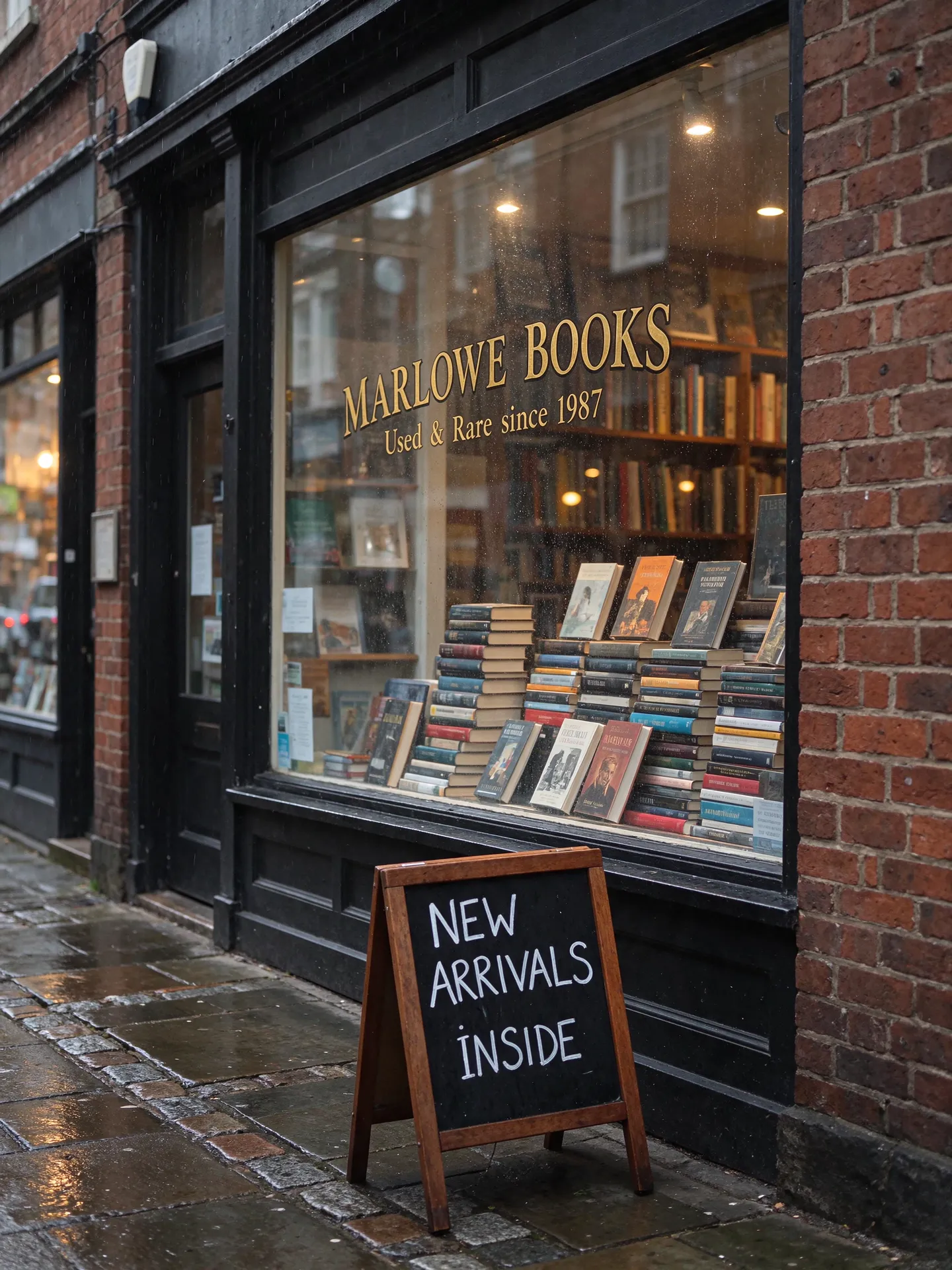
Run it on Kubeez
Open the workspace and run it yourself. Kubeez shows the credit cost of a job before you spend anything.