
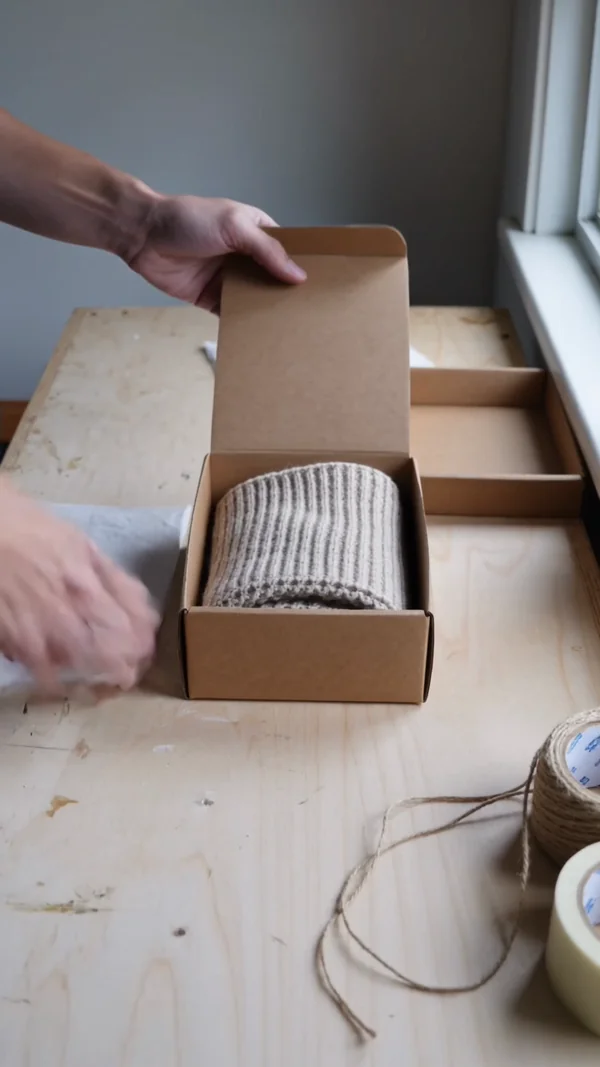

A short reveal clip with sound for the countdown week, before the first unit leaves the warehouse.
AI content for in-house marketing teams
Launch visuals, weekly posts and ad tests from one account for the whole team.
Product launches
A launch date does not move because the shoot ran late. Build the teaser, the key visual and the announcement from the brief while the product is still under wraps, and adjust them the week the details change.
Weekly social calendar
The calendar always wants another post, and few in-house teams have a videographer on staff. Fill the slots with clips, carousel covers and work scenes in your brand's look, and stay a week ahead.
A vertical clip of the work behind the product, like packing an order, with sound for reels and stories.

The first slide of a tips carousel, with the headline at the top where the feed shows it.

A candid workplace photo for a blog header, a newsletter or a post about how your products get made.
Product catalog
Every new colour and every seasonal range needs its own photos. Make the clean catalog frame, the in-use scene and a short turntable clip for each product, lit the same way so the grid stays consistent.
A product on a seamless backdrop with soft, even light, ready for the store grid and marketplace listings.

The same kind of product in a real setting, for the product page gallery and launch emails.
A slow full rotation that shows materials and details, for the product page and the feed.
Ad testing
Paid social favours the team that tries more angles. Make a headline variant, a new setting and a picture only version of the same product in one sitting, then let the results decide where the budget goes.
One benefit, one headline, set at the top of the frame so it still reads at thumbnail size.

The same product moved to another setting and audience, so you learn which context sells it.

No headline at all, to check whether the image stops the scroll on its own.
Why in-house teams run it on Kubeez
One workspace for the whole team
On team plans everyone generates from one shared credit pool, and every output lands in a shared library marked with who made it. The owner sets each member's monthly limit and which types they can use, such as image, video, music or speech.
Your brand assets steer each frame
Attach as many as 16 reference images to one GPT Image 2.5 render, so approved packshots, a palette card and last season's campaign shape the new frame. Attaching an image switches the model to editing, so one approved photo becomes a set of variants.

The same product in every clip
Kling 3.0 saves up to three @elements, each built from 2 to 4 images, and calls one by name, so the product looks the same from teaser to reel. Write up to five shots into a single clip of 3 to 15 seconds.
How it works
- 1

Add your photos
Optional. Upload a room, a dish or a car so the result matches your real place.
- 2
Write the prompt
Describe the shot the way you would to a photographer, or start from an example on this page.
- 3

Generate and post
Download the image or video and post it wherever your guests and customers look.
Pick a plan
One credit balance covers images, video and audio. Pick the size that fits how much you make.
Most popular
Studio Pro
Studio value with extra headroom.
49 €month
6,400credits / month
Team seats

2 seats included
What you'll generate
- Images~1,600
- Songs~492
- Videos~640
- Separations~1,066
- Caption Minutes~213
- All modelsIncluded
Starter
Low tier generations for regular use.
10 €month
1,100credits / month
What you'll generate
- Images~275
- Songs~84
- Videos~110
- Separations~183
- Caption Minutes~36
- All modelsIncluded
Pro
Access full experience.
20 €month
2,600credits / month
What you'll generate
- Images~650
- Songs~200
- Videos~260
- Separations~433
- Caption Minutes~86
- All modelsIncluded
Powerhouse
Most cost efficient.
99 €month
13,000credits / month
13,000 credits/mo
Team seats
3 seats
Extra seats €19/seat/mo
What you'll generate
- Images~3,250
- Songs~1,000
- Videos~1,300
- Separations~2,166
- Caption Minutes~433
- All modelsIncluded
Enterprise
For teams that outgrow standard plans.
Custom
Pricing tailored to your team
What's included
- Custom number of seats
- Custom credit volume
- Invoice billing
- Priority support
Starter
Low tier generations for regular use.
10 €month
1,100credits / month
What you'll generate
- Images~275
- Songs~84
- Videos~110
- Separations~183
- Caption Minutes~36
- All modelsIncluded
Pro
Access full experience.
20 €month
2,600credits / month
What you'll generate
- Images~650
- Songs~200
- Videos~260
- Separations~433
- Caption Minutes~86
- All modelsIncluded
Most popular
Studio Pro
Studio value with extra headroom.
49 €month
6,400credits / month
Team seats
2 seats included
What you'll generate
- Images~1,600
- Songs~492
- Videos~640
- Separations~1,066
- Caption Minutes~213
- All modelsIncluded
Powerhouse
Most cost efficient.
99 €month
13,000credits / month
13,000 credits/mo
Team seats
3 seats
Extra seats €19/seat/mo
What you'll generate
- Images~3,250
- Songs~1,000
- Videos~1,300
- Separations~2,166
- Caption Minutes~433
- All modelsIncluded
Enterprise
For teams that outgrow standard plans.
Custom
Pricing tailored to your team
What's included
- Custom number of seats
- Custom credit volume
- Invoice billing
- Priority support
Or pay-as-you-go
Test any model with one-time credit packs
Credits never expire and don't require a subscription — buy a pack, generate, see if Kubeez fits.
Quick refill
Quick refill for short bursts of generation.
Credits
500
You pay
€6
Standard pack
Mid-size pack at the standard per-credit rate.
Credits
1,500
You pay
€18
−5%
Volume pack
Larger pack with a volume discount built in.
Credits
5,000
You pay
€60€57
−10%
Production pack
Best per-credit price for sustained production.
Credits
15,000
You pay
€180€162
Questions
Yes, on plans with team seats. The owner invites teammates from the Team page, everyone draws on one shared credit pool, and each member can get a monthly limit.
Attach approved photos, your palette and past campaigns as references, up to 16 per image on GPT Image 2.5. For video, save the product as a Kling 3.0 @element and call it by name.
Yes. Team generations collect in one shared feed, each marked with the member who created it, and you can filter the feed by member.
The owner picks which generation types each member can use, such as image, video, music or speech, and sets a monthly credit limit per member.
Put the exact words in quotes in your prompt and GPT Image 2.5 prints them as written. Keep headlines short and proofread once before the ad goes live.
Start from one of these workflows
Open one in the studio and swap in your own place, products and offer.