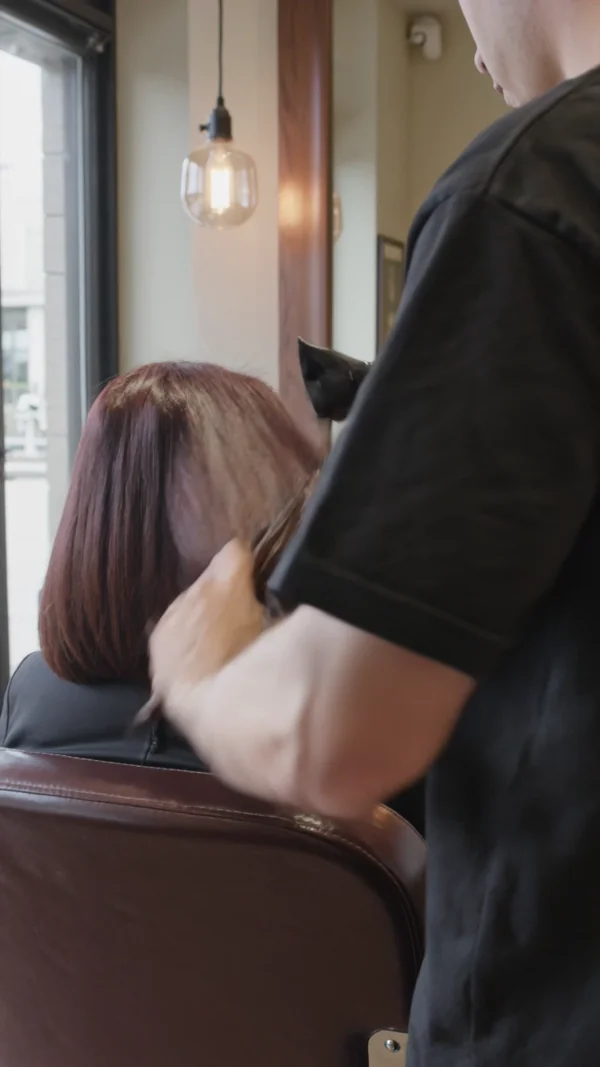
A vertical clip of a round brush and dryer finishing a style, with the sound of the room.
Salon reels and photos without a shoot
Reels, team portraits and shade launches for hair, nail and beauty salons.
Hair and colour
Clients pick a salon by the work they see and the person holding the scissors. Show a finish in motion, the colour bar where it is mixed and each stylist on your team page.
Nails and treatments
Nail and treatment bookings follow the season. A close polish clip, a flat lay of new shades and a calm room photo keep the menu and the feed current.
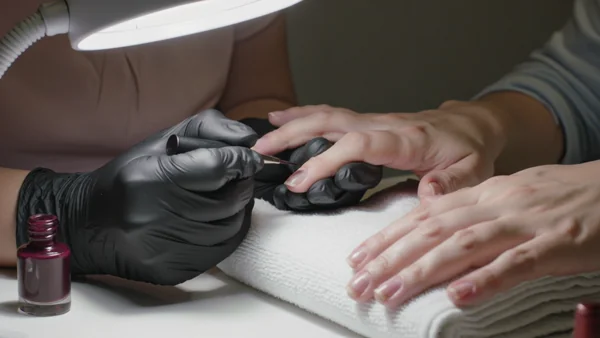
A slow macro clip of polish going on one nail, for reels and the screen at reception.
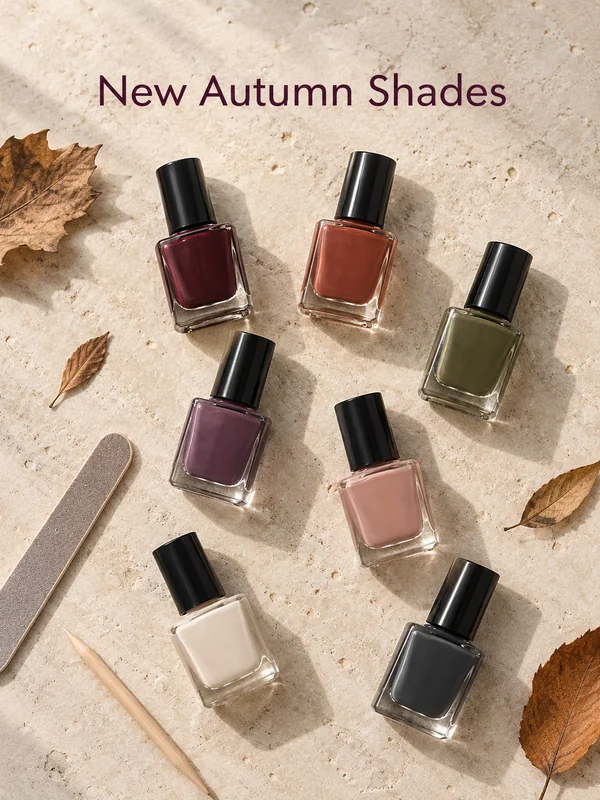
Unbranded bottles laid out on stone with a short headline announcing this season's colours.
The room made up and softly lit, so a first time client knows what to expect.
Why salons use it
A reel and a square from one prompt
Kling 3.0 renders 9:16, 16:9 or 1:1 at any length from 3 to 15 seconds. Run the blowout prompt once vertical for stories and once square for the grid, with the length set to your track.
A 4K tier for the window screen
Kling 3.0 comes in Standard, Pro and 4K tiers. Render the nail close up at 4K when it loops on a large screen in the window or at reception; at 4K the clip always has sound.
Start from a photo of your own room
Attach a phone photo of your treatment room and GPT Image 2.5 switches to editing it, no toggle to find. Ask for softer lamp light or a freshly made bed and keep your real furniture.

How it works
- 1
Add your photos
Optional. Upload a room, a dish or a car so the result matches your real place.
- 2
Write the prompt
Describe the shot the way you would to a photographer, or start from an example on this page.
- 3

Generate and post
Download the image or video and post it wherever your guests and customers look.
Pick a plan
One credit balance covers images, video and audio. Pick the size that fits how much you make.
Most popular
Studio Pro
Studio value with extra headroom.
€49month
6,400credits / month
Team seats

2 seats included
What you'll generate
- Images~1,600
- Songs~492
- Videos~640
- Separations~1,066
- Caption Minutes~213
- All modelsIncluded
Starter
Low tier generations for regular use.
€10month
1,100credits / month
What you'll generate
- Images~275
- Songs~84
- Videos~110
- Separations~183
- Caption Minutes~36
- All modelsIncluded
Pro
Access full experience.
€20month
2,600credits / month
What you'll generate
- Images~650
- Songs~200
- Videos~260
- Separations~433
- Caption Minutes~86
- All modelsIncluded
Powerhouse
Most cost efficient.
€99month
13,000credits / month
13,000 credits/mo
Team seats
3 seats
Extra seats €19/seat/mo
What you'll generate
- Images~3,250
- Songs~1,000
- Videos~1,300
- Separations~2,166
- Caption Minutes~433
- All modelsIncluded
Enterprise
For teams that outgrow standard plans.
Custom
Pricing tailored to your team
What's included
- Custom number of seats
- Custom credit volume
- Invoice billing
- Priority support
Starter
Low tier generations for regular use.
€10month
1,100credits / month
What you'll generate
- Images~275
- Songs~84
- Videos~110
- Separations~183
- Caption Minutes~36
- All modelsIncluded
Pro
Access full experience.
€20month
2,600credits / month
What you'll generate
- Images~650
- Songs~200
- Videos~260
- Separations~433
- Caption Minutes~86
- All modelsIncluded
Most popular
Studio Pro
Studio value with extra headroom.
€49month
6,400credits / month
Team seats
2 seats included
What you'll generate
- Images~1,600
- Songs~492
- Videos~640
- Separations~1,066
- Caption Minutes~213
- All modelsIncluded
Powerhouse
Most cost efficient.
€99month
13,000credits / month
13,000 credits/mo
Team seats
3 seats
Extra seats €19/seat/mo
What you'll generate
- Images~3,250
- Songs~1,000
- Videos~1,300
- Separations~2,166
- Caption Minutes~433
- All modelsIncluded
Enterprise
For teams that outgrow standard plans.
Custom
Pricing tailored to your team
What's included
- Custom number of seats
- Custom credit volume
- Invoice billing
- Priority support
Or pay-as-you-go
Test any model with one-time credit packs
Credits never expire and don't require a subscription — buy a pack, generate, see if Kubeez fits.
Quick refill
Quick refill for short bursts of generation.
Credits
500
You pay
€6
Standard pack
Mid-size pack at the standard per-credit rate.
Credits
1,500
You pay
€18
−5%
Volume pack
Larger pack with a volume discount built in.
Credits
5,000
You pay
€60€57
−10%
Production pack
Best per-credit price for sustained production.
Credits
15,000
You pay
€180€162
Questions
Yes. Describe an invented person and the shade, the length and the light. The examples here use invented people only.
No. A generated image shows an invented look, not work your salon did. Use it for announcements, menus and mood, and use real photos, with consent, to show real work.
Attach a photo of your bottles as a reference and name each colour in the prompt. Compare the result with the real bottle before you post.
Reuse one prompt for light, background and framing, and change only the description of each invented person or each real photo you attach.
You can write a short name in quotes and check the spelling. For your actual logo, place the real logo file over the finished image.
Start from one of these workflows
Open one in the studio and swap in your own place, products and offer.