

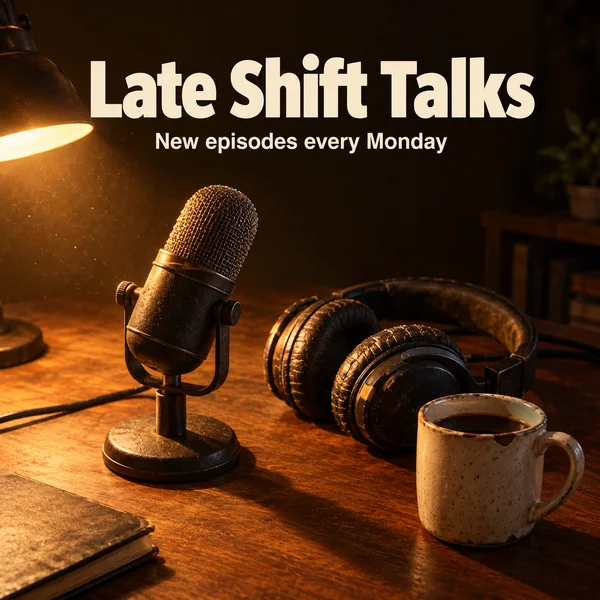
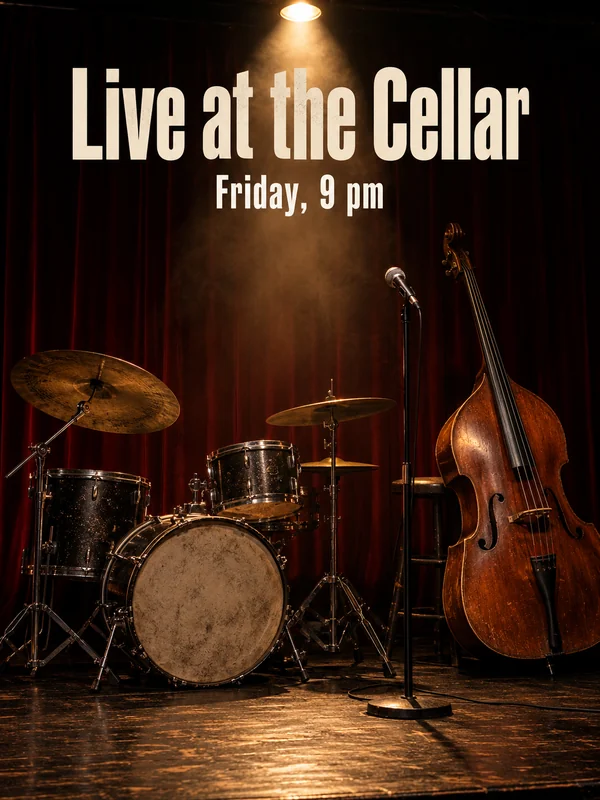
Square artwork with the show title set at the top, styled for one show and repeatable every season.
AI images and videos for creators and educators
Cover art, thumbnails, trailers and posters for creators, coaches and schools.
Musicians and podcasters
Every release and every episode needs its own artwork, and the rehearsal room rarely looks the way the record sounds. Make the cover, the teaser and the poster for the night itself, in a style you can repeat for the next one.
Influencers and photographers
A feed runs on a steady supply of covers, filler footage and announcements. Fill the gaps between shoots with thumbnails, b-roll and session promos that match the way you already shoot.
A wide thumbnail with a short headline and a host who looks like a person, not a render.
Vertical footage of hands, tables and morning light, with its own sound, to cut between talking clips.

A seasonal promo for portrait or wedding sessions, with the offer name written over the photo.
Coaches and course creators
People enroll when they can see the lesson before they pay for it. Give each course a cover, a trailer shot of the skill itself and an invite for every live session, without filming a new intro each time.

Schools
Schools need clear material more than flashy material. Make posters for open days, diagrams for the classroom and a walk through your labs for the website. Keep pupils out of generated images and use your own consented photos when faces matter.
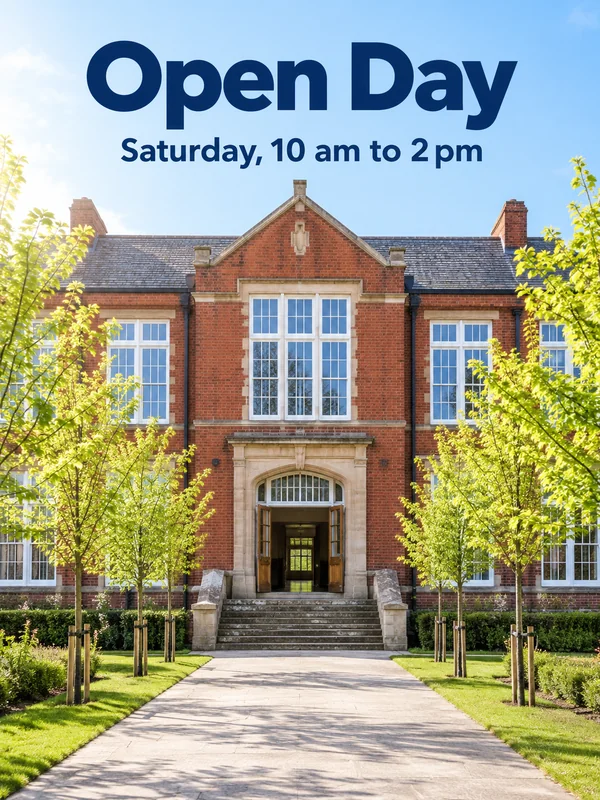
A poster of the building on a bright morning, with the event and the hours across the sky.
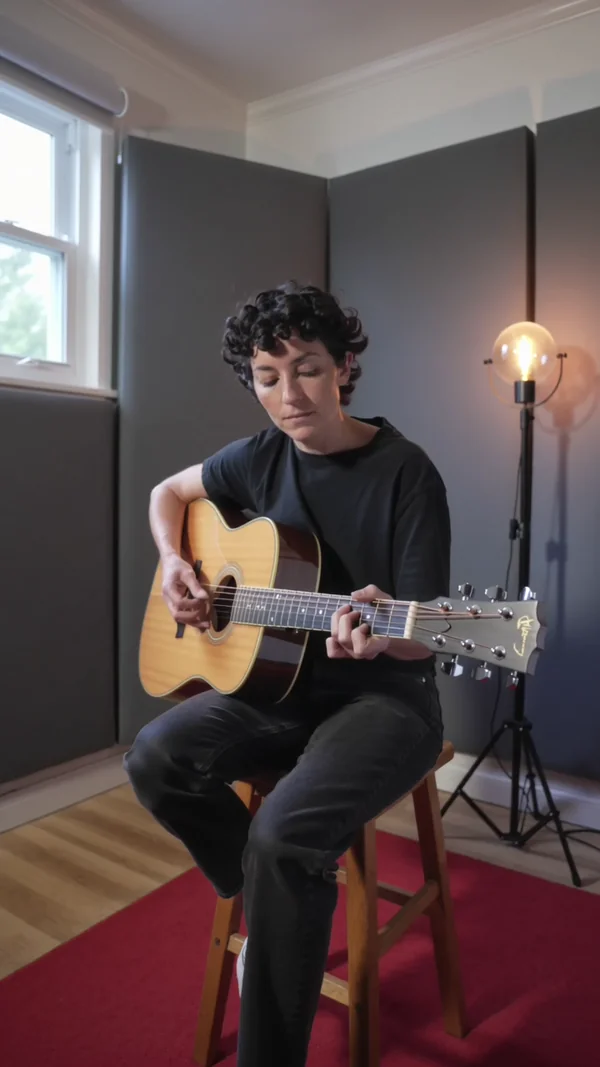
A slow walk through an empty lab or library for the school website, with room sound.
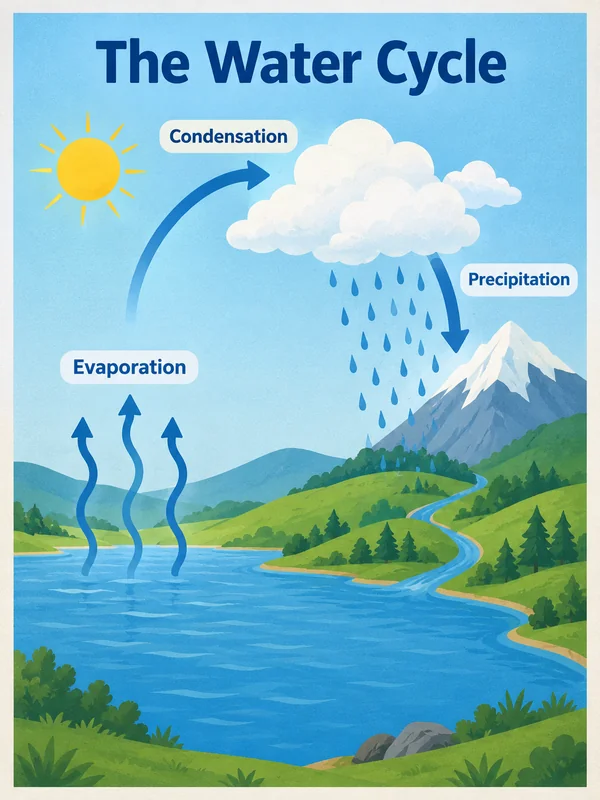
A labelled teaching poster, such as a science cycle diagram, ready to print for the wall.
Why it works for creators and teachers
Titles printed the way you typed them
Put each word you want on the artwork inside quotes, exactly as it should read, and GPT Image 2.5 prints it literally. Square covers, tall posters and wide thumbnails all render at 1K, 2K or 4K. Proofread the title before release.
The same teacher in every lesson
Kling 3.0 holds a recurring subject steady with @elements: save up to three, each built from 2 to 4 images, and call one by name in the prompt. A presenter or a mascot stays consistent from the first lesson to the last.
Cutouts for worksheets and slides
Ask GPT Image 2.5 for a transparent background and it returns a real alpha channel, so icons, diagram parts and stickers drop onto worksheets and slides without a white box. Check the downloaded file, since gallery thumbnails are drawn on white.
How it works
- 1
Add your photos
Optional. Upload a room, a dish or a car so the result matches your real place.
- 2
Write the prompt
Describe the shot the way you would to a photographer, or start from an example on this page.
- 3
Generate and post
Download the image or video and post it wherever your guests and customers look.
Pick a plan
One credit balance covers images, video and audio. Pick the size that fits how much you make.
Most popular
Studio Pro
Studio value with extra headroom.
49 EURmonth
6,400credits / month
Team seats

2 seats included
What you'll generate
- Images~1,600
- Songs~492
- Videos~640
- Separations~1,066
- Caption Minutes~213
- All modelsIncluded
Starter
Low tier generations for regular use.
10 EURmonth
1,100credits / month
What you'll generate
- Images~275
- Songs~84
- Videos~110
- Separations~183
- Caption Minutes~36
- All modelsIncluded
Pro
Access full experience.
20 EURmonth
2,600credits / month
What you'll generate
- Images~650
- Songs~200
- Videos~260
- Separations~433
- Caption Minutes~86
- All modelsIncluded
Powerhouse
Most cost efficient.
99 EURmonth
13,000credits / month
13,000 credits/mo
Team seats
3 seats
Extra seats €19/seat/mo
What you'll generate
- Images~3,250
- Songs~1,000
- Videos~1,300
- Separations~2,166
- Caption Minutes~433
- All modelsIncluded
Enterprise
For teams that outgrow standard plans.
Custom
Pricing tailored to your team
What's included
- Custom number of seats
- Custom credit volume
- Invoice billing
- Priority support
Starter
Low tier generations for regular use.
10 EURmonth
1,100credits / month
What you'll generate
- Images~275
- Songs~84
- Videos~110
- Separations~183
- Caption Minutes~36
- All modelsIncluded
Pro
Access full experience.
20 EURmonth
2,600credits / month
What you'll generate
- Images~650
- Songs~200
- Videos~260
- Separations~433
- Caption Minutes~86
- All modelsIncluded
Most popular
Studio Pro
Studio value with extra headroom.
49 EURmonth
6,400credits / month
Team seats
2 seats included
What you'll generate
- Images~1,600
- Songs~492
- Videos~640
- Separations~1,066
- Caption Minutes~213
- All modelsIncluded
Powerhouse
Most cost efficient.
99 EURmonth
13,000credits / month
13,000 credits/mo
Team seats
3 seats
Extra seats €19/seat/mo
What you'll generate
- Images~3,250
- Songs~1,000
- Videos~1,300
- Separations~2,166
- Caption Minutes~433
- All modelsIncluded
Enterprise
For teams that outgrow standard plans.
Custom
Pricing tailored to your team
What's included
- Custom number of seats
- Custom credit volume
- Invoice billing
- Priority support
Or pay-as-you-go
Test any model with one-time credit packs
Credits never expire and don't require a subscription — buy a pack, generate, see if Kubeez fits.
Quick refill
Quick refill for short bursts of generation.
Credits
500
You pay
€6
Standard pack
Mid-size pack at the standard per-credit rate.
Credits
1,500
You pay
€18
−5%
Volume pack
Larger pack with a volume discount built in.
Credits
5,000
You pay
€60€57
−10%
Production pack
Best per-credit price for sustained production.
Credits
15,000
You pay
€180€162
Questions
Yes. Describe the mood, put the title in quotes and generate a square cover. Attach your own photos or artwork as references to steer the look toward your style.
Yes. Kling 3.0 renders with sound or silent. Generate the teaser silent, then lay your own track over it in your editor before you post.
On Kling 3.0, save the presenter as an @element from 2 to 4 images and call it by name in each lesson's prompt so the subject stays consistent.
Posters, diagrams, worksheet art, open day material and shots of empty rooms. Keep pupils out of generated images and use your own consented photos when you need real faces.
Yes. Press Try this on any example and the studio opens with its prompt filled in. Swap the title, the subject or the style, check the estimate and generate.
Start from one of these workflows
Open one in the studio and swap in your own place, products and offer.