Marketing
11 Product Listing Image Ideas for Your Store Gallery
Product listing image ideas for every slot in your gallery: main image, infographic, size guide, what's in the box, comparison and detail, from one photo.
· Dex
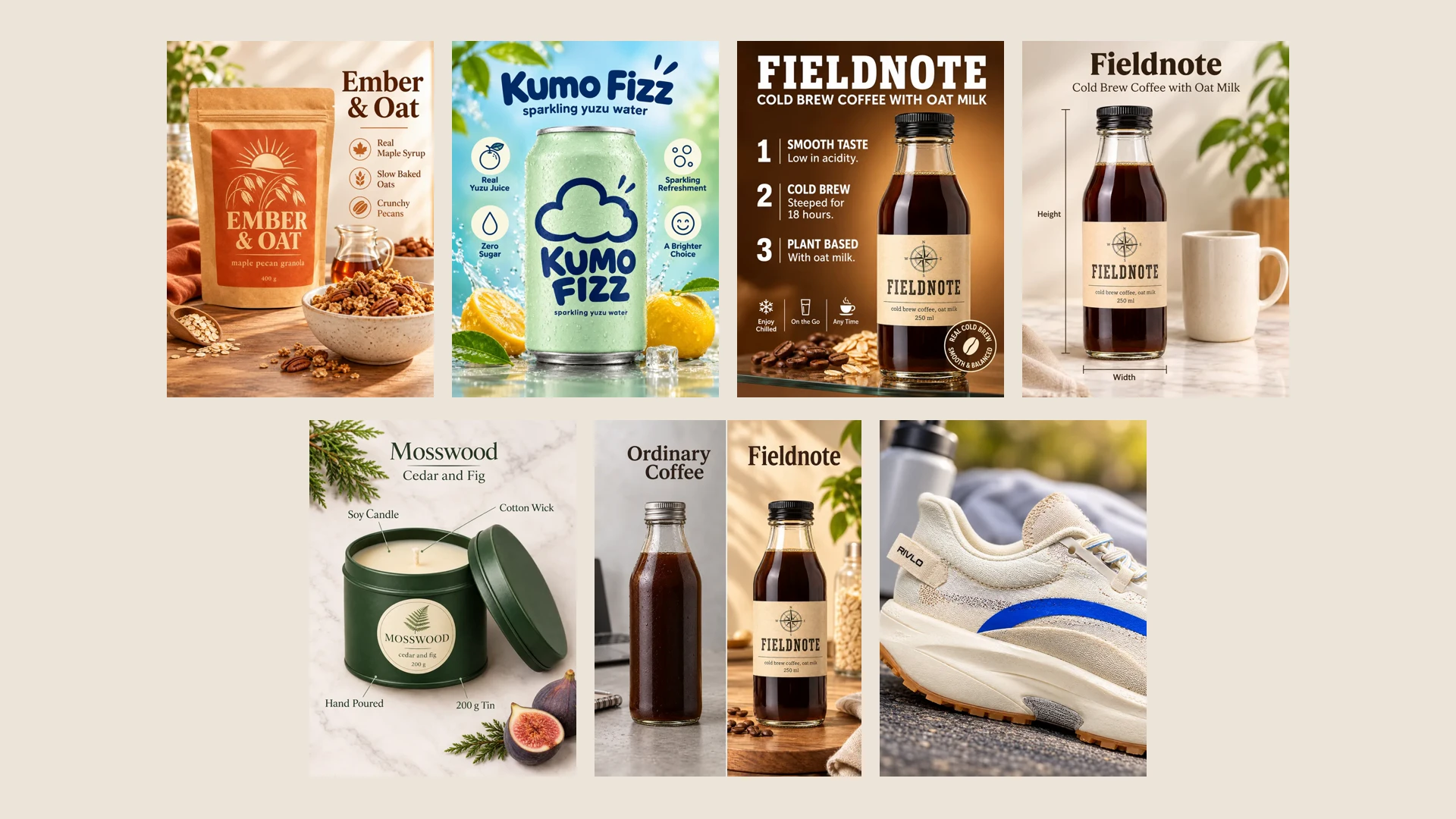
Good product listing image ideas all answer one thing: the question a shopper has before they buy. Does it fit? What comes with it? Why this one and not the cheaper one? A listing gallery that answers those questions in pictures does the selling while the shopper scrolls.
Below are 11 listing image types, each shown as a real result. Every image was made by a Kubeez Marketing Studio template from one photo of a sample product. Fieldnote, Kumo Fizz, Rivlo, Mosswood and Ember & Oat are fictional brands made up for the template previews. Under each image there is a link that opens the studio with that template picked, so you can make the same type with your own product.
Before you upload anything: every marketplace has its own rules for listing images, such as the background of the main image or text on it. Marketing Studio does not check them, so read the image requirements of the marketplace you sell on first.
1. The clean main image
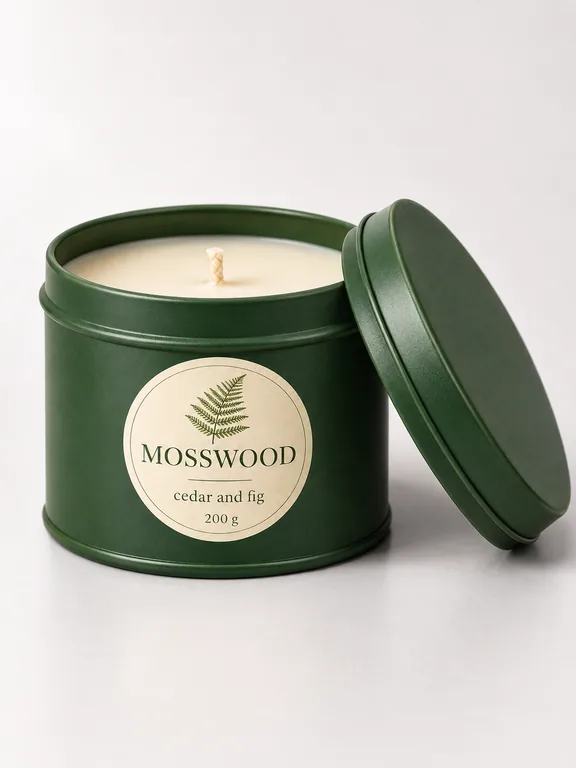
The main image is the one shoppers see in search results, so it has one job: show the product clearly, on its own. Studio white puts the product on plain white with no copy. For a warmer set with a short benefit list beside the product, try the Clean studio marketplace template.
What it answers: what exactly am I buying?
2. The infographic
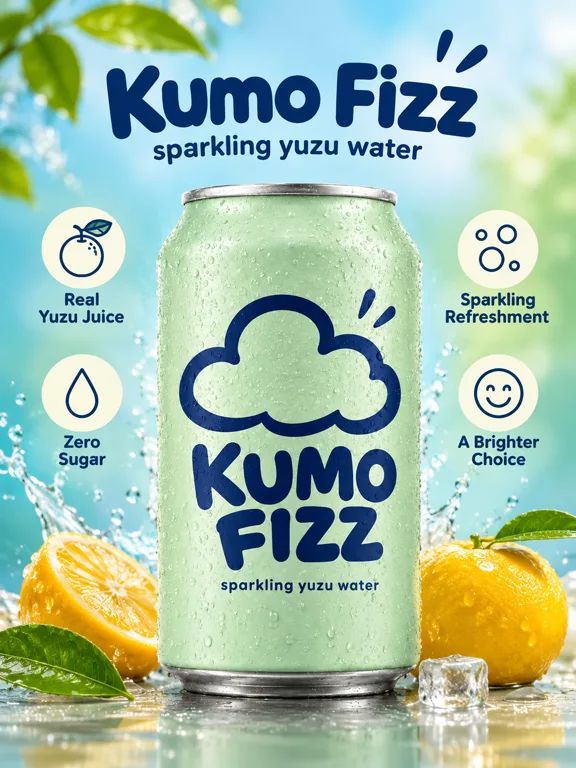
A product infographic puts the key facts around the product, each with an icon. It is the image most listings need second, because a shopper who skips the description still reads four short labels. Infographic builds them from your product description.
What it answers: what is special about it, in five seconds?
3. Numbered benefits
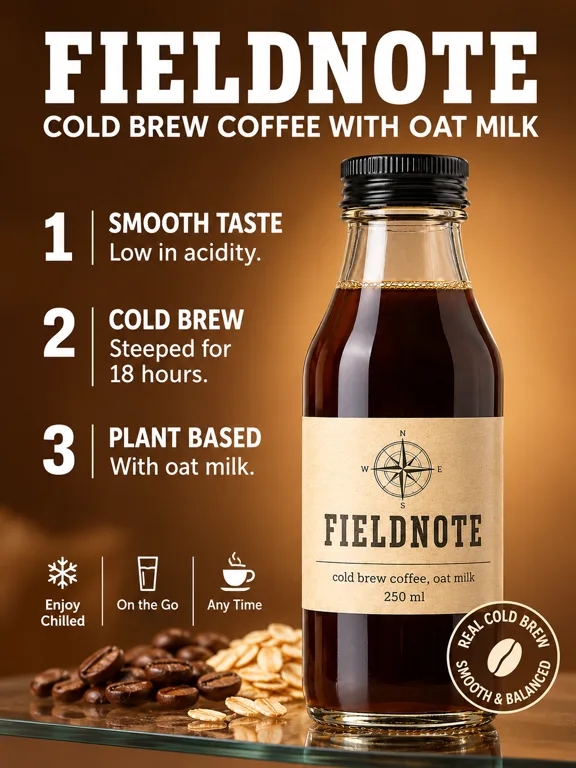
Numbers make benefits feel ordered and easy to scan. Numbered Shelf stacks three benefits next to the product. Pick the three things your buyers ask about most, and write them into the description, because the image can only state what the description says.
What it answers: what are the main reasons to choose it?
4. Benefit callouts on the product
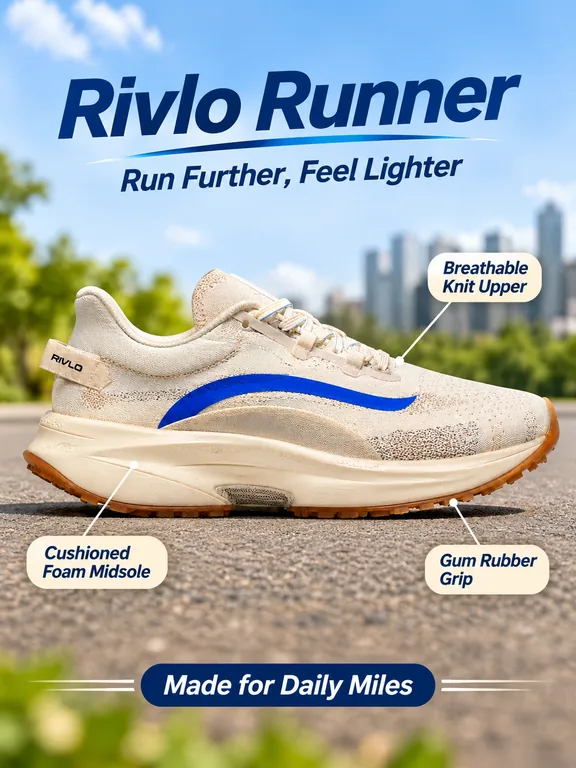
Callouts that point at a part of the product show where a feature lives, not just that it exists. They suit shoes, bags, gadgets and anything with parts. Benefit callouts draws the pointers for you.
What it answers: which part does what?
5. The size guide
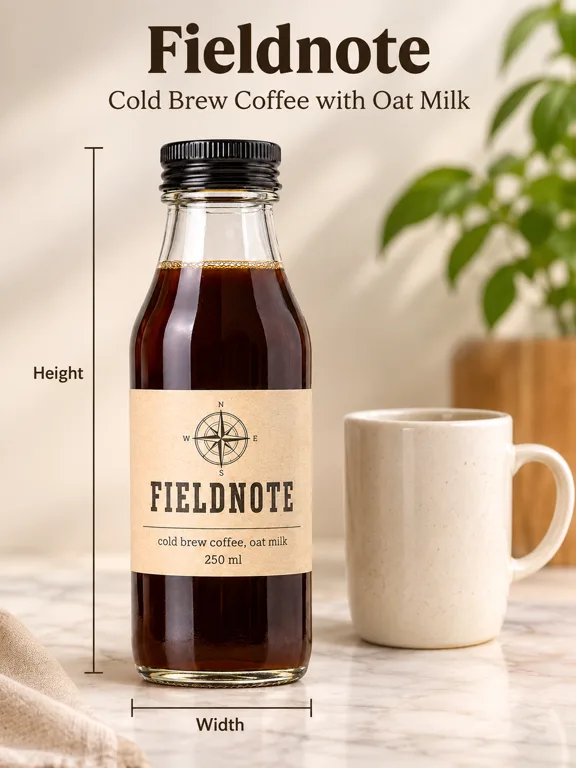
A photo on its own rarely shows how big a product is. A size guide shows the product's height and width, and placing it next to an everyday object like a mug gives instant scale. Size guide lays out the measurement lines. Put the exact dimensions in your description and check the numbers on the result before you publish.
What it answers: how big is it really?
6. What's in the box
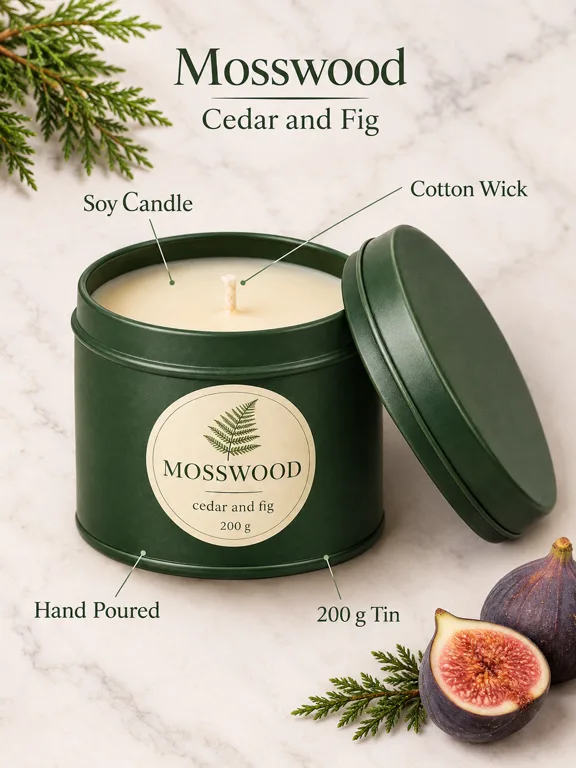
Shoppers want to know what arrives at their door. In the box labels what the buyer gets. For kits and bundles, list every item in the description so the image can show all of them.
What it answers: what do I get?
7. Lifestyle with features
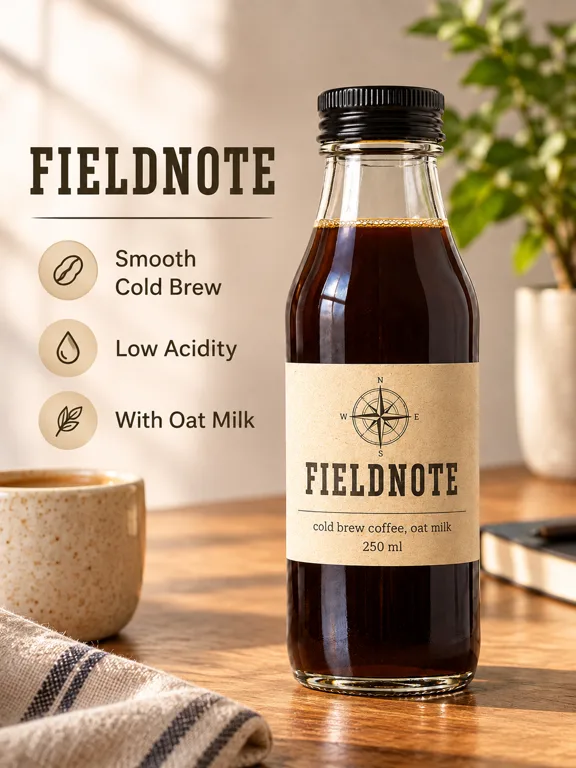
A lifestyle image shows the product where it is used. Adding a short feature list turns it from mood into information. Lifestyle and features does both in one frame, which is useful when a gallery has limited slots.
What it answers: how does it fit into my day?
8. The comparison
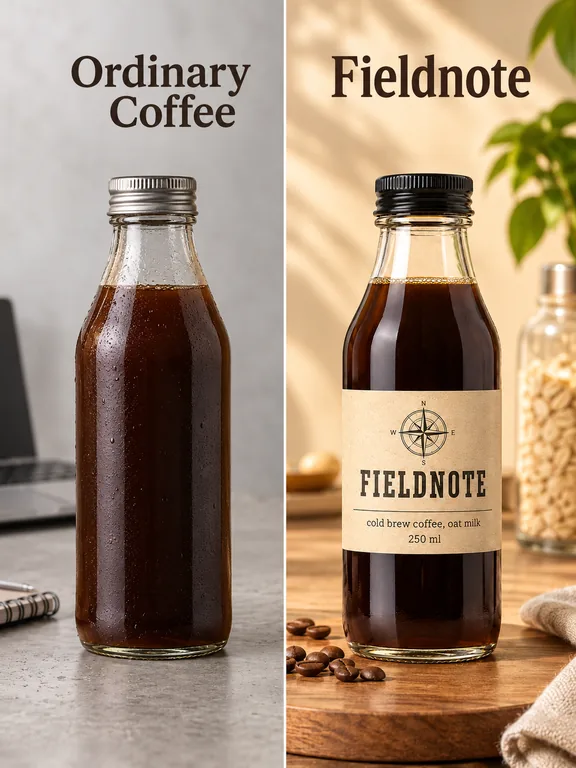
A comparison image sets your product next to the generic alternative. Comparison keeps the other side unbranded, so you compare against a type of product, not a named competitor. Keep the difference honest: show only what your description says.
What it answers: why this one instead of the usual?
9. The detail shot
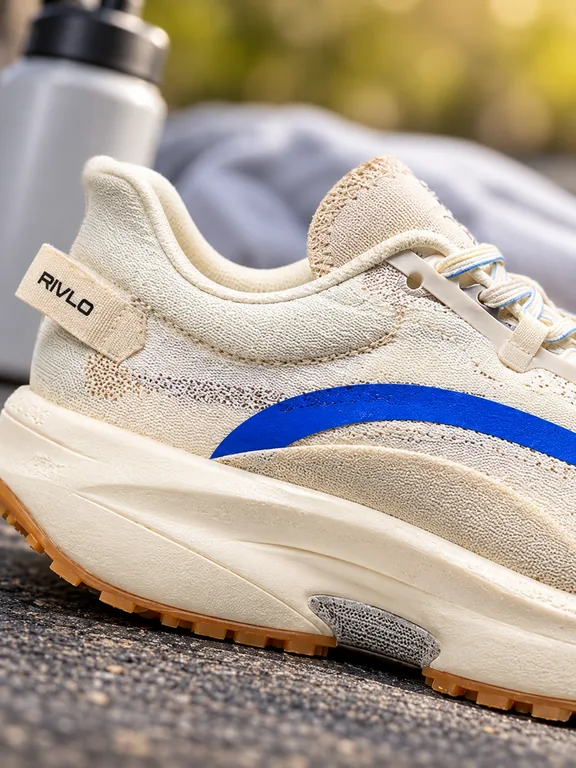
Online, the shopper cannot touch the product, so show the texture, the stitching or the finish up close. Macro is a product shot that fills the frame with one detail. More looks like it sit on the product shot shelf.
What it answers: is it well made?
10. The spec sheet
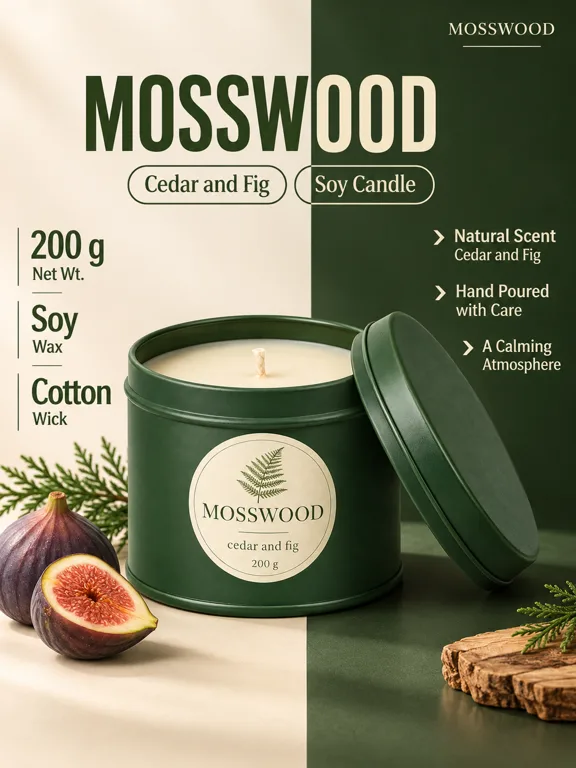
Some buyers want the facts in one place: weight, material, volume. Seam Specs sets the specs in a clean column next to the product. Write every spec into the description first, so nothing on the image is guessed.
What it answers: what are the exact facts?
11. Ingredients or materials
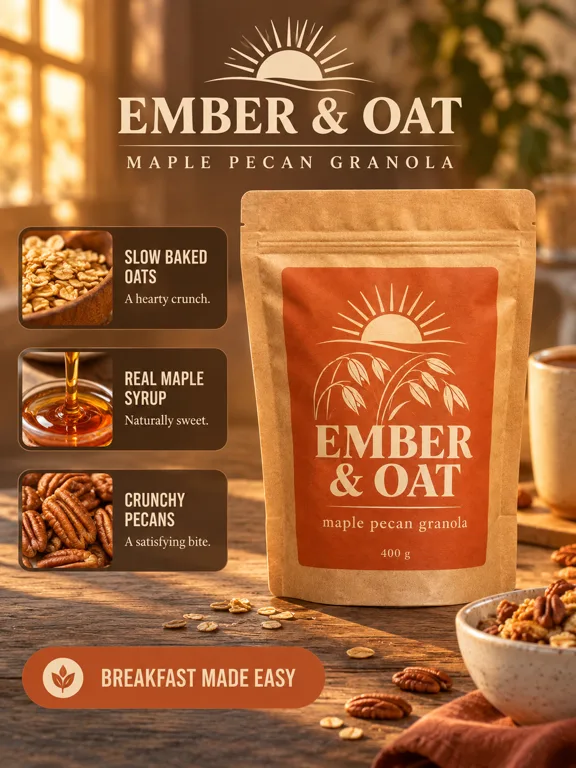
For food, beauty and anything where what is inside matters, give each key ingredient or material its own small picture. Detail Dock pairs each one with a short line.
What it answers: what is it made of?
A gallery order that works
You do not need all 11. A practical order for most listings:
- Clean main image
- Infographic or numbered benefits
- Lifestyle with features
- Size guide
- What's in the box
- Detail shot
- Comparison or spec sheet
Lead with clarity, then answer questions in the order shoppers ask them. Swap in the ingredients image for food and beauty products. Many marketplaces show square or tall thumbnails, so check which ratio your store crops to and pick it in the studio: 1:1, 3:4, 9:16, 4:3 or 16:9, at 1K, 2K or 4K.
Make the whole gallery from one photo
All of these come from the same inputs: one saved product photo, a description with your real facts, and an optional brand kit for logo, colors, fonts and language. Pick a template from the marketplace shelf, make 1 to 4 versions, and keep the best. The step by step lesson How to use Kubeez for marketing shows every setting.
Listing images are one part of a bigger set. The pillar guide on turning one product photo into a full marketing asset pack shows the same photo as ads, posters and videos too, and the product photography ideas and product ad ideas guides go deeper on those shelves.
FAQ
What images should a product listing have?
At least a clean main image of the product alone, an image that explains the key benefits, a lifestyle image, and an image that shows size. Add what's in the box, a detail shot or a comparison when buyers ask about those.
How many images should a listing have?
As many as it takes to answer the common questions, within the limit your marketplace sets. Six or seven distinct types cover most products. Check your marketplace's limit before you plan the gallery.
What is a product infographic?
An image that puts short facts around the product, usually with icons: what it does, what it is made of, how big it is. It lets a shopper get the key points without reading the description.
Can I make listing images from one product photo?
Yes. In Marketing Studio every template runs from one saved photo of your product, so the main image, infographic, size guide and the rest all come from the same photo. Text on the images comes from your product description and brand kit.
Does Marketing Studio check marketplace image rules?
No. It does not check size, background or text rules for any marketplace. Read the image requirements of your store before you upload, and check the text on every result.
How much does it cost?
Marketing Studio is credit based, and the Generate button shows the cost of a run before you press it. See pricing for current plans.
Start your gallery
Open Kubeez Marketing Studio, save your product with a clear photo and an honest description, and run one template for each slot in your gallery.
Dex writes the Kubeez guides and makes every example with the same tools you use.