Technology
What Is Kubeez? Meet the AI Media Agent
Kubeez is an AI media agent: describe what you want in chat and it plans and generates images, video, music, voiceovers, captions, and ads. See how it works.
· Kubeez
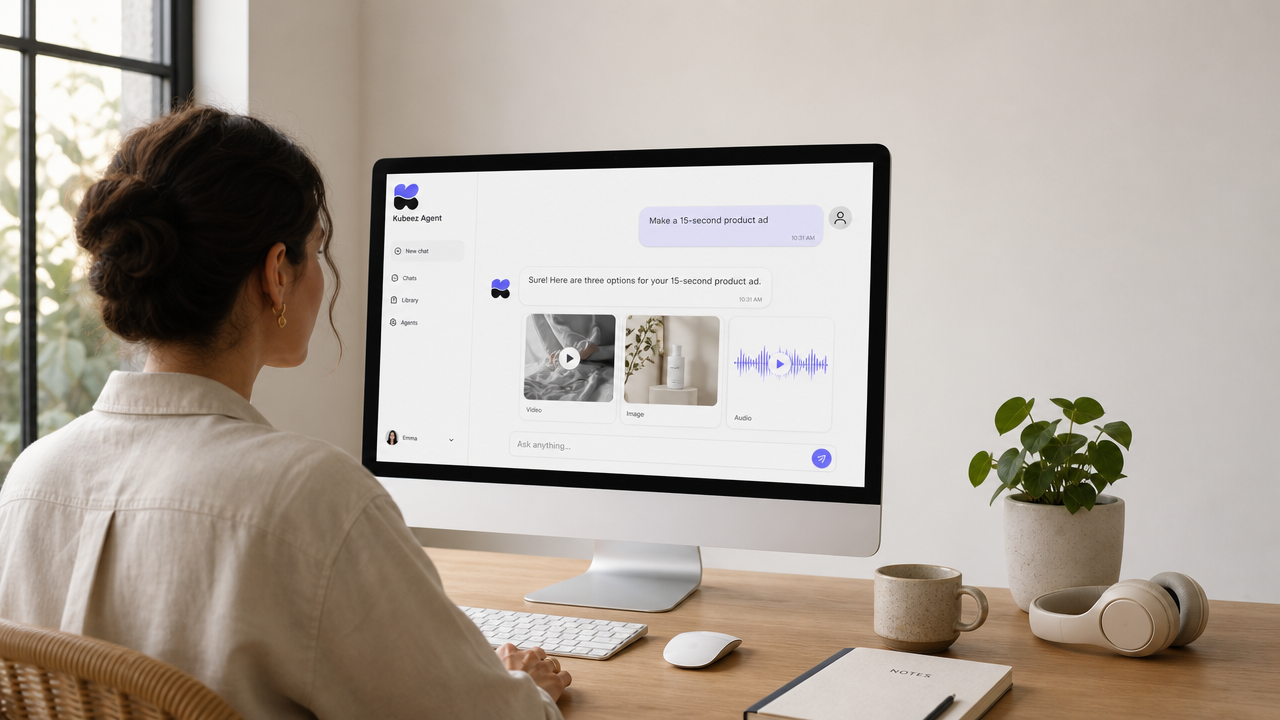
Kubeez is an AI media agent. Instead of hopping between a dozen separate tools for images, video, music, and voice, you open one chat, describe what you want in plain language, and Kubeez plans the job and generates the finished media for you. Type "make a 15-second product ad with upbeat music and a voiceover," and the agent works out the steps, picks the right models, and hands you the results. That chat-first experience is what makes Kubeez an agent rather than just another generator.
This post explains what Kubeez actually is, how the agent chat works, and the full range of media it can create, all grounded in what the product does today.
What is Kubeez?
Kubeez is an AI-first media platform built around a single idea: you should be able to create professional images, video, music, voiceovers, captions, and ad creatives by describing them, not by learning ten different editors. Under the hood, Kubeez connects dozens of leading AI models. On the surface, it gives you one place to use them, one wallet to pay for them, and one agent that can drive them all on your behalf.
The word "agent" matters here. A plain generator does exactly one thing when you press a button. The Kubeez agent reads your request, decides what needs to happen, and carries out multi-step work: it can generate an image, animate it into a video, write and voice a script, and add captions, all from one conversation.
The agent chat: describe it, and Kubeez makes it
The heart of Kubeez is the agent chat. It is a full-screen conversation you can open in your browser and start using right away. You tell it what you want in everyday language, and it responds with a plan and the media itself, inline in the chat.
A typical exchange looks like this:
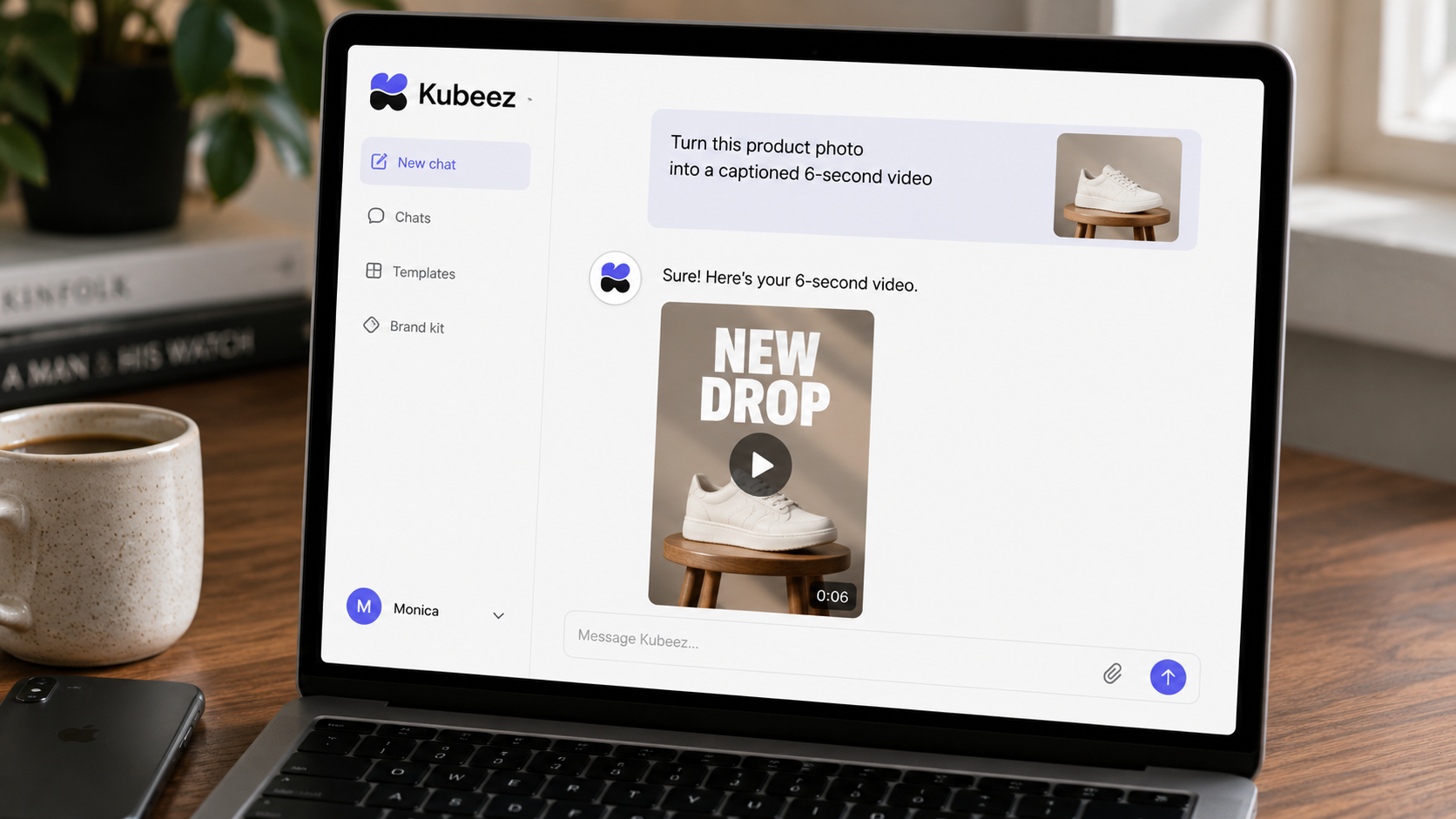
- You: "Create a moody product shot of my candle, then turn it into a 6-second loop for Instagram."
- Kubeez: proposes the shot, generates the image, then animates it into a short vertical video, showing each result in the thread.
Because it is an agent, you can keep the conversation going. Ask it to change the lighting, swap the music, tighten the caption, or export a different aspect ratio, and it iterates on what it already made. You are directing a collaborator, not filling out a form.
You can open and explore the chat while logged out, and sign in on your first generation.
What Kubeez can make
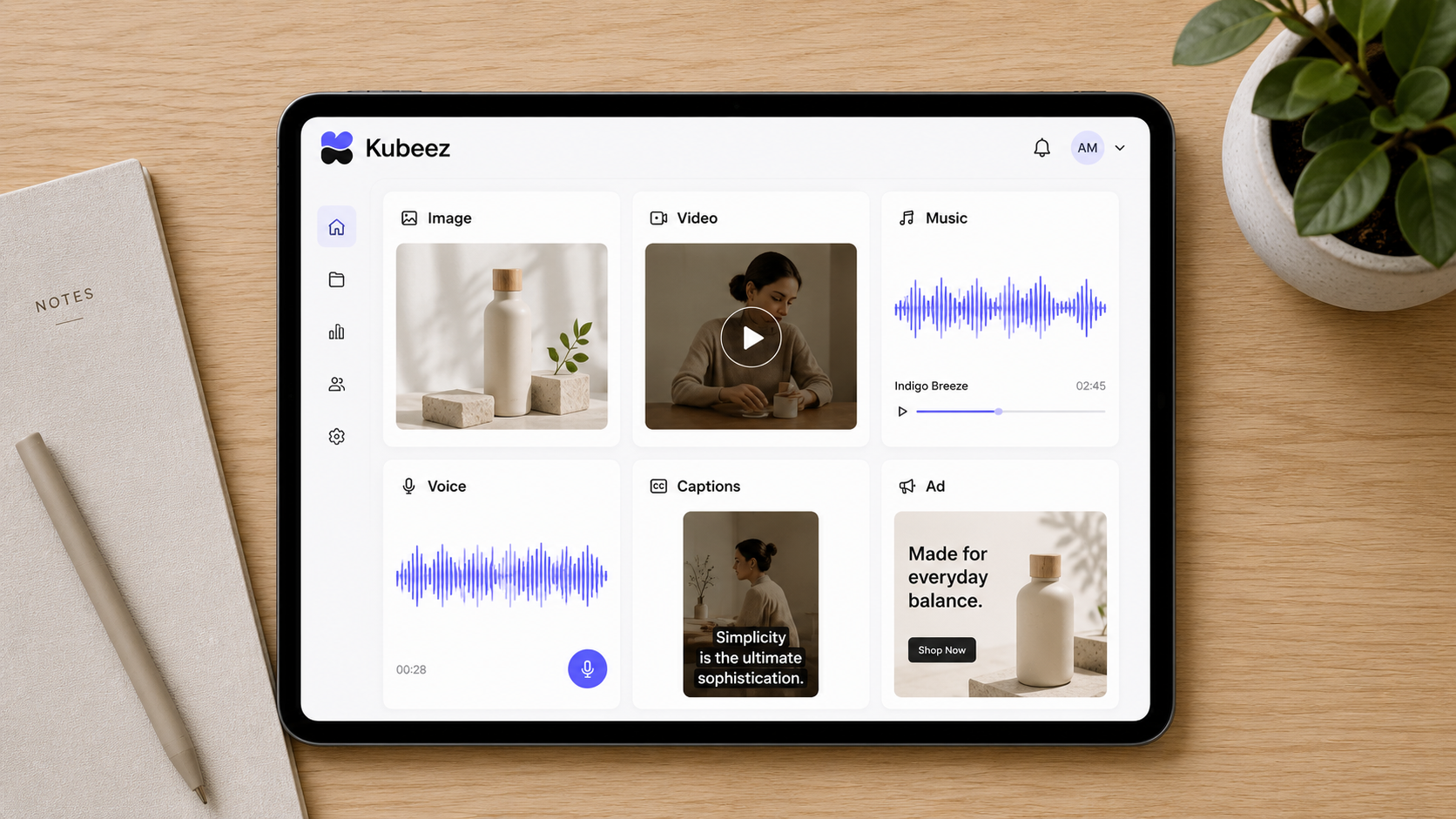
Ask for any of these in the same chat, or use the dedicated studio pages directly:
- Images. Photoreal product shots, illustrations, thumbnails, and brand visuals through the AI image tools, powered by models like Nano Banana 2 and GPT Image 2.
- Video. Cinematic clips and social video with AI video generation, including Seedance 2 and Seedance 2 Fast.
- Music. Original tracks in any genre, generated on demand, with AI music.
- Voice and dialogue. Natural voiceovers, narration, and character dialogue through AI dialogue and text to speech.
- Captions. Burned-in, word-perfect subtitles for short-form video with Auto Captions.
- Ad creatives. Scroll-stopping ad images and headlines built for paid social with AI ads.
Everything runs on the same account and the same credit balance, so you are never juggling separate subscriptions for each media type.
One wallet, many models
Most creators end up paying for several AI tools at once: one for images, another for video, a third for voice. Kubeez collapses that into a single credit wallet that works across every model on the platform. When a new model launches, it appears in the same chat and the same studio you already use, at a transparent per-generation price. You can see exactly what each generation costs on the pricing page before you commit.
That model-agnostic design is deliberate. You should be able to reach for the best model for the job, whether that is a fast draft model or a top-tier cinematic one, without opening a new account each time.
Not just chat: Studio, MCP, and your code editor
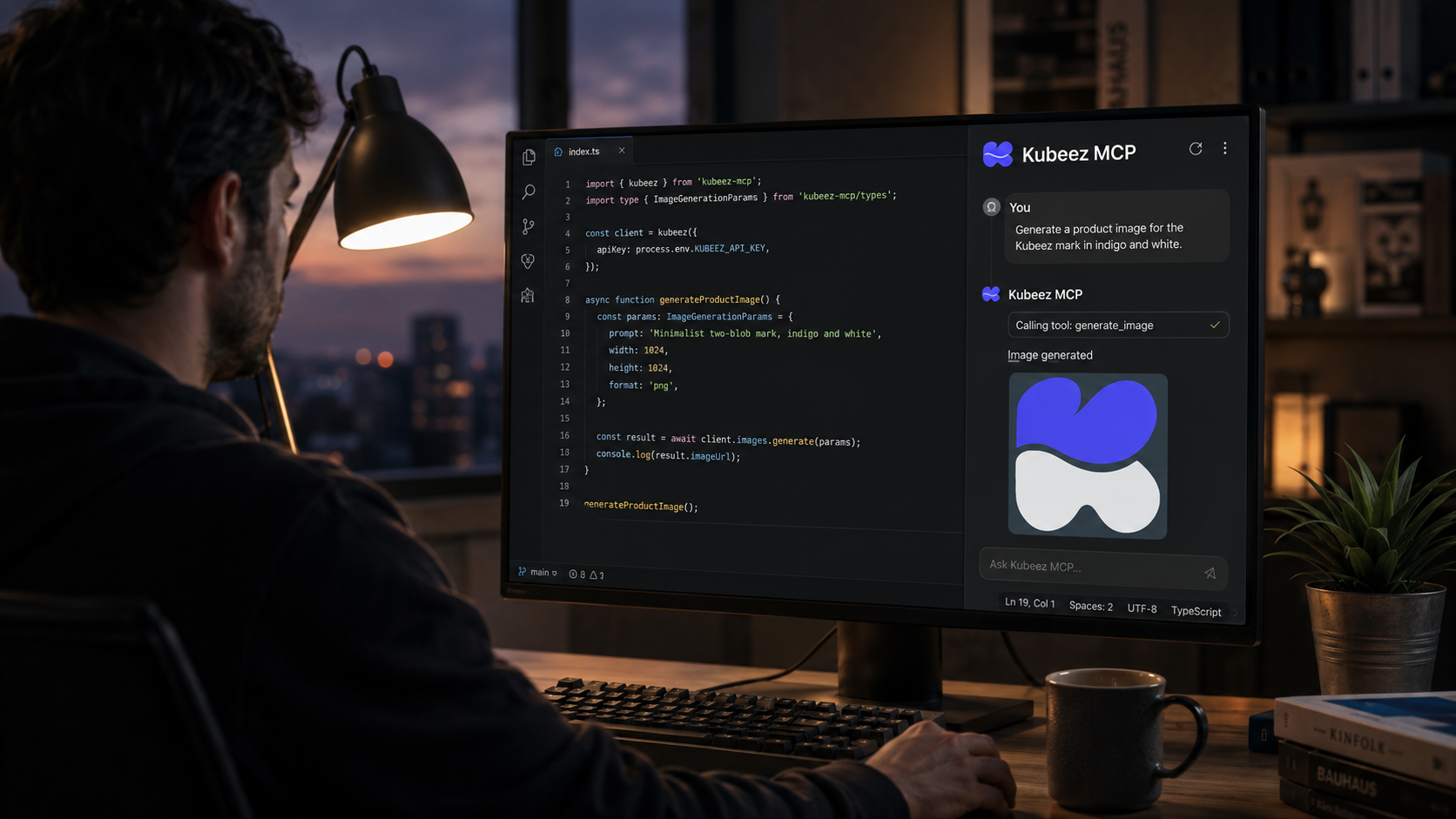
The agent chat is the friendliest way in, but it is not the only one. Kubeez meets you where you work:
- Media Studio. Prefer knobs and sliders? Every capability has a dedicated studio page, from images to video to audio, with full control over models and parameters.
- MCP. Kubeez ships a Model Context Protocol server so agents like Claude and Cursor can generate media directly inside your existing tools. The same wallet, the same models, driven from your editor.
- API. Developers can call every model programmatically through the Kubeez API and build media generation straight into their own products.
Who Kubeez is for
- Social media creators who need a steady stream of images, clips, and captioned shorts without a production team. See the creators use case.
- Marketers and agencies producing ad creatives, product videos, and campaign assets at volume. See the marketing agencies use case.
- Developers who want media generation as an API or MCP tool inside their own apps. See the developers and API use case.
If your work involves making media, the agent removes the busywork between the idea and the finished file.
How Kubeez is different
Plenty of tools generate a single media type. Kubeez is built as an agent that spans all of them and connects the steps. You describe an outcome, and it plans the pipeline: image to video, script to voice, track to captioned clip. One conversation, one wallet, many models, and a finished result at the end.
Ready to see it in action? Read what you can do with Kubeez for concrete, end-to-end workflows, or just open the agent chat and describe your first project.
Frequently asked questions
What is an AI media agent?
An AI media agent is a system that takes a plain-language request and plans and generates finished media across formats: images, video, music, voice, captions, and ads. Kubeez is an AI media agent because it does not just run one model on one click. It decides the steps and carries them out in a single conversation.
Do I need to know how to prompt AI models?
No. You describe the result you want in everyday language and the agent handles model choice and prompting. You can refine by chatting back, the same way you would brief a collaborator.
What can Kubeez generate?
Images, video, music, voiceovers and dialogue, captions, and ad creatives, all from one account and one credit wallet. You can use the agent chat or the dedicated studio pages.
Is Kubeez only a chat?
No. You can use the agent chat, the hands-on Media Studio, the MCP server inside tools like Claude and Cursor, or the API in your own code.
How much does Kubeez cost?
Kubeez uses a single credit wallet across every model, with a transparent per-generation price. Check the current pricing for details.