Guides
Consistent Brand AI Images Across 30 Generations
Consistent brand AI images take one conversation, not 30. Give Kubeey your logo, palette and brand facts once, and a whole batch looks like one company.
· Kubeez
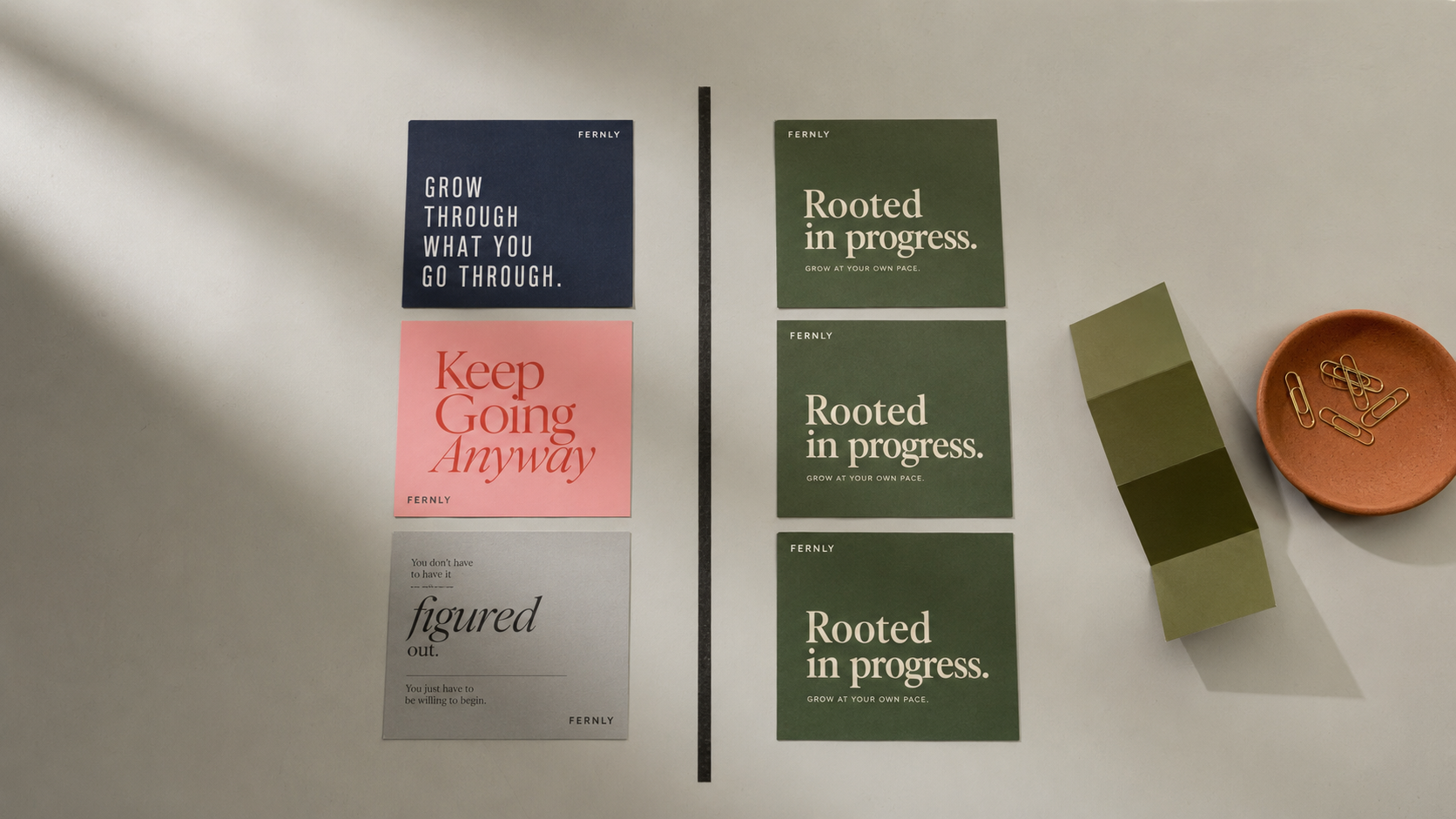
Thirty AI-generated posts should look like one company. Usually they look like thirty. That is the real failure mode of AI social content, and it has almost nothing to do with image quality. Each image is fine on its own. Lined up in a feed, the logo has wandered to a different corner, the sage green has drifted to teal, and the headline is set in a different font in every single frame.
Getting consistent brand AI images is not a prompting trick. It is a setup problem. You give the agent your brand once, properly, and every generation in the batch inherits it. This guide covers what you actually say to Kubeey, the AI media agent on Kubeez, to make one brand hold across a whole batch.
New here? Start with what Kubeey is and the workflows people run with it, then come back for the brand part.
Why AI brand consistency breaks
Every generation is an independent roll of the dice. The model is not looking at post 7 when it makes post 8. Unless you pin something down, three things drift immediately:
- Colour drifts because adjectives are ranges, not values. "Sage green" covers a few hundred greens, and you will get a different one each time.
- Logos drift because a described logo gets redrawn. If the model has to invent your mark from words, it invents a slightly different mark every time.
- Layout and type drift because "clean and modern" means nothing specific. Nothing is holding the wordmark in the same corner.
The fix runs in one direction: stop describing your brand and start supplying it.
Step 1: Hand over your website, not a mood board
This is the one that surprises people, so start here. You do not have to hunt down your logo files or type out hex codes. You can give Kubeey your URL and let it pull the brand off your own site.
- Say it: "Here's my site: fernly.com. Pull my brand before we start."
- What happens: Kubeey reads the page and extracts your logo and your colour palette directly from it.
- What you get back: actual logo files and actual colour values, not an interpretation of them.
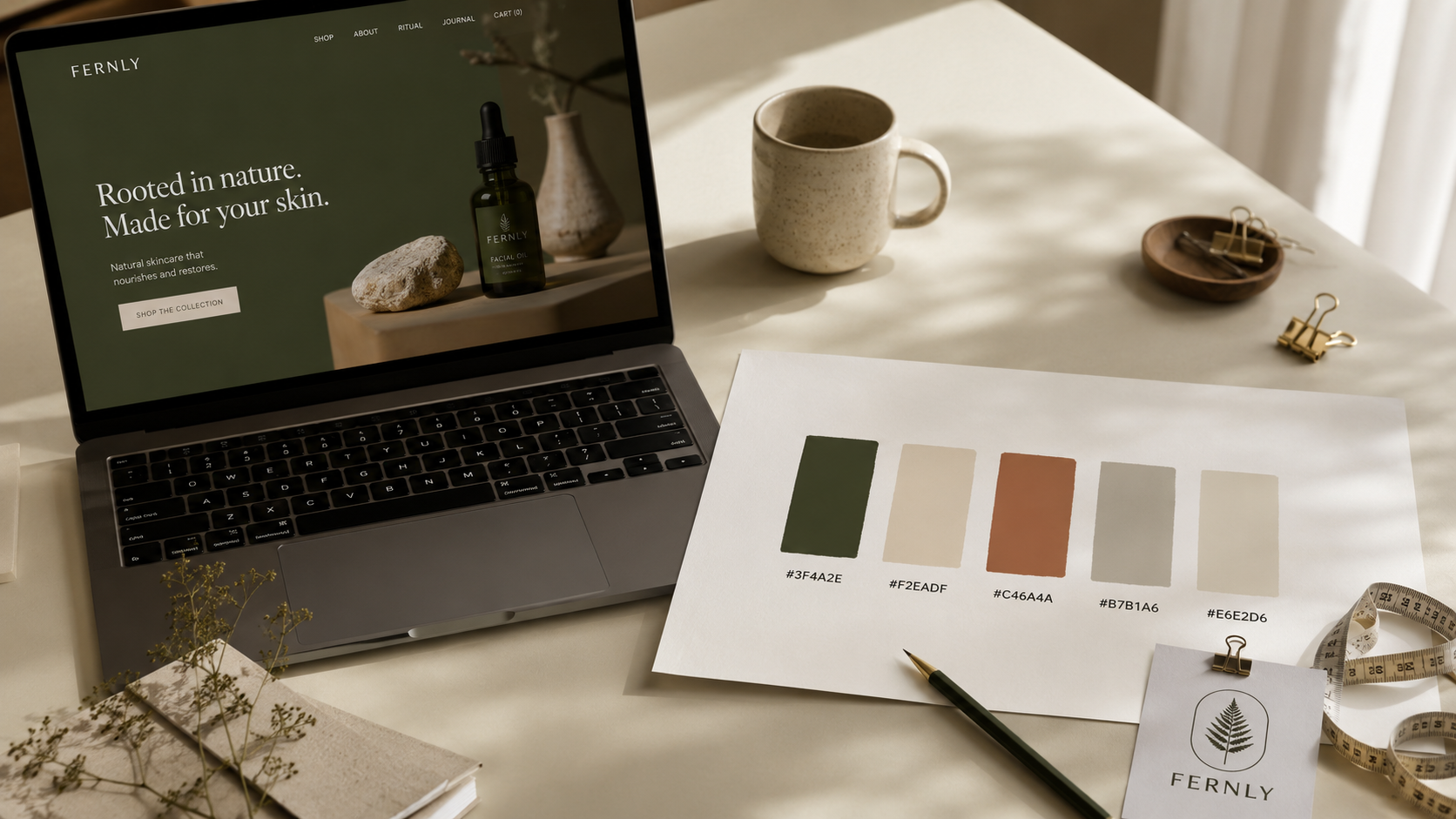
That last point is the whole game. A palette pulled from your site gives the agent #3F4A2E, not "olive-ish". Ranges are where drift comes from, and a hex value has no range.
If your logo lives somewhere other than your homepage, or you want the real product photography instead of generated stand-ins, Kubeey can go looking: it can find logos and find images from a site and show you what it found so you can pick. Handy when the good version of your mark is buried on a press page.
Step 2: Name your brand assets so you can reuse them
Extracting your brand is worth doing once. Keeping it is what makes post 30 match post 1.
Kubeez gives you an Asset Library: permanent, named storage for the things you will reference again. Save your logo under a handle and it stops being a file you re-upload and becomes a word you can say.
- Say it: "Save that logo as
fernly-logo-primary." - Then, forever after: "Use
fernly-logo-primaryon all of these."
Worth knowing before you load it up:
- Assets can be personal or shared with your team. On a team account Kubeey will ask which one you want, because a shared asset is visible to every member. That ask is deliberate, not a bug.
- The library is for reusable brand elements: your logo, your mascot, a founder portrait, a recurring reference still. It is not a dumping ground for every draft you generate.
- The default library quota is 50 MB total, which is a lot of logos and reference stills and not much video.
- It accepts jpeg, png, webp, mp4, mov, mkv, webm, mp3, wav, m4a, ogg and weba.
Ask Kubeey to list your assets any time you forget what you named things.

Step 3: Pass a reference image instead of describing one
Colour and logo are handled. The remaining drift is look: the lighting, the framing, the texture, the general feel that makes a feed read as one brand.
Words are weak here. A reference image is strong. When you pass an existing image into a generation, the agent works from that image rather than from your adjectives.
- Say it: "Make five more in this exact style, using this one as the reference."
- Or: "Same look as the last batch, new product."
The practical move: get one frame you genuinely love, then make it the anchor for everything else. One good reference beats a paragraph of description, every time. This is the same mechanism that keeps your real product looking like your real product instead of a lookalike.
Step 4: Make your brand survive the conversation ending
Everything above lives inside one chat. The problem is that next Tuesday you open a new one.
Two things carry across:
- Personas. Create a persona for a brand and it holds the brief: the palette, the tone, the rules. Then you say "use the Fernly persona" instead of re-explaining your brand from scratch.
- Memory. You can tell Kubeey to remember a brand fact and it will recall it in later conversations. "Remember that our green is
#3F4A2Eand the logo always sits top-left."
This is the difference between a tool you re-brief every session and one that already knows who you are. If you drive Kubeez from your own stack instead, the same brand setup applies through the MCP connection and the API.
Step 5: Make Kubeey check its own batch
Here is the step almost nobody does, and it is the cheapest quality win available.
Kubeey can look at images and tell you whether they match. Show it up to eight at a time and ask a direct question about them.
- Say it: "Look at these eight. Do they all match my brand? Which one is off?"
- What you get: a straight answer naming the outlier, not a vibe check.
You are using the agent as a second pair of eyes on its own output. It is very good at spotting the one tile where the green went wrong, which is exactly the tile you would have missed at 11pm on a Sunday.
What the whole thing sounds like
Put together, a real batch is a short conversation, not a spreadsheet of prompts:
You: Here's my site, fernly.com. Pull my brand.
Kubeey: Got your logo and your palette. Deep olive
#3F4A2E, warm cream#F2EADF, terracotta accent.You: Save the logo as
fernly-logo-primary. Remember that palette for next time.You: Now make me 30 posts for the spring range, all using that palette and that logo.
You: Look at the first eight. Do they match?
Kubeey: Seven match. Number four drifted blue, want me to redo it?
You: Yes. Then give me the rest.
That is the actual shape of it. Note what you never did: you never typed a hex code, never re-uploaded a logo, and never eyeballed 30 tiles yourself.
Kubeey plans the batch and confirms the cost before it spends anything, which is a guide of its own. Sizing and captions for each platform are a separate job from brand consistency, so they get their own treatment too.
Kubeey generates, you post
One honest note to end on, because it matters for how you plan your week.
Kubeey does not post for you. It has no connection to your social accounts, it cannot publish, and it cannot schedule. What it does is get you to a folder of finished, on-brand, ready-to-post media faster than you could brief a designer.
The handoff is simple and it is deliberate:
- Kubeey generates the batch, on brand, from your real assets.
- You review it, with Kubeey's help spotting the outliers.
- You save what you approve.
- You post it, on your schedule, from your own accounts.
The last mile stays yours. Given that a bad post is much more expensive than a slow one, having a human say yes before anything goes out is a feature.
Start a batch in the agent chat, or explore AI images and AI video in the Media Studio.
FAQ
How do I keep my brand consistent across AI-generated images?
Supply your brand instead of describing it. Give Kubeey your website URL so it can extract your real logo and exact colour palette, save those assets under a name you can reuse, pass a reference image to lock the look, and store the brand as a persona or memory so it carries into future conversations.
Can Kubeey get my brand colours from my website?
Yes. That is the fastest way to start. Give Kubeey your URL and it reads the page and pulls your logo and colour palette directly from it, so you are working from exact colour values rather than approximations like "sage green".
Why do my AI images look different from each other?
Because each generation is independent, and anything you described in words rather than supplied as a file is free to drift. Adjectives cover ranges, so "sage green" lands on a different green each time. Hex values, saved logo assets and reference images remove that freedom.
Can I share brand assets with my team?
Yes. The Asset Library can be personal or shared with your team, and every member sees a shared asset. On a team account Kubeey asks which one you want before saving, so a personal asset never lands in the team library by accident.
Can Kubeey check whether my images are on brand?
Yes. It can look at up to eight images at once and answer a direct question about them, including which one is off brand. It is a fast, cheap review step before you publish anything.
Can Kubeey post to Instagram or TikTok for me?
No. Kubeey generates and helps you review your media, but it does not connect to social accounts, and it cannot publish or schedule posts. You export the finished files and post them yourself.